
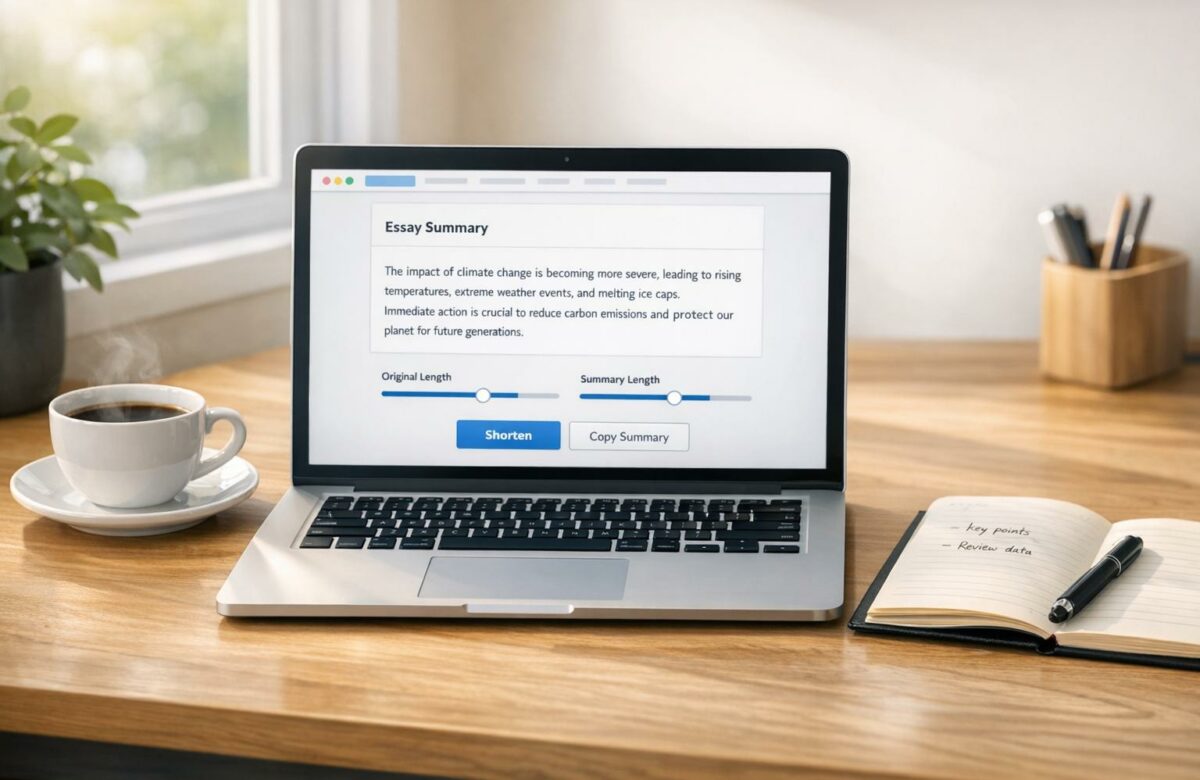
How To Shorten Essays Online Without Losing Meaning
Shortening essays without losing their meaning is a skill that combines smart editing with efficient tools. Whether you’re a student struggling with word limits or a professional refining a draft, the goal is to cut unnecessary words while preserving clarity and impact. Here’s how:
- Start with the main idea: Focus on your thesis and remove anything that doesn’t directly support it.
- Cut fluff: Eliminate filler words, repetitive phrases, and unnecessary qualifiers like “very” or “really.”
- Simplify sentences: Use active voice and concise alternatives (e.g., “because” instead of “due to the fact that”).
- Reorganize paragraphs: Merge overlapping ideas and ensure each paragraph has one clear purpose.
- Use tools like BeLikeNative: This AI tool helps shorten text by identifying wordy sections and offering concise rewrites without altering the meaning.
10 Tips to Reduce Word Count in Essays without Reducing the Content
Transform Any Text, On Any Site, In Seconds
Rephrase, translate, and improve text with one shortcut. Works everywhere you write.
Add to Chrome - It's Free!Manual Methods for Shortening Essays
If you want full control over your essay’s content and tone, manual editing is the way to go. These techniques allow you to decide what stays and what gets cut, all while keeping your main message intact. Plus, mastering these methods lays a solid foundation for using more advanced tools later.
Find Your Main Points and Arguments
Start by pinpointing your thesis in the introduction. If it’s not obvious right away, ask yourself: What is this essay really about? This central argument becomes your guiding principle for deciding what to keep and what to cut.
Next, match each paragraph to your assignment prompt. If a section doesn’t directly support your thesis, it’s time to let it go. Chris Drew, PhD, founder of Helpful Professor, puts it this way:
“The trick to going over the word count is seeing this as a positive: you now have the chance to only present your absolute best arguments.”
To prioritize content, rate the relevance of each paragraph on a scale from 1 to 10. Then, remove the three lowest-rated sections. This process makes it easier to focus on your strongest points. Also, watch out for paragraphs longer than seven sentences – they often include tangents or unnecessary details that can be trimmed.
Remove Repetition and Simplify Sentences
Cutting down on wordiness doesn’t mean sacrificing clarity. One quick fix is to switch from passive to active voice. For instance, instead of saying, “The experiment was conducted by the students”, go with “The students conducted the experiment.” It’s shorter and easier to read.
Here’s a quick cheat sheet for trimming wordy phrases:
| Wordy Phrase | Concise Alternative |
|---|---|
| Due to the fact that | Because |
| In order to | To |
| At this point in time | Now |
| Take into consideration | Consider |
| A larger number of | More |
Also, ditch unnecessary qualifiers like “very” or “really”, and use the “that” test: if a sentence works without “that”, delete it. Lastly, review prepositional phrases (like “in”, “for”, or “at”) and rework sentences to use fewer of them.
Restructure Paragraphs for Better Organization
Reorganizing your paragraphs can help streamline your essay without losing its impact. Start by merging paragraphs with overlapping ideas. If two sections make the same point, combine the strongest sentences from both into one concise paragraph. Use the “unique idea” test to ensure each paragraph introduces just one distinct concept.
Clean up paragraph edges by removing incomplete or isolated sentences. Get rid of filler phrases like “It is important to note that” or “The fact of the matter is” and dive straight into your evidence.
Finally, close each paragraph with a sentence that reinforces your main argument and smoothly transitions to the next section. This keeps your essay logical and cohesive, even after significant edits.
How to Use BeLikeNative for Essay Shortening

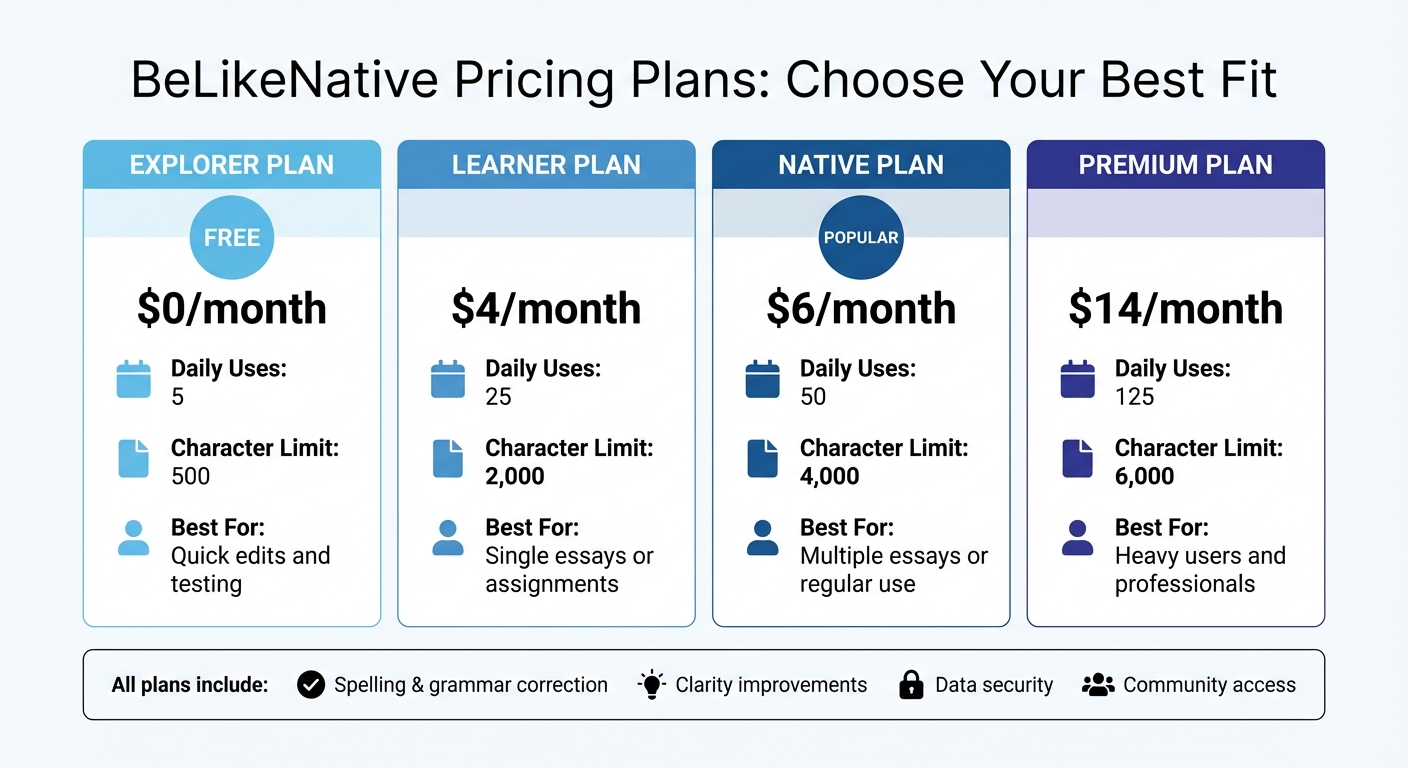
BeLikeNative Pricing Plans Comparison for Essay Shortening
BeLikeNative is a Chrome extension designed to help you reduce essay length without losing the meaning or intent of your writing. Using context-aware rewriting, it analyzes sentences to create concise versions that stay true to your original message.
This tool integrates with your clipboard, allowing you to shorten text across platforms like Google Docs, Notion, or even WhatsApp Web. It supports over 80 languages, making it a great option for multilingual projects or assignments that require both translation and brevity. You can also adjust settings to match your preferred tone and style, whether you’re working on formal academic papers or casual content.
One standout feature of BeLikeNative is its ability to remove redundant words and phrases automatically. It spots filler words like “very”, “really”, and “actually”, as well as wordy expressions like “due to the fact that”, replacing them with more concise alternatives. This makes it easier to meet word count limits without spending hours manually editing. Here’s how to use it step-by-step.
Step-by-Step Instructions for BeLikeNative
- Install the BeLikeNative Chrome extension from the Chrome Web Store. Once installed, the extension icon will appear in your browser toolbar.
- Open your essay in any web-based text editor. BeLikeNative works seamlessly across different platforms.
- Highlight and copy the text you want to shorten (Ctrl+C or Cmd+C). Then, activate the extension using your configured keyboard shortcut.
- The tool will analyze your text and provide rephrased versions that are shorter while maintaining your original meaning. You can adjust the settings to control how much shortening is applied – choose a more aggressive mode for significant cuts or a balanced option for minor edits.
- Review the suggestions and select the version that best fits your essay’s tone and accuracy. Once you’re satisfied, paste the revised text back into your document.
- Repeat this process for other sections or paragraphs that need condensing.
BeLikeNative Pricing Plans and Features
BeLikeNative offers flexible pricing plans to meet various needs, from quick edits to heavy-duty essay shortening. Here’s a breakdown of the available options:
| Plan | Price | Daily Uses | Character Limit | Best For |
|---|---|---|---|---|
| Free | $0 | Limited | 500 | Quick edits and testing |
| Learner | $4 | 50 | 4,000 | Single essays or assignments |
| Native | $6 | 125 | 6,000 | Multiple essays or regular use |
| Premium | $14 | 180 | 10,000 | Heavy users and professionals |
The Free plan is free and perfect for testing the tool, offering 5 daily uses with a 500-character limit. For longer essays, the Learner plan at $4/month provides 25 daily uses and a 2,000-character cap, along with customizable settings to streamline your workflow.
For those handling multiple essays, the Native plan at $6/month offers 50 daily uses and a 4,000-character limit, plus faster processing during busy times. The Premium plan at $14/month is ideal for professionals or heavy users, with 125 daily uses, a 6,000-character limit, and additional benefits like partnership perks and the option for a lifetime license after two years.
All plans include features like spelling and grammar correction, clarity improvements, data security, and access to a supportive community. If you’re frequently working on lengthy research papers or tight deadlines, upgrading to a higher tier can save you significant time and effort.
sbb-itb-32359dc
Checking and Improving Your Shortened Essay
Once you’ve trimmed down your essay, it’s time to make sure the revised version still captures your original ideas clearly. Overzealous editing can sometimes strip away crucial context or disrupt the flow between sections. Your goal is to ensure the shortened version stays true to the original – accurate, objective, and rooted in the source material, without adding new interpretations. This way, your condensed essay can be just as effective as the full version.
Compare the Original and Shortened Versions
Start by reviewing both versions side by side. Check that your thesis and main arguments remain intact. As Proofed advises:
“make sure that revised text contains everything that the original was trying to convey without changing meaning or emphasis”.
The shortened version should highlight your core ideas more clearly, not obscure them with confusing edits. Ensure transitional words like “however”, “therefore”, or “additionally” are still in place to connect ideas smoothly.
Read Your Essay Out Loud
Reading your essay aloud is a great way to spot issues that silent reading might miss. Awkward phrasing or overly dense sentences often become more noticeable when spoken. As Lindsay Kramer from Grammarly puts it:
“Reading your summary aloud can help you catch errors or awkward phrasing that you might miss when reading silently”.
Pay attention to sections where you stumble or where sentences feel overloaded with information. If something sounds off to you, it likely will to your readers too. It’s also important to check that your essay still reflects your original tone and doesn’t come across as robotic or overly edited.
Make Final Edits for Tone and Accuracy
Once you identify areas that need improvement, make small tweaks to restore the natural flow and maintain your tone. Watch out for “widows” (a single word left dangling at the end of a paragraph) or “orphans” (a single word at the top of a page) – restructuring these can make your essay more visually appealing without cutting content. Remember, effective editing isn’t just about reducing word count; it’s about cutting unnecessary details while keeping your writing smooth and engaging. If the text feels forced or clunky, it might need a bit more refining.
Conclusion
Refining an essay to make it concise while preserving its main message is a blend of thoughtful manual editing and smart use of AI tools like BeLikeNative. Begin by pinpointing your central arguments, trimming repetitive sections, and reorganizing paragraphs to create a more streamlined and engaging flow. These manual adjustments allow you to maintain your personal style and ensure the accuracy and context that only you, as the writer, can provide.
BeLikeNative complements this process by efficiently reducing word count without losing essential points. It’s a great time-saver, especially when you’re working under tight deadlines.
FAQs
How can I shorten my essay without losing its meaning?
To keep your essay concise without losing its meaning, focus on pinpointing the main ideas and key arguments. Cut out filler words, repetitive statements, and unnecessary details that don’t contribute to the point. Tools like AI writing assistants can help streamline your text while keeping the message intact. Once revised, read through it to ensure it flows smoothly and stays true to its purpose.
What are the best ways to manually shorten an essay without losing its meaning?
To shorten an essay without losing its meaning, focus on trimming excess words and simplifying your sentences. Start by cutting out filler phrases like “in order to” or “it is evident that”, replacing them with more concise alternatives. Opt for active voice over passive voice to make your writing clearer and more direct. For instance, instead of saying, “The report was written by the team”, you can say, “The team wrote the report.”
Next, eliminate redundancies, such as “each and every” or “future plans.” Merge sentences that repeat the same idea, and streamline lengthy phrases (e.g., change “due to the fact that” to “because”). Lastly, go through each paragraph and remove any off-topic sentences or examples that don’t directly support your main argument. This not only shortens your essay but also sharpens its focus.
How can BeLikeNative help shorten essays while keeping the original meaning?
BeLikeNative makes essay shortening a breeze by prioritizing the retention of core ideas and original meaning. It uses advanced tools and techniques to condense text efficiently while keeping the content clear and purposeful.
Designed to handle both monolingual and multilingual essays, BeLikeNative ensures your writing stays sharp, concise, and easy to understand. Whether you’re polishing academic papers or fine-tuning professional documents, the platform offers practical solutions to streamline your editing process.
Related Blog Posts
- How to Shorten an Essay Without Losing Meaning – AI Hacks & Tools!
- Ai Tools To Shorten Essays Without Losing Meaning
- Best Ai Tools To Shorten Essays While Keeping Key Points
- Simplify Long Paragraphs With AI For Better Readability
BeLikeNative fixes grammar, rephrases, translates, and simplifies text on any website in 1 second — just highlight and hit a keyboard shortcut. No tab switching. Try it free →

