
Best Grammar Checker For Non Native English Speakers
Non-native English speakers often face unique challenges when writing: awkward phrasing, misused prepositions, and word order issues. Standard grammar tools aren’t always equipped to handle these. This article reviews five top grammar checkers tailored to help non-native speakers write clearer, more natural English:
- Grammarly: Best for general use with strong error detection and learning tools.
- ProWritingAid: Ideal for detailed feedback and long-form writing.
- LanguageTool: Excellent for multilingual users with support for 30+ languages.
- Ginger Software: Focuses on basic grammar and translation in 40+ languages.
- BeLikeNative: Real-time editing for quick corrections across platforms.
Each tool has its strengths and weaknesses, ranging from advanced AI corrections to multilingual support. Below, we break down their features, pricing, and who they’re best suited for.
Quick Comparison
| Tool | Best For | Key Features | Free Plan? | Price (Monthly) |
|---|---|---|---|---|
| Grammarly | General editing | AI-driven corrections, learning tools | Yes | $12 (Pro) |
| ProWritingAid | Long-form writing | Detailed reports, in-depth analysis | Yes | $10 (Premium) |
| LanguageTool | Multilingual users | 30+ languages, "Mother Tongue" setting | Yes | $4.99 (Premium) |
| Ginger | Basic grammar & mobile | Translation, rephrasing tools | Yes | $6.99 (Annual) |
| BeLikeNative | Quick real-time edits | Clipboard integration, 80+ languages | Yes | $6 (Native) |
Each tool offers free versions, but premium plans unlock advanced features. Whether you’re a student, professional, or casual writer, there’s a tool here to help you write more confidently in English.
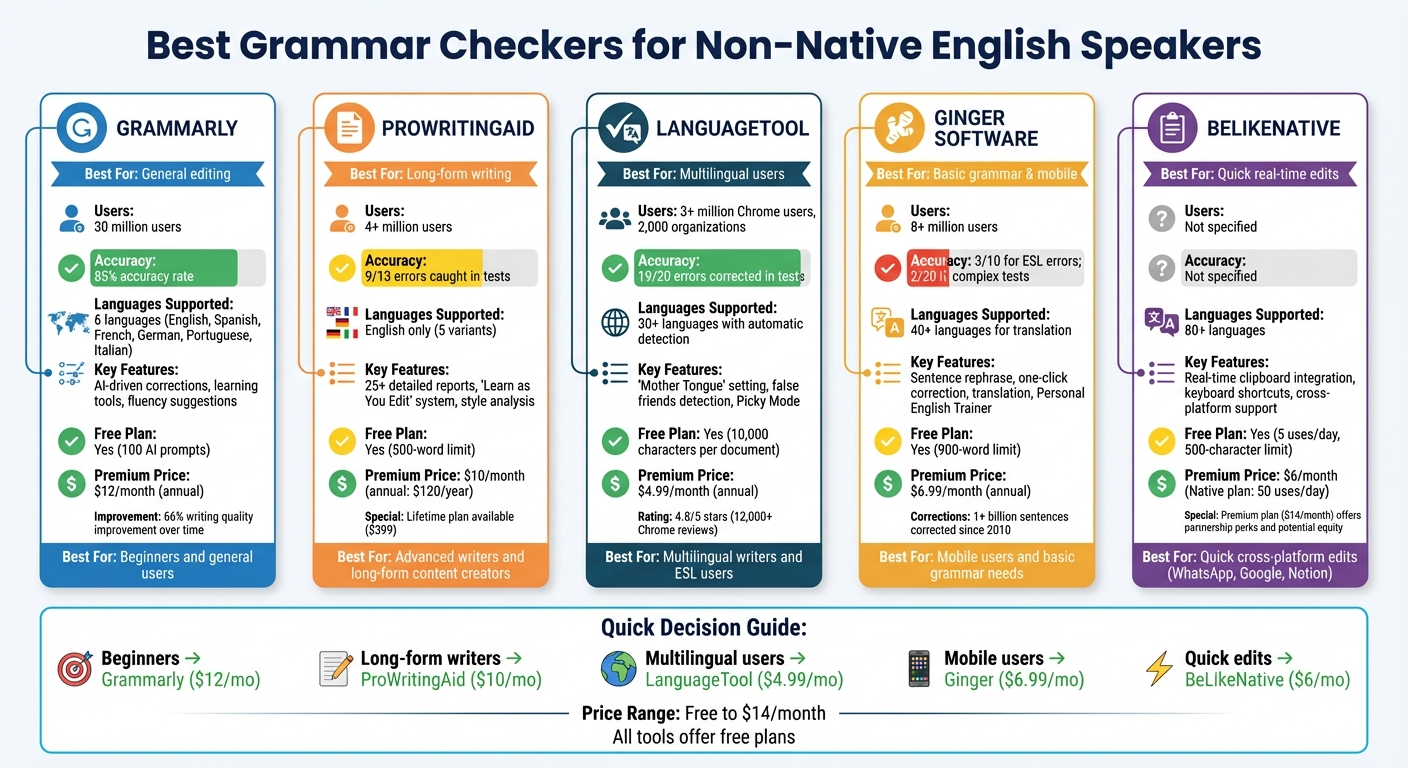
Grammar Checker Comparison for Non-Native English Speakers: Features, Pricing & Best Use Cases
Grammarly Review – Online Grammar Checker app (Is Grammarly worth it?)
1. Grammarly
Grammarly has become a go-to tool for grammar checking, boasting 30 million users and over 50,000 organizations relying on it daily for their writing needs. For non-native English speakers, it provides a solid mix of error detection and learning tools to improve their writing skills.
Accuracy for ESL Errors
Grammarly excels at identifying common mistakes made by non-native speakers, such as subject-verb agreement issues, incorrect article usage, and confusing words like "their" and "they’re". Its context-aware AI achieves an impressive 85% accuracy rate, tailoring corrections to match different writing styles. However, it’s not flawless. Sometimes, Grammarly suggests overly formal phrasing for casual writing or creates mechanical-sounding text if every suggestion is followed blindly. Additionally, the free version catches fewer errors compared to the paid tiers, which include the more advanced "Deep Check" feature.
On top of its accuracy, Grammarly offers support for multiple languages, making it even more useful for non-native speakers.
Multilingual Support
As of 2026, Grammarly supports real-time writing assistance in six languages: English, Spanish, French, German, Portuguese, and Italian. It automatically detects the language you’re writing in and adjusts its suggestions accordingly. For added convenience, it allows you to translate text into 19 different languages directly within your workflow, so there’s no need to switch between apps. However, its multilingual capabilities are somewhat limited compared to other tools, and this feature is still unavailable on mobile devices.
Beyond correcting errors, Grammarly also provides tools to help users improve their writing over time.
Learning Tools
Grammarly goes beyond error detection by offering learning tools designed to build confidence in non-native speakers. Its fluency suggestions are tailored to your language background, helping you avoid awkward phrasing that might sound unnatural to native speakers. For instance, it might flag a grammatically correct but clunky sentence like "with cheaper price" and suggest "at a lower price" instead.
"My biggest piece of advice for anyone in college is to download Grammarly. Grammarly catches mistakes you might miss and helps with communicating clearly. Game changer!" – Jessica Wythe, PhD Candidate
The platform also includes AI-driven feedback to predict how readers might react to your writing, along with a library of articles covering grammar, verb tenses, and style tips. Regular users report a 66% improvement in their writing quality over time.
Pricing in USD
| Plan | Price | Key Features |
|---|---|---|
| Free | $0/month | Basic grammar, spelling, punctuation, and tone detection; includes 100 AI prompts |
| Pro (Annual) | $12/month | Full-sentence rewrites, plagiarism checker, and 2,000 AI prompts |
| Pro (Monthly) | $30/month | Same as annual, billed monthly |
| Business | $15/month per user | Team features and collaboration tools |
| Enterprise | Custom pricing | Unlimited AI prompts and enhanced security |
While the free plan offers basic corrections, the Pro plan is better suited for non-native writers, providing advanced fluency and tone adjustments.
2. ProWritingAid
ProWritingAid is a tool designed to refine grammar, style, readability, and structure for writers. With a user base of over 4 million – including authors, students, and professionals – it’s geared toward those who want to learn the "why" behind every suggestion.
Accuracy for ESL Errors
For non-native English speakers, ProWritingAid offers tailored features to catch common mistakes. It identifies issues like confusing "adverse" with "averse" or misusing "allows" when followed by a gerund. Its database is built on thousands of rules crafted by copyeditors, enabling it to flag typical errors. In one test featuring 13 deliberate mistakes, the tool successfully caught 9.
That said, its performance can be inconsistent. While it shines in analyzing style elements like sentence length and passive voice, some reviewers have noted that it occasionally overlooks basic verb form errors or flags business terminology unnecessarily. Beyond merely flagging mistakes, ProWritingAid focuses on helping users understand the reasoning behind each correction.
Learning Tools
One of ProWritingAid’s standout features is its "Learn as You Edit" system. When an error is flagged, users can click an "i" icon to view a brief explanation of the rule, along with links to in-depth articles. This feature is especially helpful for non-native speakers, as it teaches them patterns and rules rather than just offering corrections.
"Our goal over the next couple of years is to have a simple explanation associated with every grammar issue that the software picks up so that you can learn while you edit." – Krystal N. Craiker, Author and Editor, ProWritingAid
The platform also provides over 25 specialized writing reports. These reports analyze aspects like overused words, pacing, and overall structure. For example, it recommends pronoun usage between 4–15% and suggests maintaining a transitional language frequency of at least 25% for polished writing. ProWritingAid integrates seamlessly with platforms like Google Docs, Microsoft Word, and Scrivener, making it convenient for users to access these insights directly within their preferred writing environment.
While the interactive learning tools enhance user knowledge, the software’s language capabilities are limited to English.
Multilingual Support
ProWritingAid supports several English variants, including American, British, Canadian, Australian, and Indian English. However, it does not cater to other languages, making it best suited for those focused exclusively on English writing.
Pricing in USD
| Plan | Price | Key Features |
|---|---|---|
| Free | $0/month | 500-word limit, limited reports |
| Premium (Monthly) | $30/month | Full reports, unlimited words |
| Premium (Annual) | $120/year | Full reports, unlimited words |
| Premium (Lifetime) | $399 one-time | Permanent access |
| Premium Pro (Annual) | $144/year | Advanced features |
Students can take advantage of a 20% discount on all paid plans. While the free version offers basic functionality with a 500-word limit, most non-native speakers working on longer documents may find the annual or lifetime plans more practical.
3. LanguageTool
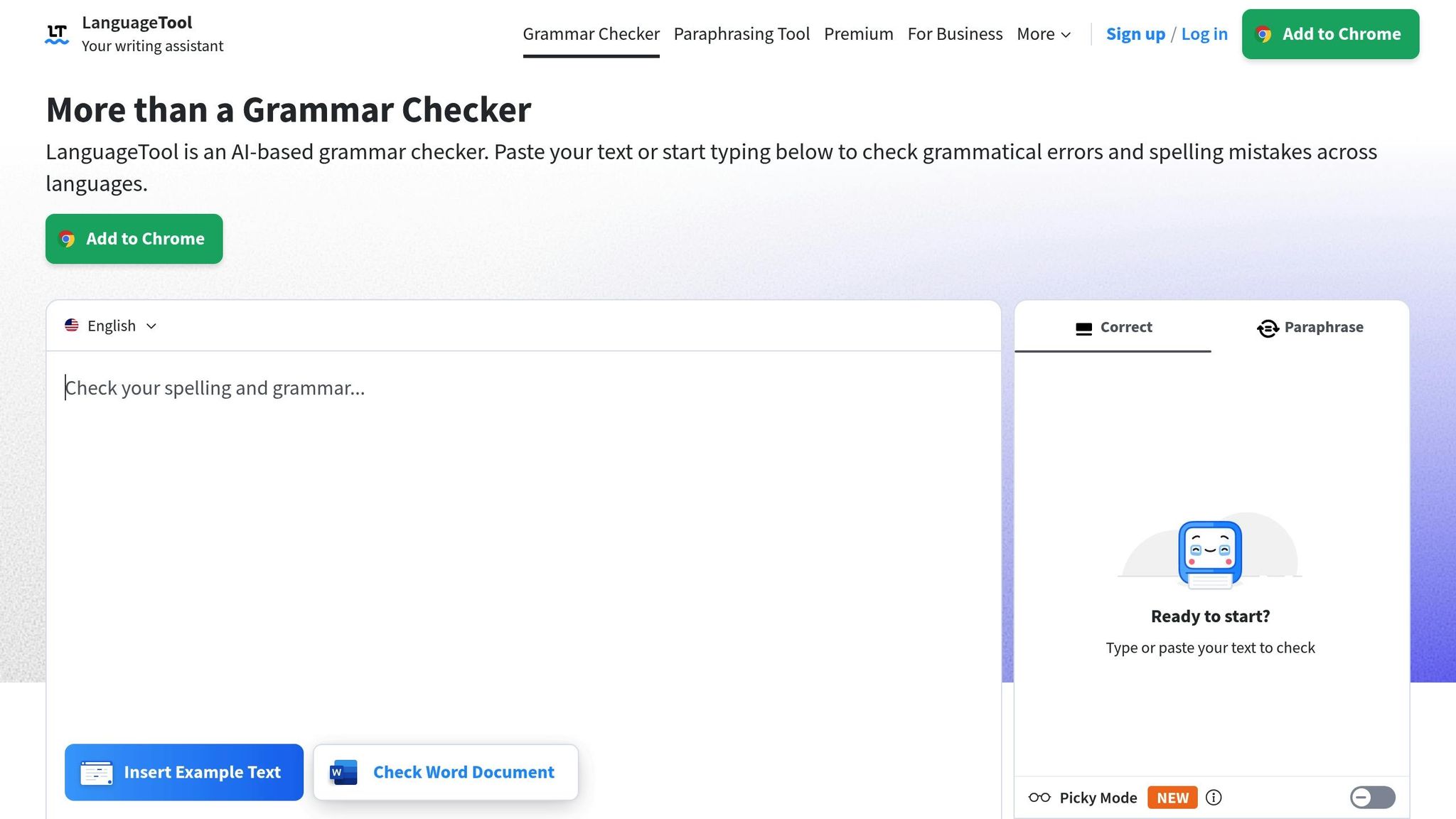
LanguageTool is an open-source grammar checker that supports over 30 languages. With more than 3 million Chrome users and adoption by 2,000 organizations, it’s a trusted tool for handling various language needs. Here’s a closer look at how it helps with challenges faced by ESL (English as a Second Language) users.
Accuracy for ESL Errors
One of LanguageTool’s standout features is its ability to spot "false friends" – words that look similar in different languages but have different meanings. For example, it alerts Spanish speakers that "embarazada" doesn’t mean "embarrassed." This is made possible through its "Mother Tongue" setting, which allows users to select their native language, helping the tool detect interference errors.
"If you regularly write in a language that’s not native to you, LanguageTool is an excellent proofreading option." – Dave Chesson, Founder, Kindlepreneur
The tool also catches common ESL mistakes like subject-verb agreement issues, incorrect plural forms, and other grammatical errors. Its Picky Mode goes a step further, flagging passive voice, vague phrasing, and complex punctuation – issues that can trip up non-native speakers. Plus, you can double-click any word to see synonyms, adding an extra layer of usability.
Multilingual Support
LanguageTool offers tailored support for six varieties of English, including US, UK, Canada, Australia, New Zealand, and South Africa. It also covers widely spoken languages like Spanish, German, French, Dutch, and Portuguese. The tool automatically detects the language after a few words and adjusts its rules accordingly. A particularly helpful feature allows users to input a word in their native language and get the correct English translation. Additionally, its AI-powered paraphraser, available in six languages, provides sentence-level rewrites to improve fluency.
Beyond detecting errors, LanguageTool helps users learn by explaining its corrections, making it a valuable resource for improving language skills.
Learning Tools
Each correction comes with an explanation and links for deeper understanding. Users can also choose from five writing goals – like "Professional & Serious" or "Objective & Scientific" – to receive tailored suggestions.
"LanguageTool doesn’t just correct your error, but also gives you an explanation, so you understand the reason behind it." – Julia Merkus, MA, Content Strategist
The tool integrates seamlessly with platforms like Microsoft Word, Google Docs, LibreOffice, browsers, and desktop apps for Windows and macOS. However, it doesn’t include plagiarism detection or generative AI features.
Pricing in USD
| Plan | Price | Key Features |
|---|---|---|
| Free | $0/month | 10,000 characters per document; basic checks |
| Premium (Monthly) | $19.90/month | 150,000 characters; Picky Mode |
| Premium (Quarterly) | $13.00/month | Full features; billed quarterly |
| Premium (Annual) | $4.99/month | Full features; billed at $59.90/year |
| Team Accounts | $66.40/user/year | Designed for 2–20 members; billed every two years |
Students can enjoy discounts on Premium plans. The free version, which doesn’t require registration, covers basic spelling, punctuation, and style errors. With a 4.8/5 rating on the Chrome Web Store from over 12,000 reviews, users frequently highlight its multilingual precision and ease of use.
sbb-itb-32359dc
4. Ginger Software
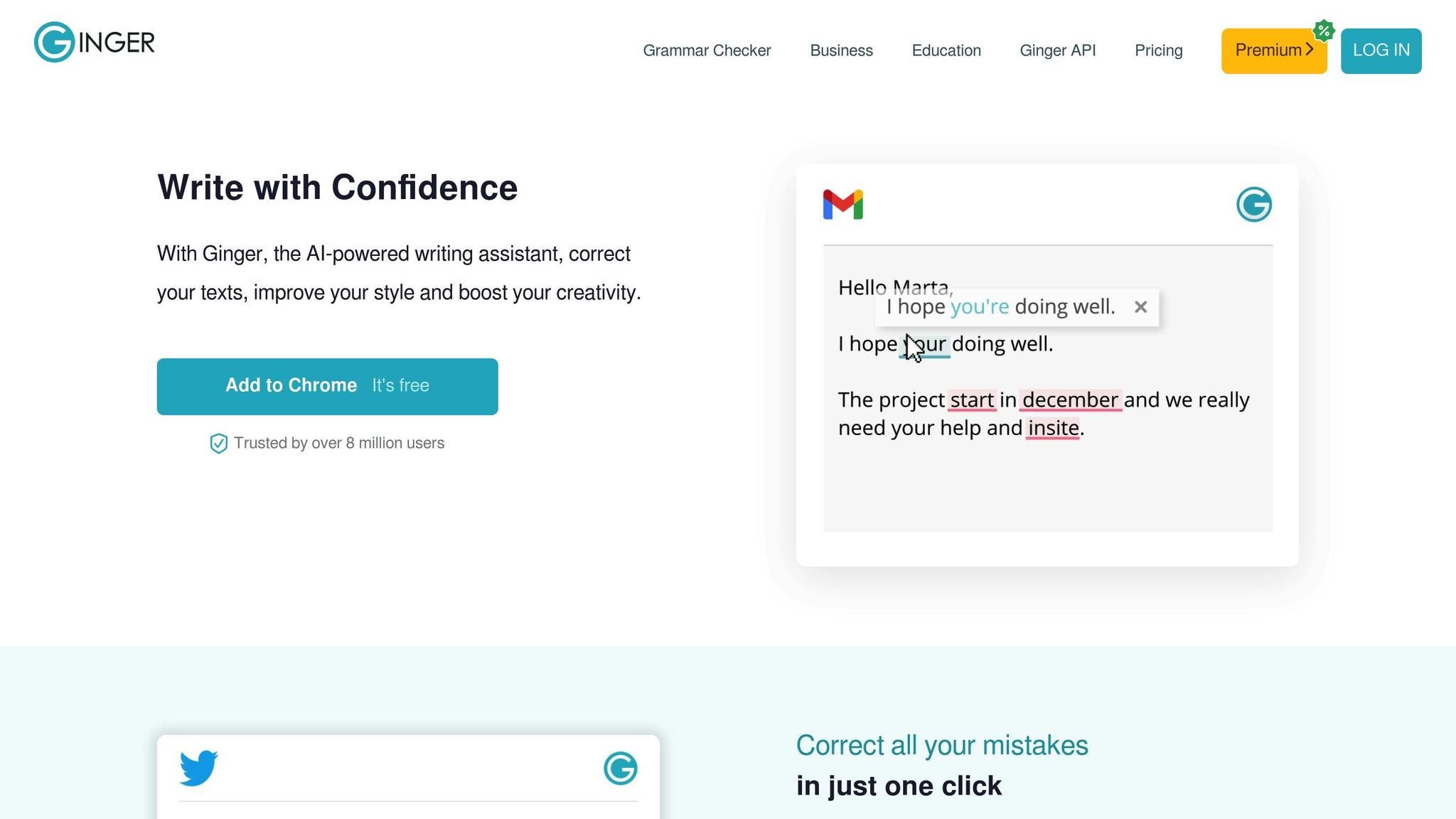
Since 2010, Ginger Software has corrected over 1 billion sentences and serves more than 8 million users worldwide. Using patented AI technology, it identifies grammar, spelling, and punctuation mistakes, with a particular focus on subject-verb agreement and noun number errors. However, its effectiveness for non-native speakers can be inconsistent.
Accuracy for ESL Errors
Ginger performs well with basic grammar and spelling issues but struggles with more complex phrasing in sentences written by non-native English speakers. In a 2023 test, it scored just 3/10 when analyzing non-native sentences. For instance, the free version missed 80% of common ESL errors, including miscorrecting phrases like "Do you have exercise?".
"The grammar checker purely checks for grammar, spelling, and punctuation mistakes, and won’t correct advanced phrasing or sentence structure issues. You’d have to use it in conjunction with the Rephrase feature." – Engram Editorial Team
To address awkward sentence constructions, Ginger offers a "Sentence Rephrase" tool that suggests alternative phrasings – whether formal, concise, or more creative. It also features a context-based spell checker designed to catch reversed letters and homophones, which can be especially useful for users with dyslexia. Additionally, its "one-click correction" feature speeds up editing by applying all suggested changes at once, making the process up to five times faster.
While these features are helpful, the tool’s limitations highlight the need for more advanced solutions to handle the nuanced errors that non-native speakers often encounter.
Multilingual Support
Ginger supports translation in over 30 languages and includes a 500,000-entry dictionary for quick lookups. However, its multilingual tools are primarily focused on translation rather than addressing errors specific to individual languages.
Learning Tools
The platform also includes a "Grammar Rules" library, which provides quick access to common misspellings, confusing words, and irregular verbs. Another notable feature is the "Personal English Trainer," designed to help users build fluency. While Ginger checks for more than 100 points of grammar, it does not provide detailed explanations for the corrections it suggests.
"Ginger’s goal is to empower the lives of native English or non-native foreign English speakers, whether they are students, professionals, or users with writing struggles such as dyslexia." – Ginger Software
Ginger integrates with Windows, Mac, Chrome, Safari, Edge, iOS, and Android. It also offers a Microsoft Word add-in that claims to detect five times more mistakes than Word’s built-in proofreading tool. However, it lacks integration with Google Docs and does not include plagiarism detection.
While these gaps may limit its appeal, Ginger’s additional tools and pricing flexibility make it a solid choice for straightforward grammar correction.
Pricing in USD
| Plan | Price | Key Features |
|---|---|---|
| Monthly | $13.99/month | Full grammar checking; sentence rephrase; translation |
| Annual | $7.49/month | Full features; billed at $89.88/year |
| Student/Teacher | Up to 70% off | Must verify status with the sales department |
Ginger offers a 7-day money-back guarantee on all paid plans. Students and teachers can also qualify for discounts of up to 70% by contacting the sales department. While the annual plan offers better value, the free version’s limitations – such as character count restrictions and its inability to handle complex errors – may not meet the needs of all users.
5. BeLikeNative
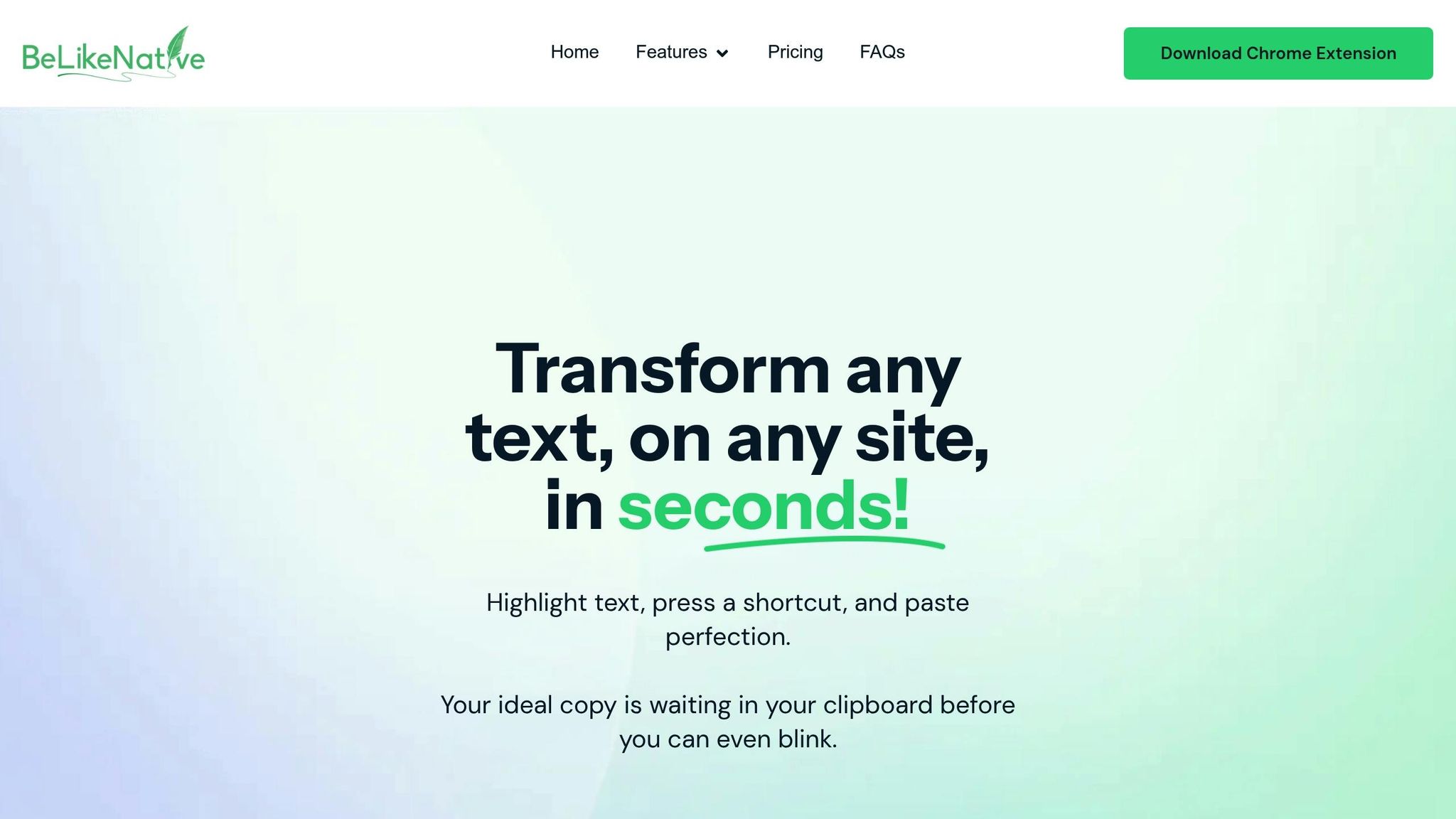
BeLikeNative is a Chrome extension designed to refine your writing in real-time. It works seamlessly with your clipboard, enabling quick edits with a single keyboard shortcut on platforms like WhatsApp Web, Google products, and Notion. This smooth integration makes it a handy tool for anyone looking to polish their writing effortlessly.
ESL Error Correction
The extension excels at fixing spelling and grammar mistakes, clarifying sentences, and transforming awkward phrasing into smooth, natural English. With support for over 80 languages, it’s particularly helpful for multilingual users who often switch between English and their native language.
Personalization and Learning Features
BeLikeNative allows users to tweak language settings, including tone and style, to match their preferences. Plus, it offers early access to new features and a community platform for sharing tips and insights.
Pricing in USD
| Plan | Price | Key Features |
|---|---|---|
| Explorer | $0/month | 5 uses/day; 500-character limit; spelling and grammar correction; support for 80+ languages |
| Learner | $4/month | 25 uses/day; 2,000-character limit; editable functions and shortcuts |
| Native | $6/month | 50 uses/day; 4,000-character limit; priority bandwidth; influence on development |
| Premium | $14/month | 125 uses/day; 6,000-character limit; partnership perks; potential equity after 2 years; lifetime license option |
The Explorer plan is ideal for trying out the extension, though the 5-use-per-day cap may feel limiting for frequent users. The Learner plan is better suited for students or casual writers, while the Native plan offers enough flexibility for most professionals. For those fully committed to the tool, the Premium plan stands out with its exclusive benefits and long-term partnership opportunities.
Advantages and Disadvantages
Choosing the right grammar checker depends on understanding their strengths and weaknesses, especially if you’re a non-native English speaker.
Grammarly is known for its easy-to-use interface and its ability to catch most standard grammar mistakes. However, it sometimes misses common phrasing issues faced by ESL users, and its advanced corrections are locked behind a premium subscription priced at $12/month.
ProWritingAid stands out with over 25 detailed writing reports, which are especially helpful for long-form or creative writing. That said, its interface can feel cluttered, making it less ideal for quick fixes. Like Grammarly, its advanced features are only available with a paid plan.
LanguageTool is a favorite for multilingual users, supporting over 30 languages with automatic detection. In standardized tests, it corrected 19 out of 20 errors. Its premium plans start at $4.99/month, but the free version limits checks to 2,000 characters.
Ginger Software caters to non-native speakers with translation capabilities in over 40 languages and a 900-word free limit. However, its accuracy is a weak point, correcting only 2 out of 20 errors in tests. While it supports mobile devices and costs $6.99/month annually, its struggles with complex phrasing make it less reliable for professional writing.
| Tool | Key Strength | Main Weakness | Best For | Price (Monthly) |
|---|---|---|---|---|
| Grammarly | Easy-to-use; widely adopted | Misses ESL phrasing issues; limited free tier | General English editing | Free; $12 premium |
| ProWritingAid | 25+ detailed reports | Overwhelming interface; lacks quick fixes | Long-form/creative writers | Free; $10 premium |
| LanguageTool | Supports 30+ languages; high accuracy | 2,000-character limit (free version) | Multilingual users | Free; $4.99–$24.90 |
| Ginger Software | Translates 40+ languages; mobile-friendly | Low accuracy (2/20); sentence length cap | Mobile/multi-device users | Free; $6.99 premium |
| BeLikeNative | Real-time clipboard integration; 80+ languages | Daily usage limits on free plan | Quick cross-platform edits | Free; $4–$14 |
BeLikeNative offers a standout feature with its real-time clipboard integration, supporting over 80 languages. This makes it ideal for quick edits on platforms like WhatsApp Web and Google tools. The free Explorer plan allows 5 uses per day, while the Learner ($4/month) and Native ($6/month) plans offer higher character limits, up to 6,000 characters. Though the daily cap on the free plan might be restrictive, the more generous limits on premium tiers make it a practical choice for frequent users. This tool aligns well with the goal of enabling smoother, more confident writing for non-native English speakers.
Conclusion
Selecting the right grammar checker depends on your specific ESL needs. For those just starting out, Grammarly is a great option. Its user-friendly interface and clear explanations make it an excellent choice for beginners. Plus, with around 30 million users and compatibility across a wide range of apps and websites, it’s a versatile tool.
If you’re a more advanced writer looking for deeper insights, ProWritingAid might be a better fit. It provides over 25 detailed writing reports, making it ideal for long-form content. However, its interface may take some getting used to. On the other hand, if you’re working in multiple languages, LanguageTool is a standout option. Supporting over 30 languages and boasting a 4.8/5 rating on the Chrome Web Store from more than 12,000 reviews, it’s a reliable tool for multilingual users.
For quick edits on the go, BeLikeNative offers real-time clipboard integration that works effortlessly with platforms like WhatsApp Web and Google tools. Its pricing ranges from a free plan (5 uses per day) to a Premium plan at $14 per month for up to 125 uses daily.
It’s a good idea to start with the free versions of these tools to see which one best suits your needs. Whether you’re focused on multilingual support, detailed feedback, or seamless integration, the right grammar checker can help you write more clearly and confidently as a non-native English speaker.
FAQs
What features should non-native English speakers look for in a grammar checker?
When you’re choosing a grammar checker as a non-native English speaker, it’s important to pick one that goes beyond just fixing mistakes – it should actively help you improve your language skills over time.
Look for tools that offer real-time, context-aware feedback. This means they catch grammar, punctuation, and word choice issues as you type, helping you learn from corrections instantly. A custom dictionary can also be a big plus, letting you save commonly used terms or names for smoother writing. Tools that provide readability scores can be especially useful, helping you gauge and refine the clarity of your writing.
Another key feature to watch for is language-specific error detection, which focuses on common hurdles for non-native speakers, like using articles or prepositions correctly. Tools with detailed error explanations and advanced suggestions for writing style can further deepen your understanding of English grammar and usage.
Lastly, make sure the tool fits seamlessly into your writing routine. Whether it’s a browser extension or compatibility with apps like Google Docs or Microsoft Word, cross-platform functionality is essential for convenience. With these features in mind, you can steadily build your confidence and skills in English writing.
How can grammar checkers help non-native English speakers improve their writing?
Grammar checkers serve as personal writing companions for individuals learning English as an additional language. They catch common issues with grammar, spelling, punctuation, and word usage, offering real-time corrections alongside simple explanations. This not only fixes mistakes but also helps users learn the reasoning behind the corrections, making it easier to avoid similar errors in the future.
Today’s grammar tools do much more than basic error detection. They offer features like style recommendations, readability enhancements, and tone adjustments. Many are designed to integrate effortlessly with email platforms, web browsers, and document editors, making it easy to fine-tune writing in daily situations. Over time, these tools support users in building confidence and creating a more natural, polished writing style that fits their unique needs.
Are there free grammar checkers that work well for non-native English speakers?
Yes, several free grammar checkers can be incredibly helpful for non-native English speakers. LanguageTool is a standout option. It’s an AI-powered editor that works across multiple languages, automatically detects the language you’re using, and offers real-time corrections for grammar, spelling, and style. This makes it especially useful for those who write in more than one language.
Another popular choice is Grammarly, which offers a free version that identifies basic grammar, spelling, and punctuation errors. It’s user-friendly and integrates seamlessly with your browser or desktop app, making it accessible for everyday use.
These tools provide a solid foundation for improving writing skills without spending a dime. While their free versions might not include advanced features, they still deliver valuable insights into common errors, helping non-native speakers write with greater clarity and ease.

