
Translate Asana Task Descriptions Instantly
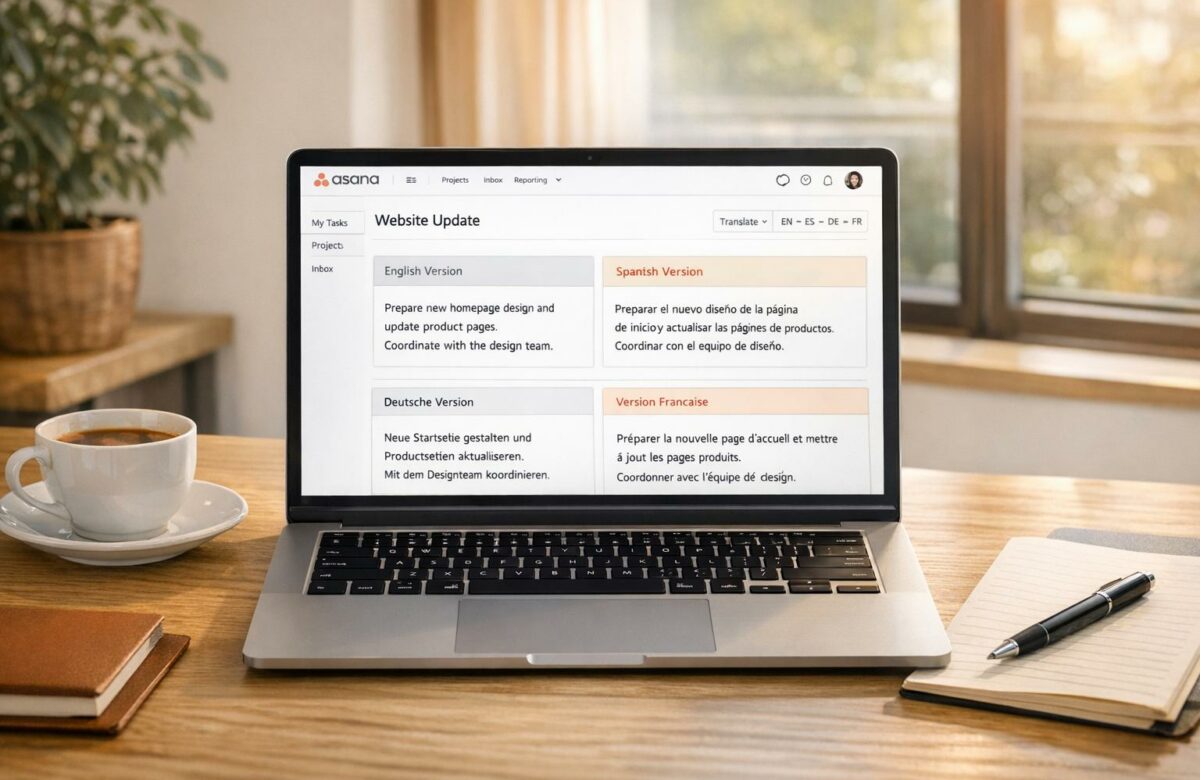
Managing multilingual projects in Asana can be frustrating – language barriers slow down communication and create inefficiencies. Constantly switching to external translators wastes time, especially when tasks are updated frequently. BeLikeNative, a Chrome extension, solves this by translating task descriptions, comments, and updates directly within Asana.
Key Features:
- Automatic Translations: Copy text, and the extension instantly translates it into your preferred language.
- Customizable Settings: Adjust tone (formal, casual, professional) and style (concise or detailed) to suit your team’s needs.
- Preserves Formatting: Retains HTML structure, links, and mentions in Asana task descriptions and comments.
- Flexible Plans: Free plan for light use; paid plans ($4–$14/month) for higher limits and longer translations.
Why It Matters:
- Simplifies collaboration for global teams.
- Reduces time wasted on manual translations.
- Ensures task details are clear and accessible to everyone.
With BeLikeNative, you save time and improve communication across borders – no more language barriers in Asana.
Installing the BeLikeNative Chrome Extension
Installation Steps
Getting started with the BeLikeNative Chrome Extension is simple. Head over to the Chrome Web Store and search for "BeLikeNative", or go directly to its page. Once there, click the Add to Chrome button to initiate the download and installation process.
You’ll see a browser prompt asking you to review the permissions the extension needs to function, such as interacting with platforms like Asana. Click Add Extension to approve these permissions and finalize the installation. If you’re in a corporate environment where installations are restricted, you might need to get approval from your administrator.
After the extension is installed, its icon will appear in your browser’s toolbar, typically in the top-right corner. To keep it handy, click the puzzle piece icon and pin BeLikeNative.
Once installed, you’re ready to set up your account for seamless translation.
Setup and Configuration
Click on the BeLikeNative icon to open its interface. From here, you can log in or create a new account. The free Explorer plan is great for beginners, offering 5 translations per day with a 500-character limit – perfect for translating Asana task descriptions.
After logging in, visit Asana.com. The extension activates automatically, ready to translate content on the page. Just ensure the extension remains enabled while you’re using Asana. It’s compatible with both Google Chrome and Microsoft Edge, giving you flexibility.
Translating Task Descriptions in Asana with BeLikeNative
How to Translate Task Descriptions
To translate a task description in Asana, start by selecting a task. This will open the task details pane on the right, where you’ll find the description field. If the description is lengthy, press Tab + X to switch to full-screen mode, making it easier to select and work with the text.
Highlight the text in the description field and copy it using Ctrl + C (or Cmd + C on Mac). As soon as you copy the text, the BeLikeNative extension will automatically display a popup with translation options. Choose your desired language from the dropdown menu, and the extension will provide an instant translation of the copied text.
Once you have the translated text, paste it back into the description field using Ctrl + V (or Cmd + V on Mac). You can then refine the translated content to align with your team’s tone and style.
Adjusting Translation Tone and Style
For further customization, click the BeLikeNative icon to access the settings. Here, you can tweak the tone – choosing between formal, casual, or professional – and adjust the style to be either concise or detailed. You can also set your preferred languages. These adjustments will apply to all future translations, helping you maintain a consistent communication style across tasks.
For teams juggling multiple languages, these settings are particularly useful. For instance, if you’re working on client-facing projects, you might opt for a "professional" tone, while "casual" might be better suited for internal updates. The extension saves your preferences, so as you move between tasks throughout the day, the translation process remains seamless and tailored to your team’s needs.
BeLikeNative Plans for Higher Usage Limits
BeLikeNative Pricing Plans Comparison for Asana Translation
BeLikeNative Plan Comparison
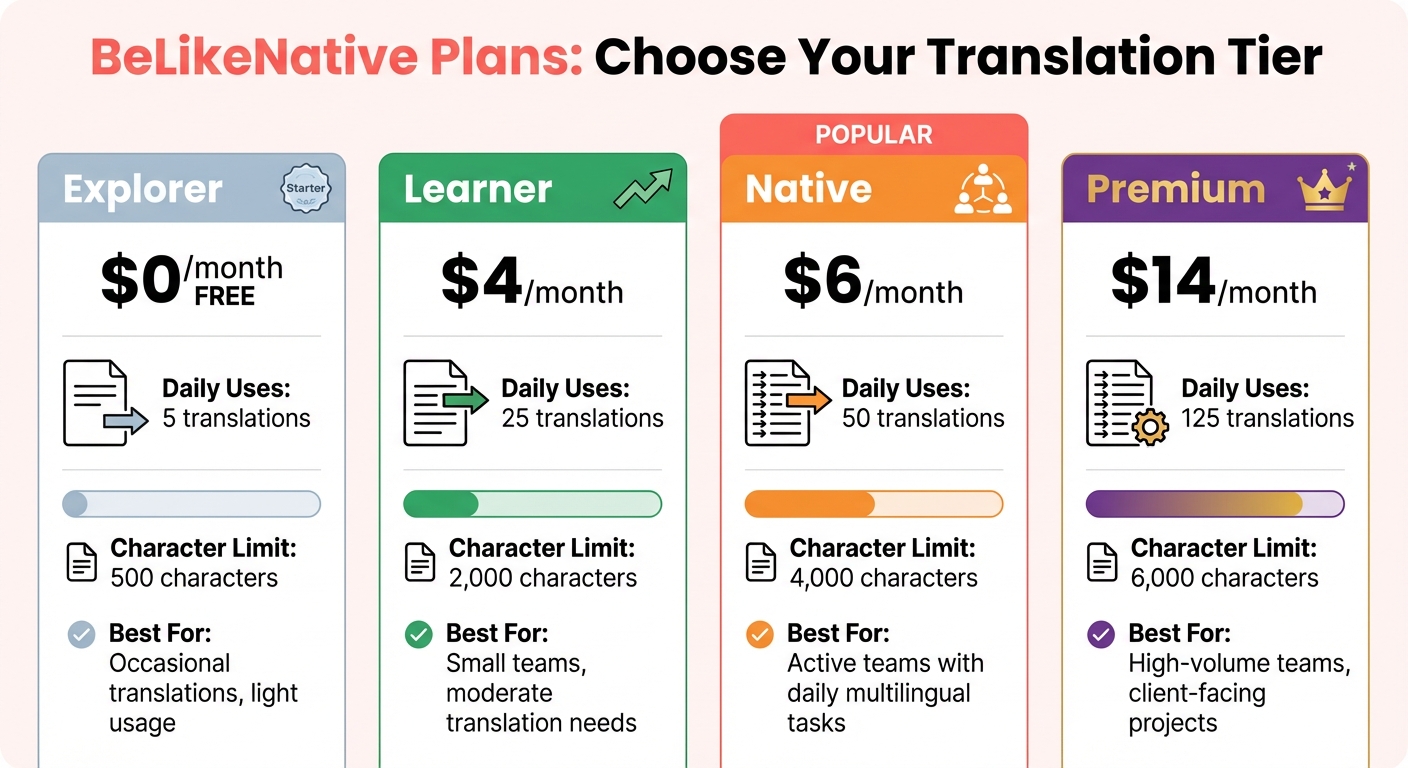
The free Explorer plan, with its 5 translations per day and 500-character limit, is suitable for occasional use. However, it quickly becomes insufficient for teams managing multilingual projects that require frequent updates or translations.
For those with greater needs, BeLikeNative offers several paid options. The Learner plan, priced at $4/month, allows 25 translations per day with a 2,000-character limit – ideal for small teams with moderate translation requirements. At $6/month, the Native plan provides 50 translations daily and a 4,000-character limit, catering to active teams handling daily multilingual tasks. For the most demanding workflows, the Premium plan, costing $14/month, delivers 125 translations per day and a 6,000-character limit, making it perfect for translating lengthy task descriptions, comments, and updates without interruptions.
| Plan | Price | Daily Uses | Character Limit | Best For |
|---|---|---|---|---|
| Explorer | $0/month | 5 | 500 | Occasional translations, light usage |
| Learner | $4/month | 25 | 2,000 | Small teams, moderate translation needs |
| Native | $6/month | 50 | 4,000 | Active teams with daily multilingual tasks |
| Premium | $14/month | 125 | 6,000 | High-volume teams, client-facing projects |
Selecting the Right Plan for Your Team
Choosing the right plan depends on your team’s daily translation needs. If you’re only translating a few tasks each week, the Learner plan should suffice. However, for teams involved in international projects or managing high translation volumes, the Native or Premium plans are better suited.
Keep an eye on your daily translation counts and the length of your descriptions to avoid hitting limits mid-task. Teams working on detailed briefs, technical specifications, or client requirements often need higher character limits. For instance, a single comprehensive task description can easily exceed 2,000 characters. In such cases, the Native plan (up to 4,000 characters) or the Premium plan (up to 6,000 characters) ensures you can handle longer descriptions seamlessly.
sbb-itb-32359dc
Fixing Common Translation Problems in Asana
Preserving HTML Formatting in Task Descriptions
Asana uses a rich text format called html_notes to handle task descriptions, relying on standard HTML tags for formatting. When BeLikeNative translates these descriptions, it carefully processes the HTML structure to ensure everything stays intact. It treats Asana content as valid XML, making sure all tags are properly closed and balanced.
Links with @-mentions need extra attention since they include custom attributes like data-asana-gid and data-asana-type. If these attributes are missing during translation, the links might stop working. BeLikeNative automatically preserves these attributes, so you don’t have to worry. To restore formatting manually, you can use Asana shortcuts like Ctrl+Shift+7/8 for lists or Ctrl+K for links.
Once HTML formatting is under control, the next step is to focus on keeping translations consistent in comments.
Working with Multi-Language Comments
Beyond formatting, ensuring consistent translations for multi-language comments is critical. Switching between translation tools disrupts your workflow, especially when tasks in Asana are updated frequently.
BeLikeNative tackles this by translating comments directly within the Asana interface, so there’s no need to hop between tabs. To keep everyone on the same page, use Asana’s "Pin to Top" feature to highlight the most accurate version of a translated comment, making it easy for team members to find. Additionally, BeLikeNative retains rich text formatting and emojis during translation, so the style and tone remain intact. For the best results, focus on translating finalized comments rather than drafts to avoid partial or inconsistent translations.
Maintaining Smooth Workflow with BeLikeNative
To keep your workflow running smoothly, combine BeLikeNative’s tools with Asana’s automation features. For instance, you can set up Asana Rules to notify team members when translations are pending, ensuring tasks stay updated. Using Asana Forms for task creation also helps by structuring descriptions clearly before translation, reducing errors caused by vague or unclear text.
If a translation doesn’t seem accurate, double-check the terminology using industry-specific glossaries or advanced search methods. For workflows involving multiple steps, configure Asana’s rule builder with conditional branching to handle different languages or translation statuses. This setup minimizes manual effort and keeps your team moving forward efficiently.
Conclusion
Using BeLikeNative to translate Asana task descriptions simplifies your team’s workflow. As Sheldon Dearr pointed out, constantly switching between translators wastes time and disrupts productivity. Translating descriptions, comments, and task details directly within Asana removes these interruptions, keeping everything running smoothly.
This integrated translation process does more than just clarify task details – it improves communication across your entire team. For engineering teams spread across multiple countries, it ensures tasks are assigned and understood without the hassle of manual translations. Everyone can work in their preferred language, reducing the chance of misinterpreted instructions or overlooked feedback.
BeLikeNative also maintains consistent formatting and follows best practices for using translation tools with Asana’s automation tools. The features we covered earlier ensure translations are accurate and effortless, cutting down on manual work while keeping your team aligned.
For teams juggling updates in multiple languages, this solution saves time and boosts efficiency. As Roy Slagter aptly said:
It would be really helpful if we could translate the tasks, descriptions and comments to the native language of the person reading task!
With BeLikeNative, language barriers become a thing of the past, thanks to precise and effective translations.
FAQs
How does BeLikeNative provide accurate translations for Asana task descriptions?
BeLikeNative leverages advanced AI to provide real-time translations for Asana task descriptions, covering more than 80 languages. With a simple browser shortcut, you can translate content instantly, making communication smooth and efficient for multilingual teams.
This translation tool prioritizes precision and speed, enabling teams to work together seamlessly across different languages while staying productive in global project management.
What’s the difference between BeLikeNative’s free and paid plans?
At the moment, detailed specifics about what BeLikeNative offers in its free and paid plans remain unclear. The one confirmed detail is that the paid plan begins at $14 per month. Without additional information, it’s not possible to directly compare the features of the two plans.
Does BeLikeNative keep formatting and mentions intact when translating Asana task descriptions?
Currently, there’s no clear information on whether BeLikeNative preserves formatting or user mentions when translating Asana task descriptions. To find out, you might want to test the tool with your specific tasks or check the official documentation for precise details.

