
Best Free Grammarly Alternative For Students 2025
Students often need free tools to improve their writing without dealing with paywalls or complex setups. This article reviews three top Grammarly alternatives for 2025: BeLikeNative Explorer, QuillBot, and ProWritingAid. Here’s a quick summary:
- BeLikeNative Explorer: Works via clipboard, supports 80+ languages, and offers 5 daily uses (500 characters each). Ideal for quick corrections across platforms like Gmail, Canvas, or Google Docs.
- QuillBot: Great for paraphrasing, grammar checks, and citation generation in multiple styles (APA, MLA, Chicago). It supports six languages but has limits on paraphrasing (125 words per check).
- ProWritingAid: Offers advanced grammar and style feedback with 25+ reports. Limited to 500 words per session for free users, focusing solely on English.
Quick Comparison:
| Tool | Grammar Correction | Multilingual Support | Free Daily Limits | Key Integrations |
|---|---|---|---|---|
| BeLikeNative | Basic | 80+ languages | 5 uses/day (500 characters) | Clipboard integration |
| QuillBot | Basic | 6 languages | Unlimited checks; 125 words for paraphrasing | Chrome, Word, Google Docs |
| ProWritingAid | Advanced | English only | 500 words/session; 2 reports/day | Word, Google Docs, Scrivener |
Each tool has its strengths. BeLikeNative is perfect for multilingual users needing quick fixes. QuillBot excels at paraphrasing and citations, while ProWritingAid is best for detailed English writing analysis. Choose based on your specific academic needs.
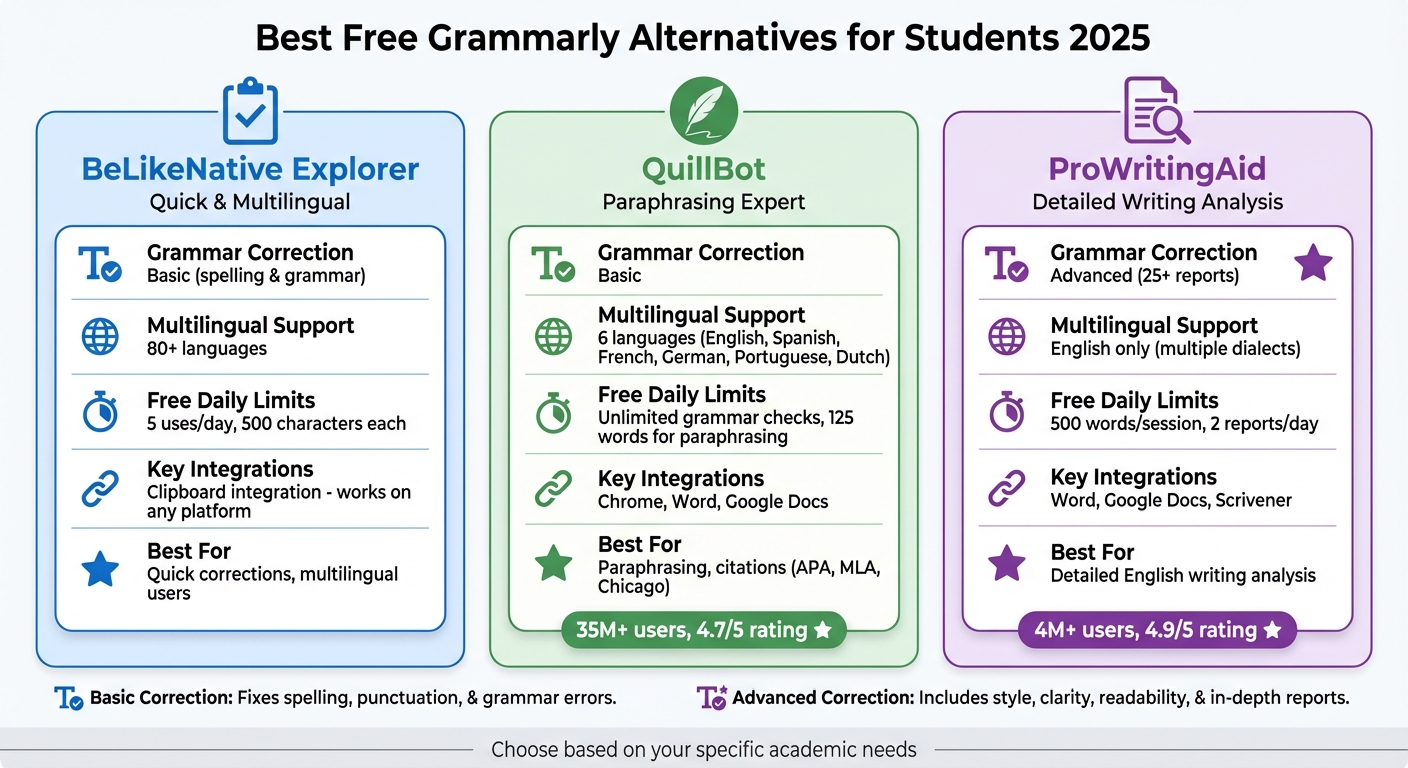
Comparison of Free Grammarly Alternatives for Students 2025
4 Best FREE GRAMMAR CHECKER APP online Like GRAMMARLY / Grammarly alternatives 2025
1. BeLikeNative Explorer
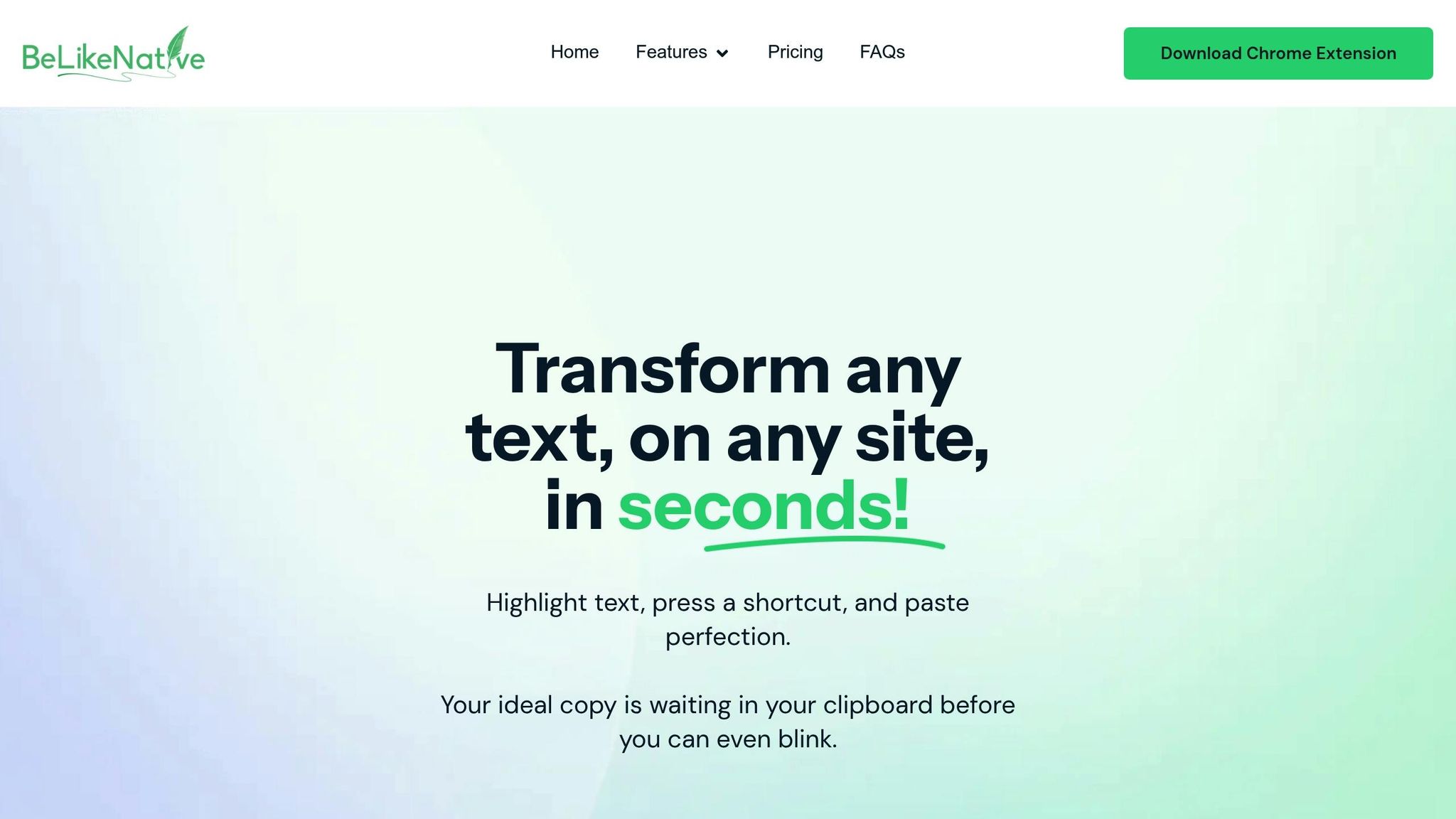
BeLikeNative Explorer is a free Chrome extension designed to work directly with your clipboard, helping you refine your text wherever you need it. With just a single keyboard shortcut, you can polish your writing instantly – whether it’s an email in Gmail, notes in Google Docs, or assignments on Canvas. Its focus on essential text corrections makes it a practical tool for everyday use.
Grammar and Spelling Correction
The Explorer plan prioritizes the basics of good writing: fixing spelling errors, correcting grammar mistakes, and enhancing clarity. It’s great at catching issues like subject-verb mismatches and misplaced punctuation. Instead of overwhelming you with unnecessary features, it focuses on ensuring your text is clean and polished.
Multilingual Support
If you’re an international student or juggling multiple languages, BeLikeNative Explorer has you covered with support for over 80 languages. Switching between languages is easy, making it useful for translating research, writing in your native language, or tackling foreign language assignments. Whether you’re emailing family or working on a multilingual project, this feature adds a lot of flexibility.
Daily Usage Limits
The free plan includes 5 daily uses, with a maximum of 500 characters per use. This setup is perfect for short tasks like editing a paragraph or fine-tuning an email. However, if you’re tackling larger projects – like a 2,000-word essay – you’ll need to divide your text into smaller sections or consider upgrading to a paid plan for fewer restrictions.
Integration with Tools
Thanks to its clipboard integration, BeLikeNative Explorer works with any browser text field. Whether you’re using WhatsApp Web, Notion, Blackboard, or other platforms, it fits seamlessly into your workflow, letting you refine your writing wherever you are.
2. QuillBot Free Plan
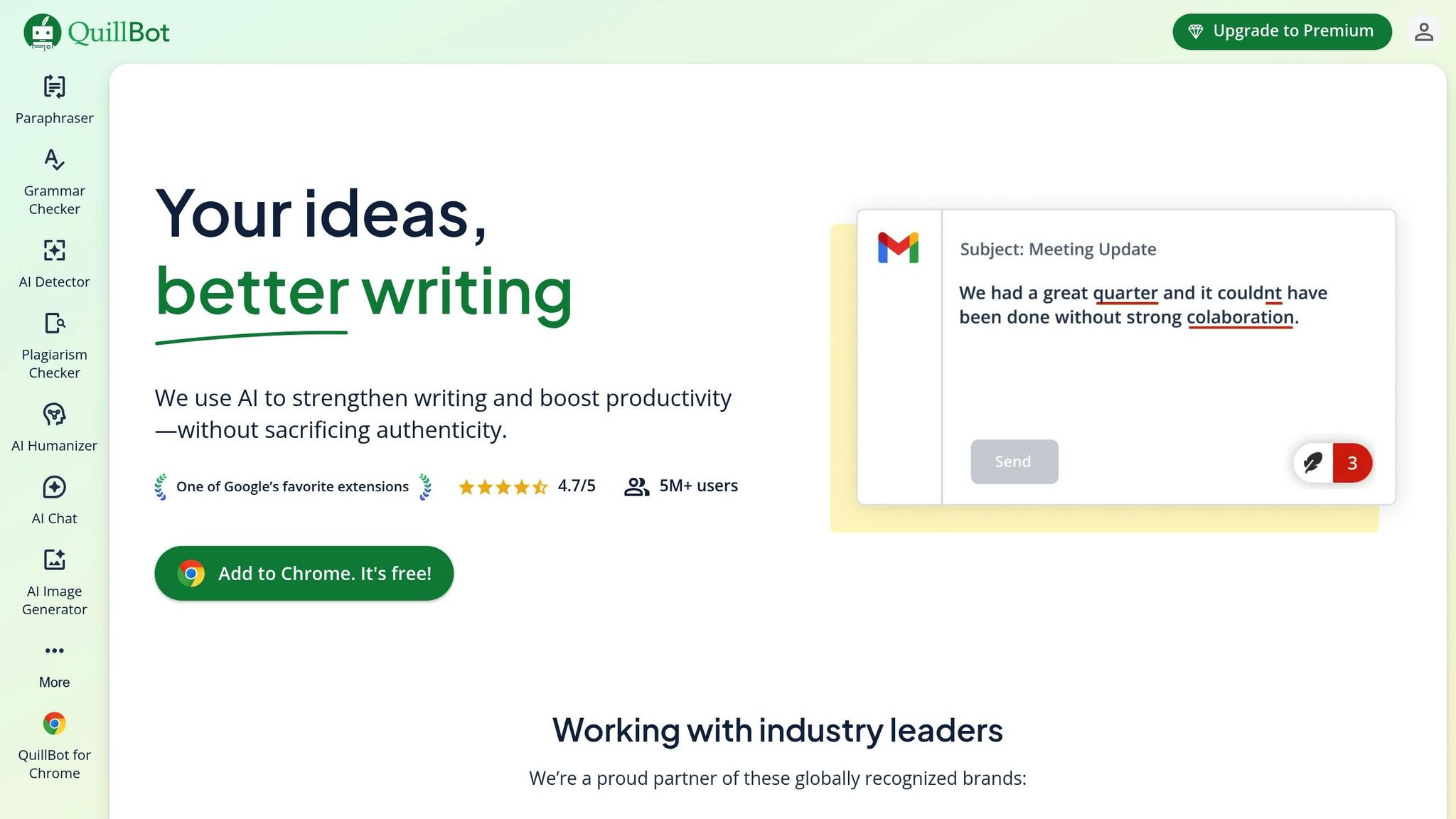
QuillBot has earned its spot as a favorite writing assistant, trusted by over 35 million users and holding an impressive 4.7/5 rating on the Chrome Store. It’s particularly popular among students, offering tools like grammar checking, a citation generator, and a summarizer tailored for academic needs. Its grammar features are especially helpful, providing detailed corrections and support for writing improvement.
Grammar and Spelling Correction
QuillBot’s grammar checker is completely free and allows unlimited checks. It tackles common academic writing issues such as subject-verb agreement, word misuse (think "affect" vs. "effect"), comma splices, and possessive noun errors. What sets it apart is the visual feedback and explanations it provides for each correction, which helps users understand the rules behind their mistakes. In standardized tests, the tool achieved 100% accuracy, although its punctuation detection in complex sentences has room for improvement.
"As a student, I can confidently say that QuillBot has been a game-changer in my academic journey. It’s an indispensable tool for any student looking to improve their writing skills and save time on their assignments." – Danisha Verma, Student
Multilingual Support
Unlike many tools that focus solely on English, QuillBot’s grammar checker supports six languages: English (with options for US, UK, Australian, and Canadian dialects), Spanish, French, German, Portuguese, and Dutch. This multilingual feature is a big plus for students working on foreign language assignments or international projects. The platform also includes a Translate tool and is utilized in over 180 countries.
Daily Usage Limits
While grammar checks are unlimited, the paraphrasing tool has a 125-word limit per check. This means you can review the grammar of an entire essay without restrictions, but rephrasing larger sections requires breaking them into smaller chunks. The free plan also comes with a citation generator supporting APA, MLA, and Chicago styles – an essential tool for maintaining academic integrity that many other services charge for.
Integration with Tools
QuillBot makes it easy to refine your writing wherever you work. It offers extensions for Google Chrome, Microsoft Edge, and Microsoft Word, and it directly integrates with Google Docs. Whether you’re drafting a research paper or sending an important email, these integrations ensure you can edit and polish your work seamlessly across platforms.
sbb-itb-32359dc
3. ProWritingAid Free Plan
ProWritingAid serves a massive user base, with over 4 million individuals and a stellar 4.9/5 rating from 2,318 reviews. It’s especially popular among students and teachers, boasting over 1 million users in the academic world. What sets ProWritingAid apart is its role as a writing coach. Instead of just pointing out mistakes, it explains why something is wrong, helping you grow as a writer.
Grammar and Spelling Correction
The free plan offers real-time, color-coded feedback: red for spelling errors, blue for grammar issues, and yellow for style improvements. But it doesn’t stop at basic corrections. ProWritingAid includes 25 detailed writing reports that analyze everything from readability and writing style to overused words. It even compares your work to professional benchmarks.
One standout feature is the Consistency Checker, which ensures uniform spelling, capitalization, and hyphenation throughout your document. It also adapts to different English dialects, making it a handy tool for maintaining consistency.
Each suggestion comes with detailed explanations, videos, and quizzes to help you understand and apply the feedback.
"ProWritingAid’s grammar corrector will catch errors as you write so you can make sure no grammatical mistakes slip through." – ProWritingAid
This comprehensive correction process lays the foundation for its advanced language settings.
Multilingual Support
ProWritingAid focuses exclusively on English writing, making it a specialized tool for improving skills in this language. It supports multiple English dialects, including US, UK, Canadian, Australian, and South African English. This focus can be especially helpful for non-native English speakers aiming to refine their writing.
Daily Usage Limits
The free plan does come with some restrictions. Each analysis is limited to the first 500 words of your text, so longer pieces like essays or reports need to be broken into smaller sections. Additionally, you’re capped at 2 reports per day, 3 AI Sparks for paraphrasing, and 10 rephrases daily.
| Feature | Free Plan Limit |
|---|---|
| Word Count per Run | Up to 500 words |
| Reports per Day | 2 reports |
| AI Sparks (Paraphrasing) | 3 sparks per day |
| Rephrases per Day | 10 rephrases |
For K–12 schools, there’s an excellent option: ProWritingAid for Education. Verified primary and secondary schools can access the tool completely free, with no word count limits and full feature access.
Integration with Tools
ProWritingAid extends its functionality across various platforms. It offers browser extensions for Chrome, Firefox, and Edge, making it easy to use with tools like Google Docs and Microsoft Office. For quick tasks, such as writing emails or replying to discussion boards, the extensions provide real-time corrections on platforms like Gmail or your school’s learning management system.
This seamless integration ensures that ProWritingAid fits smoothly into your daily workflow.
Pros and Cons
Each tool brings its own advantages and drawbacks to the table. BeLikeNative Explorer integrates seamlessly with your clipboard, supports over 80 languages, and allows limited daily usage – perfect for quick corrections across platforms without requiring extra integrations. QuillBot Free Plan combines grammar checking with a citation generator (covering MLA, APA, and Chicago styles) and a summarizer, though it comes with strict character limits. Meanwhile, ProWritingAid Free Plan offers in-depth analysis with over 25 writing reports that tackle readability and sentence structure. These distinctions are especially relevant for students navigating demanding academic requirements and varied writing tasks. Below is a closer look at each tool’s strengths and limitations.
When choosing a tool, think about what you need most: QuillBot shines in paraphrasing and citation creation, although its grammar checker is fairly basic. ProWritingAid delivers detailed stylistic feedback but restricts its analysis to 500 words per session. BeLikeNative Explorer, on the other hand, works effortlessly across platforms like WhatsApp Web, Google products, and Notion, making it a great choice for students who frequently write in multiple languages or need quick, on-the-go corrections.
Summary of Tool Capabilities:
| Tool | Grammar Correction | Multilingual Support | Free Daily Limits | Key Integrations |
|---|---|---|---|---|
| BeLikeNative Explorer | Spelling & Grammar | 80+ Languages | 5 uses/day, 500 characters | Works on any platform via clipboard integration |
| QuillBot | Basic | English, German, Spanish, French | Character/Word caps | Chrome, Word, Google Docs |
| ProWritingAid | Advanced | English only | 500 words per session | Word, Google Docs, Scrivener |
For international students managing assignments in multiple languages, tools like BeLikeNative Explorer and QuillBot provide broader language options. ProWritingAid, however, focuses solely on English, making it a strong choice for students working on detailed dissertations or long-form essays – though splitting longer texts into sections may be necessary. QuillBot’s built-in citation tools and summarizer are particularly helpful for research papers, offering a streamlined way to handle academic references.
Conclusion
The best writing tool for you as a student largely depends on your specific needs and preferences. For those juggling multiple platforms and languages, BeLikeNative Explorer is a solid choice, offering corrections across various platforms and support for over 80 languages.
If your focus is on research papers or academic writing, QuillBot can save time by simplifying citation formatting in MLA, APA, or Chicago styles. It’s also a go-to for summarizing and paraphrasing text quickly. As Sal Bajo, Expert AI Proofreader, explains: "Quillbot… built its reputation around paraphrasing… It’s a favorite for students, researchers, and anyone who needs to reframe text quickly without losing the meaning".
For those seeking in-depth feedback, ProWritingAid provides over 25 detailed writing reports, analyzing aspects like readability and sentence structure. While its free version is ideal for shorter texts, keep in mind the 500-word limit per session.
Each tool brings something unique to the table, so the right choice depends on what matches your writing needs best.
FAQs
How does BeLikeNative Explorer help with multilingual text corrections?
BeLikeNative Explorer is designed to recognize the language you’re using instantly, offering real-time corrections for grammar, spelling, punctuation, and tone in over 80 languages. Its AI-driven engine ensures that suggestions align with the specific characteristics of each language while keeping the original meaning of your text intact.
Because it operates directly within your browser, you can seamlessly integrate it into platforms like Google Docs, WhatsApp Web, and more. This allows you to receive precise multilingual feedback as you type, improving your writing without interrupting your flow.
What are the drawbacks of using QuillBot’s free paraphrasing tool?
QuillBot’s free paraphrasing tool is handy for quick, basic sentence rewrites, but it does come with a few restrictions. For starters, the free version caps the amount of text you can process at one time and limits how many times you can paraphrase in a day. Plus, features like creative modes or tone adjustments are locked behind a paid subscription.
Many users notice that the free tool can struggle to keep a natural tone, especially when dealing with longer or more complex sentences. It’s also less reliable for nuanced content and doesn’t perform well when tested against AI-detection tools. Because of these limitations, it’s best for straightforward tasks or minor text tweaks.
What are the benefits of using ProWritingAid for students improving their English writing?
ProWritingAid is a free writing assistant tailored for schools, designed to help K-12 students sharpen their English writing skills. By signing up with a verified education email, students can access real-time suggestions for grammar, spelling, and style, making it easier to spot and fix errors while working on essays, reports, or college applications.
What sets ProWritingAid apart is its ability to provide more than just basic corrections. The platform offers over 25 specialized reports that dive into areas like sentence structure, readability, and pacing. This detailed feedback allows students to monitor their progress and pinpoint specific areas for improvement. Plus, with seamless integration into widely used tools like Microsoft Word and Google Docs, students can apply feedback without disrupting their workflow.
To enhance learning even further, ProWritingAid offers masterclasses and expert writing tips. These resources help students refine their arguments, improve clarity, and elevate the overall quality of their writing. The platform also prioritizes data privacy, ensuring drafts remain secure and academic integrity is upheld.

