
Fix “Too Direct” Tone In Emails To American Clients
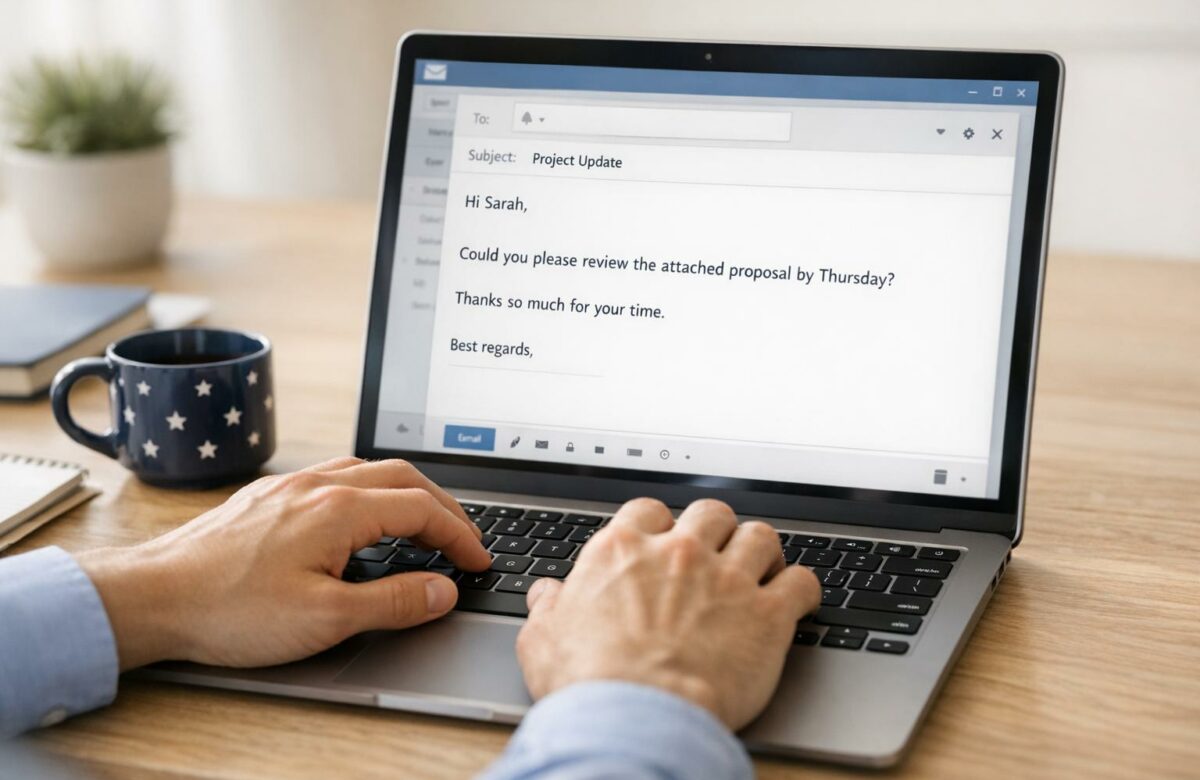
When writing emails to American clients, tone matters just as much as clarity. A direct style that works in some cultures can seem rude or demanding in the U.S. Instead, aim for a polite, collaborative tone using phrases like "Could you please…" or "I appreciate your help." This approach builds trust and strengthens professional relationships.
Key Tips:
- Start with a warm greeting: Use phrases like "I hope you’re doing well."
- Soften requests: Replace commands with modal verbs like "could" or "would."
- Avoid abruptness: Include "please" and "thank you" in your emails.
- Close courteously: Use sign-offs like "Best regards" and express gratitude.
Politeness isn’t just about being nice – it’s essential for multilingual email etiquette with American clients. Tools like BeLikeNative can help refine your email tone quickly by offering real-time suggestions to adjust phrasing and maintain professionalism.
5 Tips for Managing Tone in Email | Dr. Anthony Coman, Management Communication Center
sbb-itb-32359dc
Why American Clients Prefer Polite Email Communication
In American business culture, there’s a strong emphasis on balancing efficiency with a touch of warmth. While getting to the point is important, showing politeness demonstrates respect for the recipient’s time and autonomy. It’s not about being overly formal – it’s about creating a professional tone that fosters trust and long-term relationships.
How Politeness Builds Trust in American Business
Politeness in emails isn’t just about good manners – it’s a tool for building professional connections. Using softer language, such as “Could you please…” instead of “Send me…,” signals a collaborative tone rather than a commanding one. This subtle shift can make a big difference in how your message is received. A study analyzing 120 emails revealed that American students often use more indirect communication strategies than their international peers to maintain politeness.
Your email tone essentially acts as your “professional personality.” A polite tone makes you appear both approachable and confident, helping to strengthen relationships. On the flip side, a harsh tone can come across as aggressive or unprofessional, even if that wasn’t your intent. The way you phrase requests directly impacts how clients respond – politeness can encourage quicker replies and a greater willingness to cooperate.
"Polite, but direct phrases show that you view yourself as a professional who respects others–and that you aren’t afraid to ask for respect in return." – TextRanch
Once you grasp this, it’s easier to see why certain direct language missteps can cause unintended friction.
Common Mistakes with Direct Email Language
One of the biggest pitfalls is using imperative commands that sound like orders. For instance, saying “Send me the document today” or “Fix these slides” may feel efficient, but it often comes across as demanding or rude to American clients. Even when the intention is simply to be clear, these phrasing choices risk being perceived as overbearing, which can harm professional relationships.
Another common error is skipping pleasantries altogether and diving straight into a request. While Americans value brevity, opening an email with “Send me the report” without any greeting can feel abrupt and impersonal. It sends the message that you don’t see the recipient as a person, which can alienate them. Similarly, using all caps in your emails is interpreted as shouting and can come across as unnecessarily hostile.
"The tone of an email can negatively impact business relationships by making you appear rude, aggressive, or unprofessional, when that may not be your intention." – Grammarly
The key takeaway? Directness without softening language often comes across as aggressive. What might seem like clear and efficient communication in other cultures can feel blunt or even scolding to American clients. This misstep can weaken the trust and rapport you’ve worked hard to build.
How to Soften Your Email Tone
Softening your email tone doesn’t mean rewriting the entire message. It’s all about making small, thoughtful adjustments. By carefully choosing your words, you can create a tone that feels polite and collaborative rather than overly direct. Here’s how to strike the right balance in your emails, especially when communicating with American clients.
Start with Positive and Grateful Openings
The tone of your email is set from the very first line, so starting with a friendly greeting can make a big difference. Phrases like "I hope you’re well" or "I hope you’re having a good week" work well in most professional settings. If you’re writing to someone you’ve interacted with before, you can add a personal touch with lines like "I hope you had a great weekend!" or "Happy Monday!"
Following your greeting with a note of gratitude builds goodwill. Simple acknowledgments such as "Thank you for your time" or "I appreciate your help" show that you value the recipient’s efforts, making your email feel more like a partnership than a directive.
Use Modal Verbs and Gentle Language
Once you’ve set a positive tone, pay attention to how you phrase your requests. Modal verbs like "could", "would," and "might" are excellent tools for softening commands. For example, instead of saying "Send me the document," try "Could you please send me the document?" This phrasing feels more collaborative and respectful.
Adding qualifiers such as "just", "slight," or "perhaps" can also make your tone gentler. For instance, "I’m just writing to follow up" sounds less forceful than "I’m writing to follow up." These small tweaks help minimize the perceived pressure on the recipient.
Interestingly, research shows that tone missteps are responsible for 80% of formal communication issues. When giving feedback, negative contractions paired with softer adjectives can reduce harshness. For example, "That isn’t a great idea" feels less critical than "That’s a horrible idea."
End with Courteous Closings
Your closing is just as important as your opening. It’s the final impression you leave, so make it count. Neutral sign-offs like "Best regards" or "Kind regards" strike a good balance between warmth and professionalism. To gently remind the recipient of your request, you can use phrases like "Looking forward to your response" or "I hope to hear from you soon."
Expressing gratitude in your closing reinforces the polite tone of your email. Phrases such as "Many thanks for your time" or "I really appreciate your help" leave a positive and collaborative note.
"Politeness in English emails is about softening, not complicating." – My Lingua Academy
Finding the right tone is all about balance. Avoid overly formal or outdated phrases like "I humbly request" or "Most respectfully, I remain yours," as these can feel out of step with modern American business etiquette. Instead, focus on being polite, clear, and approachable.
Using BeLikeNative to Adjust Email Tone
If you’re looking for a quick and automated way to fine-tune the tone of your emails, BeLikeNative might be just what you need. This tool simplifies the process of softening your email tone, saving you from spending extra time manually editing each message. Managing multiple client conversations can be overwhelming, but BeLikeNative integrates directly into your browser, making tone adjustments a breeze. Its Chrome extension works seamlessly with platforms like Gmail, LinkedIn, Facebook, and even your clipboard, allowing you to refine your text without leaving your current app.
What BeLikeNative Offers
BeLikeNative isn’t just another grammar checker – it’s a tool designed to adjust your message’s tone for better reader engagement. It offers specific tone options such as "Professional", "Friendly", "Understanding", "Apologetic," and "Assertive", automating the strategies discussed earlier. For those who want a more tailored approach, the "User-Defined" tone feature lets you create a custom style that balances clarity with the level of politeness often expected in American business settings. While it focuses on English (U.S.), it also supports over 80 languages, making it a great choice for multilingual professionals.
How to Use BeLikeNative for Email Tone
Using BeLikeNative is simple. Start by drafting your email, then choose a tone like "Professional" or "Friendly" to adapt your message for an American audience. The extension evaluates your text for emotional tone, formality, and clarity, offering real-time suggestions that keep your message intact while adjusting its tone. For instance, a direct statement like, "Send me the report by 3:00 PM", can be softened to, "Could you please send me the report by 3:00 PM? I would appreciate it." This ensures your message remains clear while sounding polite and approachable. Always double-check your final draft to ensure details like deadlines and requests are accurate.
BeLikeNative offers a free 30-day trial with access to all features. After that, subscription plans start at $4/month for the Learner plan (25 uses per day) and go up to $14/month for the Premium plan (125 uses per day). With a 3.5/5 rating on the Chrome Web Store, it’s recognized as a "Featured" extension that meets recommended standards.
Before and After: Direct vs. Polite Email Examples
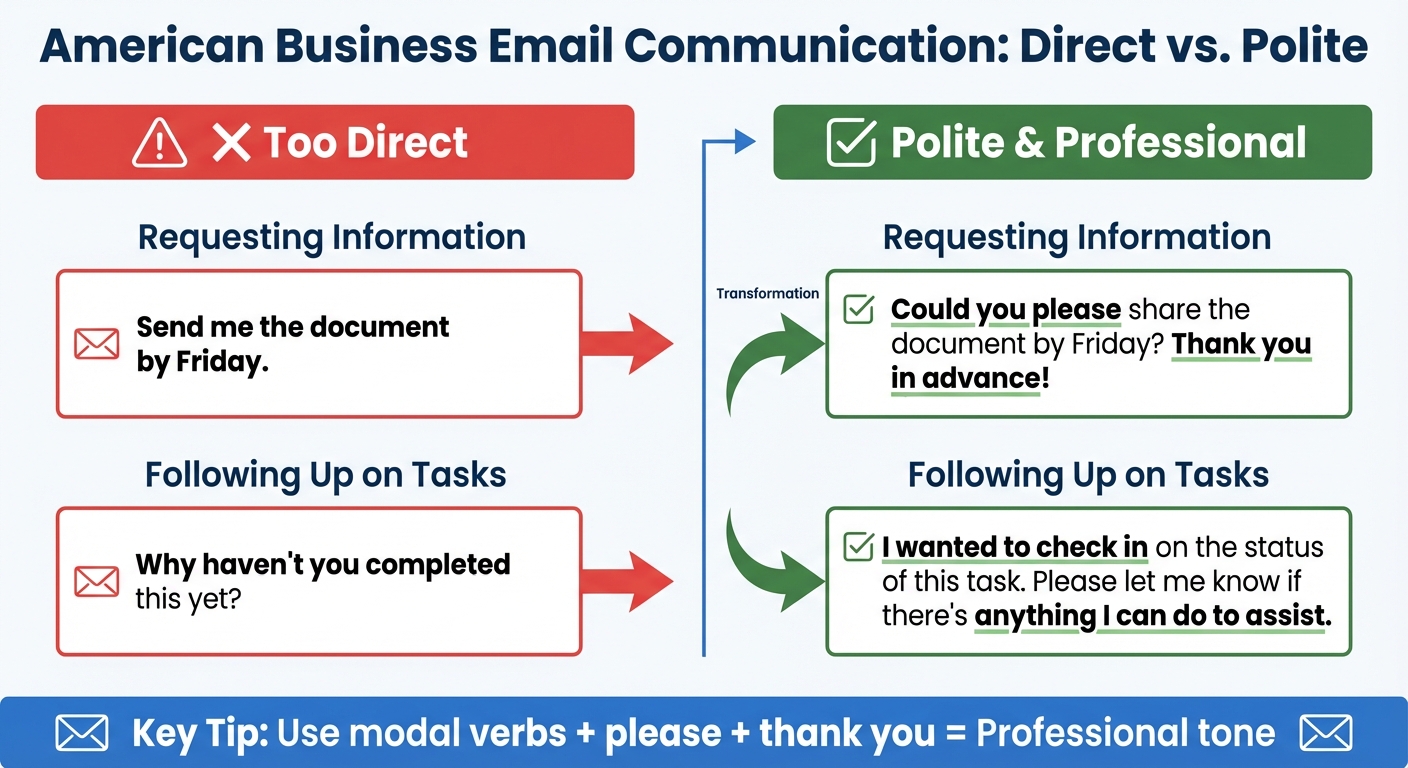
Direct vs Polite Email Tone Examples for American Business Communication
These examples highlight how simple adjustments in tone can make your emails both clear and respectful. Below are two scenarios that show how a direct tone might come across as too blunt for American clients. By applying the softening techniques discussed earlier, you can see how the tone becomes more culturally appropriate.
Example 1: Requesting Information
Direct (Too Abrupt): "Send me the document by Friday."
Polite (Culturally Appropriate): "Could you please share the document by Friday? Thank you in advance!"
Adding the modal verb "could", along with "please" and "Thank you in advance", transforms the request into a polite and collaborative ask. This change ensures your message doesn’t feel like a command but rather a respectful request that acknowledges the recipient’s time and effort.
Example 2: Following Up on Tasks
Direct (Too Harsh): "Why haven’t you completed this yet?"
Polite (Culturally Appropriate): "I wanted to check in on the status of this task. Please let me know if there’s anything I can do to assist."
Shifting from an accusatory tone to a more neutral "I wanted to check in" softens the message significantly. Adding an offer to help, such as "Please let me know if there’s anything I can do to assist", emphasizes collaboration and avoids making the recipient feel criticized. This approach fosters goodwill while keeping communication professional and constructive.
Wrapping It Up
The examples above show how even small tweaks can make a big difference in the tone of your emails. By fine-tuning your communication style, you can foster stronger professional connections. Using modal verbs and polite language transforms direct commands into respectful requests, aligning with the expectations of American business culture.
"Tone > Grammar. Correct grammar is good – but tone is king. People respond more to how your message feels than whether every comma is perfect." – Andrea Buttigieg, Professional English Coach
From warm openings to polite closings, these strategies ensure your emails are both efficient and personable. Pairing these techniques with BeLikeNative’s real-time tools guarantees your messages remain polished and approachable. With over 250 billion business emails sent daily, Americans value concise communication but also appreciate a tone that’s positive and friendly.
BeLikeNative makes it easy to maintain this balance across all your platforms. The Chrome extension offers real-time tone adjustments for Gmail, Notion, WhatsApp Web, and more. Starting at $0/month with the Explorer plan, it’s a practical way to refine your email tone without breaking the bank.
FAQs
How do I sound polite but still firm about deadlines?
When addressing deadlines, it’s important to strike a balance between politeness and firmness. Use courteous language while being clear about your expectations. For instance, you might say, "Could you please share the update by [specific date]?" Adding a phrase like "Thank you in advance for your cooperation" helps maintain a respectful tone.
To underscore the importance of the deadline, you can phrase it as, "Meeting this deadline is essential to ensure the project stays on track." This approach communicates urgency while preserving professionalism and mutual respect.
What phrases make an email sound rude to Americans?
Phrases that might come across as rude to Americans often include passive-aggressive tones, like "Just a friendly reminder…", or overly direct instructions, such as "Send me the report by 3pm." These can feel blunt or even demanding. A better approach is to use softer, more polite language. For example, try saying, "Could you please send the report by 3pm?" or "I’d appreciate it if you could provide the report by 3pm." This keeps the request clear while sounding more considerate.
When should I use BeLikeNative to adjust my tone?
Use BeLikeNative to fine-tune your email tone so it aligns with American communication styles. If your message feels too blunt, overly formal, or misses polite nuances, this tool can help. It adjusts your tone to strike the right balance – professional yet approachable – by softening requests and adding courtesy. This is especially helpful when emailing American clients or colleagues, ensuring your communication is both clear and respectful.

