
Best AI Tool To Summarize Zoom Transcripts
Taking notes during Zoom meetings can be exhausting and time-consuming. Luckily, AI tools can simplify this process by transcribing, summarizing, and organizing meeting content with impressive accuracy. Here’s a quick overview of five popular tools:
- BeLikeNative: Focuses on refining and summarizing existing transcripts, supports 80+ languages, and works with any text field via a Chrome extension.
- Otter.ai: Offers real-time transcription and summaries but supports only English, French, and Spanish.
- Fireflies.ai: Provides highly accurate transcriptions in 100+ languages, CRM integrations, and AI-powered summaries.
- Tactiq: A bot-free Chrome extension for live transcription in 60+ languages with privacy-focused features.
- Zoom AI Companion: Built into Zoom, it provides automatic summaries and integrates with other platforms but has moderate accuracy and privacy concerns.
Each tool caters to specific needs, such as language support, integration options, or privacy. Below is a quick comparison to help you decide.
Quick Comparison
| Tool | Key Feature | Language Support | Pricing (Starting) | Integration Options |
|---|---|---|---|---|
| BeLikeNative | Text refinement and summaries | 80+ languages | $4/month | Works with any text field |
| Otter.ai | Real-time transcription | English, French, Spanish | $8.33/month | Zoom, Slack, Salesforce, etc. |
| Fireflies.ai | High transcription accuracy | 100+ languages | Free/$10/month | 90+ tools (CRM, PM platforms) |
| Tactiq | Bot-free live transcription | 60+ languages | Free/$8/month | Slack, Notion, Jira, etc. |
| Zoom AI Companion | Built-in to Zoom | 36 languages | $13.33/month | Zoom, Asana, HubSpot, etc. |
Choose a tool based on your workflow, language needs, and existing software setup to save time and improve meeting efficiency.
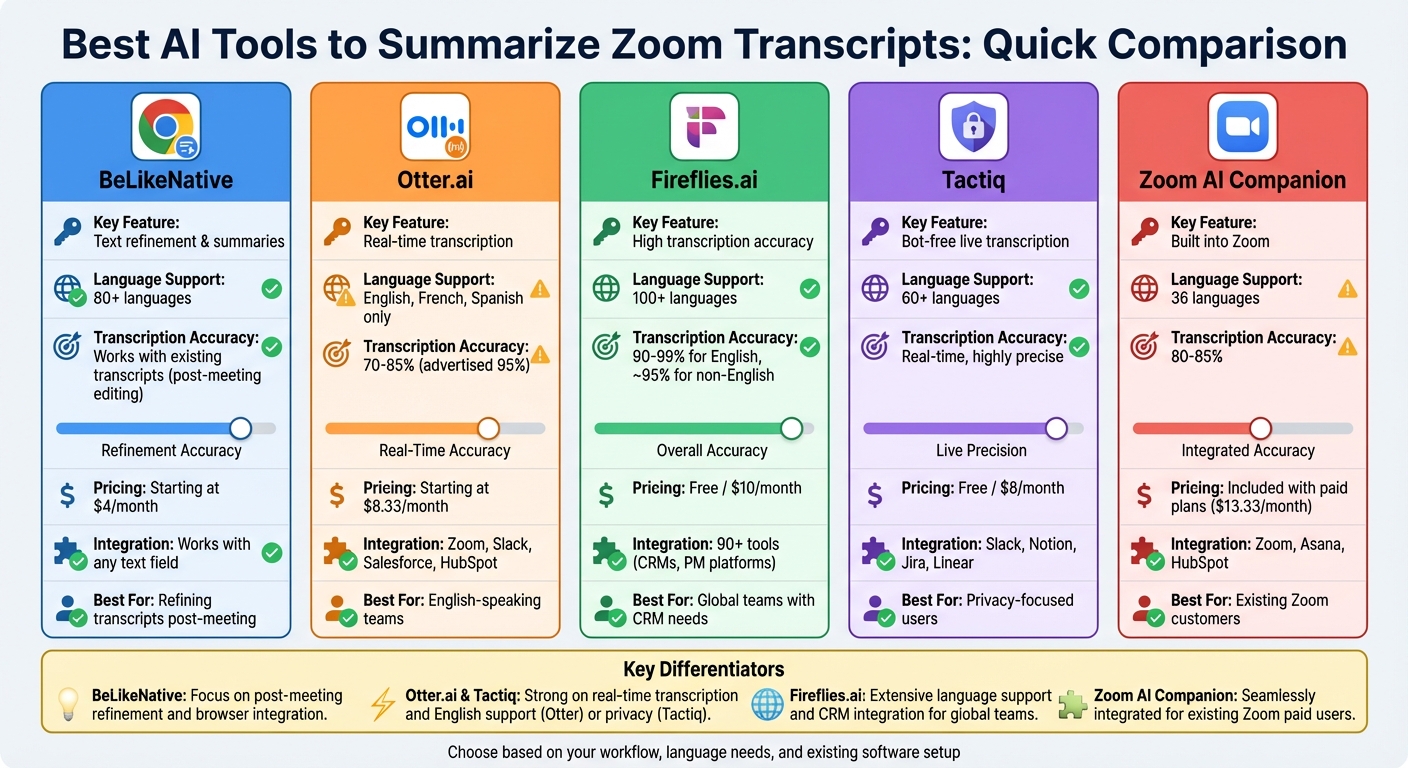
AI Zoom Transcript Tools Comparison: Features, Pricing & Language Support
How to Get a Summary of Zoom Meeting Recording
1. BeLikeNative
BeLikeNative is a Chrome extension designed to refine and summarize Zoom transcripts using AI. While it’s best known for rephrasing, translating, and improving text in 80+ languages, it also offers a practical way to summarize meeting content through clipboard integration and text refinement.
Transcription Accuracy
BeLikeNative doesn’t handle live transcription or recording of Zoom calls. Instead, it works with existing transcripts – whether from Zoom’s built-in transcription feature or exported text files. Once you copy the transcript text to your clipboard, the extension’s AI can fix errors, improve clarity, and make the text more readable with just a keyboard shortcut. This makes it an excellent tool for post-meeting editing, allowing you to polish raw transcripts before sharing them with your team.
Language Support
Supporting over 80 languages, BeLikeNative makes managing multilingual transcripts easier. You can translate entire sections into your preferred language or refine the text while keeping its original context intact. This is especially helpful for international teams who need clear translations – whether converting Spanish, French, or German transcripts into English, or vice versa. It simplifies communication for teams working across borders.
Summary Quality
BeLikeNative shines when it comes to text transformation. Instead of automatic summarization, it allows users to highlight key parts of a transcript and condense lengthy discussions into concise bullet points. You can also adjust the tone (e.g., from casual to formal) or turn action items into clear directives. The extension works smoothly with platforms like Google Docs, Notion, and WhatsApp Web, making it easy to create professional summaries that enhance follow-up after meetings.
Pricing
There’s a free plan to get started, while paid plans are available at $4, $6, and $14 per month, offering higher daily usage limits and more characters for teams handling multiple lengthy transcripts.
Integration Options
BeLikeNative isn’t limited to specific transcription tools. It works with any text field in your Chrome browser – whether it’s Gmail, Slack, or project management software. Just copy your Zoom transcript, activate the extension with a shortcut, and paste the refined text wherever it’s needed. This clipboard-based functionality ensures compatibility with almost any workflow, making it a flexible addition to your meeting toolkit.
2. Otter.ai
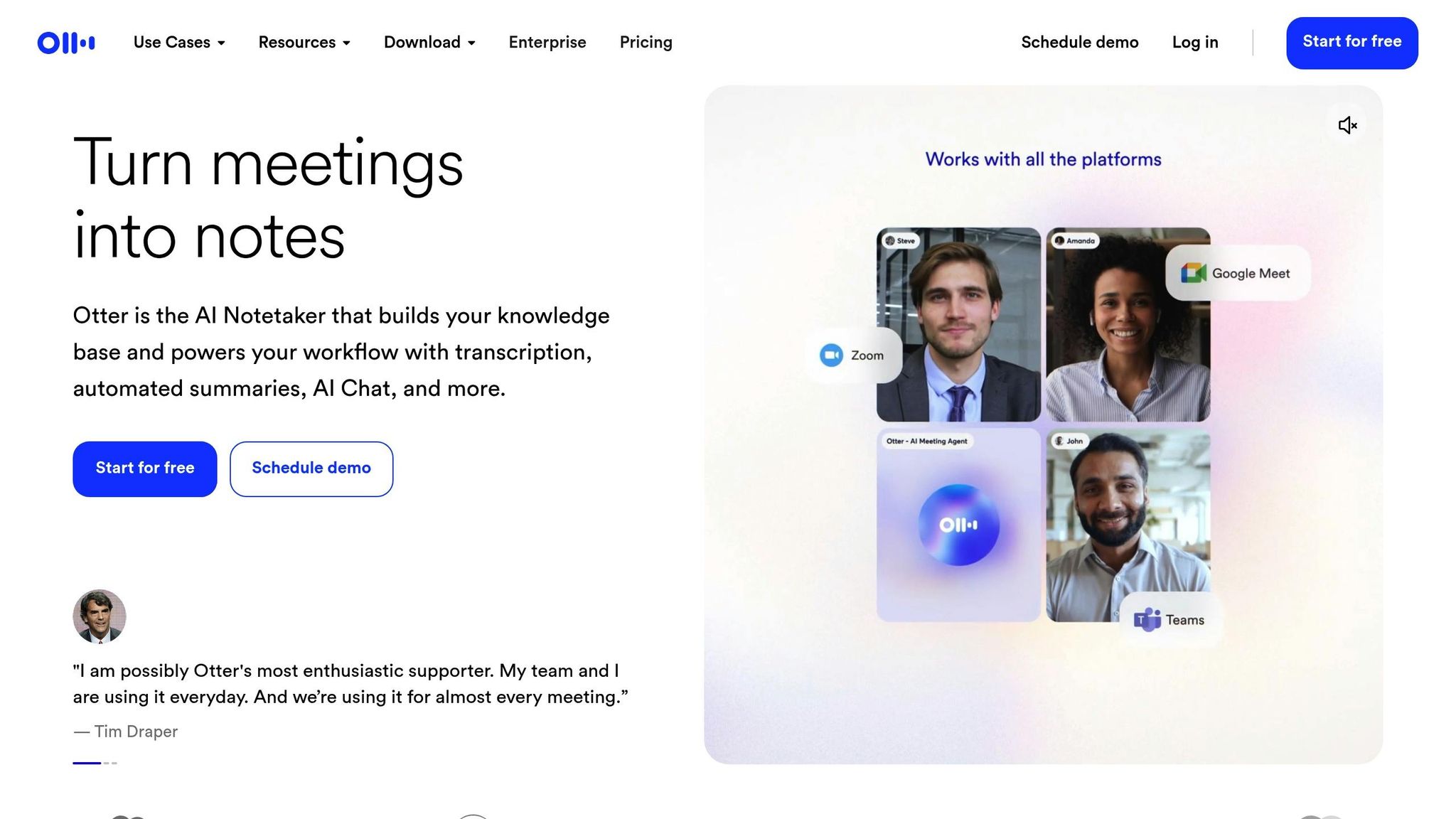
Otter.ai stands out among AI tools with its ability to transcribe conversations in real time while providing structured summaries. It can join Zoom meetings as a visible bot, recording and transcribing discussions while generating summaries that include overviews, key decisions, action items with assigned individuals, and a topical outline. The AI updates live summaries every three minutes and requires at least 500 words to create a summary.
Transcription Accuracy
Otter.ai advertises up to 95% transcription accuracy, but real-world results often range between 70%-85%, depending on factors like audio quality and speaker clarity. Accuracy can drop further, sometimes below 70%, when dealing with non-native speakers or heavy accents. Its performance is strongest with clear audio, native English speakers, and smaller group settings. The "Custom Vocabulary" feature allows users to improve accuracy by adding industry-specific terms, acronyms, or unique names.
Language Support
Currently, Otter.ai supports transcription only in English, French, and Spanish (as of February 2026). This limited language range can be a drawback for teams needing transcription services in other languages.
Summary Quality
Otter.ai’s automated summaries feature bullet points, action items, and detailed sections. Customizable templates and an AI Chat feature make it easy to dig deeper into meeting insights. Templates tailored for specific contexts, such as sales calls, team meetings, or interviews, help users extract the most relevant information. Additionally, the Otter AI Chat allows users to query meeting records for specific details, like budget discussions or project updates.
Pricing
Otter.ai provides a free Basic plan with 300 transcription minutes per month, capped at 30 minutes per conversation. Paid plans start at $8.33 per month (Pro plan, billed annually), which includes 1,200 minutes per month. The Business plan costs $20 per month and offers unlimited transcription with a 4-hour limit per call. Enterprise pricing is customized and includes advanced features like SSO and HIPAA compliance.
Integration Options
Beyond transcription, Otter.ai integrates with popular platforms such as Zoom, Microsoft Teams, Google Meet, Slack, Salesforce, HubSpot, Asana, Trello, and Dropbox. For Zoom users, it offers multiple options: the Notetaker bot, which joins meetings as a participant; Zoom Cloud Sync, which imports recordings automatically; and Zoom Chat integration, which posts summaries directly into chat channels. For those who prefer not to use the bot, the Otter Desktop App for Mac and Windows can record audio locally, and a Chrome Extension allows users to start recordings directly from their browser.
3. Fireflies.ai
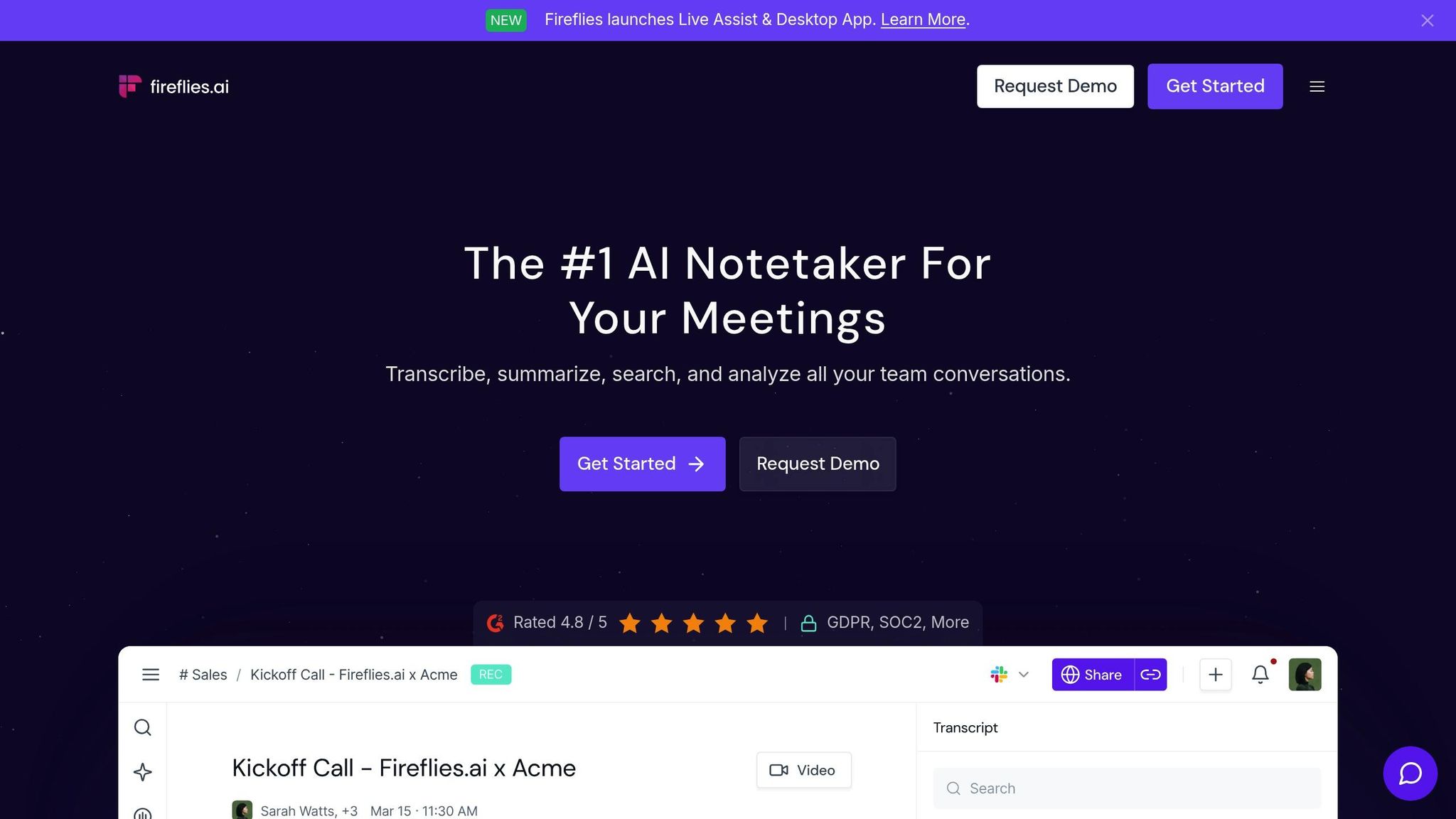
Fireflies.ai is a transcription tool trusted by more than 10 million users worldwide. It delivers impressive transcription accuracy, ranging from 90% to 99% for English conversations. For non-English languages, accuracy hovers around 95% – a noticeable improvement compared to Zoom’s built-in transcription, which typically falls between 70% and 80% accuracy. Fireflies uses an AI assistant called "Fred" that can join Zoom meetings as a visible bot to record and transcribe. Alternatively, users can opt for a bot-free experience with the Chrome extension.
Transcription Accuracy
Several factors influence Fireflies’ transcription accuracy, including audio quality, speaker accents, and overlapping dialogue. When using the Chrome extension, browser performance and internet connectivity can also play a role. Despite these variables, Fireflies consistently outperforms Zoom’s transcription by 10–20 percentage points, making it a reliable choice for capturing meeting discussions.
Language Support
Fireflies.ai supports transcription in over 100 languages, making it a strong option for teams that work across different linguistic backgrounds. Its auto-language detection feature identifies and switches between languages seamlessly. For Business and Enterprise plan users, the Multi-language Mode allows transcription of sessions where participants speak multiple languages, ensuring smooth communication across diverse teams.
Summary Quality
The platform takes meeting productivity up a notch with its AI Super Summaries. These summaries include a detailed overview, action items, a timestamped outline, and keywords. Users can customize summaries using over 20 pre-built templates tailored for different scenarios like sales calls or project meetings. The "Ask Fred" assistant allows users to query meeting transcripts directly – for example, asking questions like “What were the main objections?” or “Who is responsible for the budget?” Additionally, the Soundbites feature enables sharing short audio clips of pivotal moments from meetings.
"Fireflies brought more structure in our meetings and more transparency within our company."
– Matias Rodsevich, CEO, PR Labs
Pricing
Fireflies offers a range of plans to suit different needs:
- Free Plan: Includes 800 minutes of storage and basic transcription features.
- Pro Plan: Priced at $10 per user per month (billed annually), it includes 8,000 minutes of storage, AI Super Summaries, and CRM integrations.
- Business Plan: At $19 per user per month (billed annually), this plan provides unlimited storage and advanced conversation analytics.
- Enterprise Plan: Costs $39 per user per month and includes HIPAA compliance and dedicated support.
Integration Options
Fireflies integrates with over 90 tools, including popular CRMs like Salesforce, HubSpot, Pipedrive, and Zoho, as well as project management platforms such as Asana, Trello, and Monday.com. It can automatically log meeting notes and call details into your CRM and create tasks in project management systems. With integrations through Zapier and Make, users can tap into over 6,000 workflow automations. The platform also supports MCP connectors, enabling insights to be extended to AI tools like ChatGPT and Claude. For Zoom users, Fireflies can transcribe and store Zoom Cloud recordings, join meetings as the Fred bot, or record through the Chrome extension.
sbb-itb-32359dc
4. Tactiq
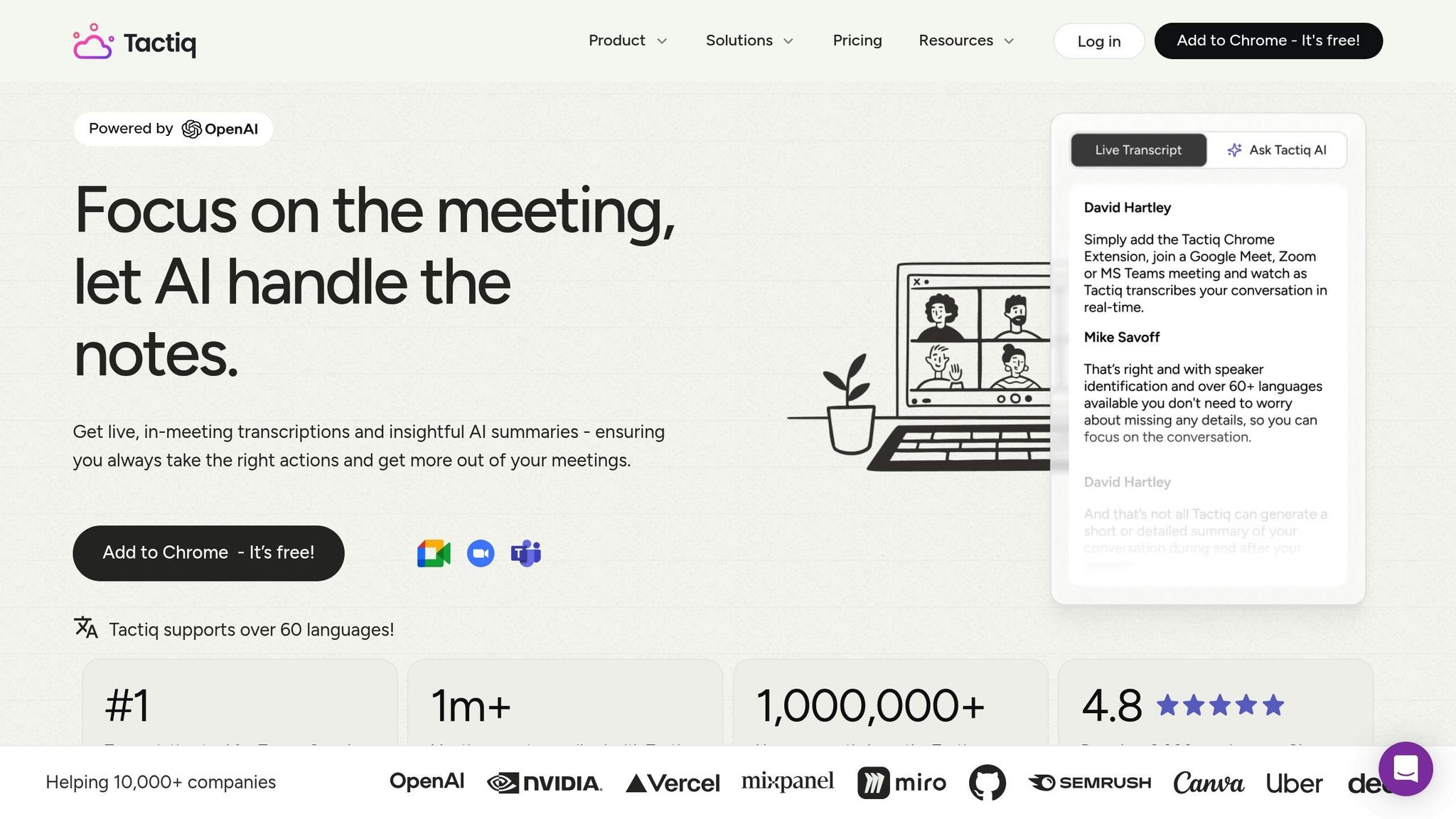
Tactiq provides a straightforward way to transcribe meetings in real time without relying on bots. Instead of having an AI assistant join your Zoom calls, it uses a Chrome extension to capture live transcripts – eliminating those awkward "Tactiq Bot has joined the meeting" alerts. Trusted by over 1,000,000 users across 10,000 companies, Tactiq transcribes more than 2,000,000 meetings each month [39, 43].
Transcription Accuracy
Tactiq excels in delivering precise, real-time transcription. Unlike tools that process transcripts after a meeting ends, Tactiq captures everything as it happens. Its speaker identification feature ensures clarity by distinguishing between participants, and you can pause or resume transcription whenever needed [18, 44].
"Tested almost all similar products, Only Tactiq that transcribes the conversation on the fly."
– Andre Daniel Ridwan
On top of its accuracy, Tactiq supports transcription in multiple languages.
Language Support
Tactiq can transcribe meetings in over 60 languages, including English, Spanish, French, German, and Portuguese. Users can switch the transcription language directly from the Tactiq widget or Zoom’s caption settings during a meeting. Additionally, it offers translation services for meeting transcripts in the same 60+ languages, making it a handy tool for global teams [39, 40].
"I’m very impressed with the app. We have meetings in various languages and Tactiq does an excellent job at understanding the flow of conversations."
– Samuel Cuevas
Summary Quality
By leveraging OpenAI‘s enterprise API, Tactiq generates summaries in various formats, such as concise overviews, detailed one-pagers with citations, or even automated action items. Custom AI prompts allow users to create outputs like Jira tickets or follow-up emails. The tool can also identify three to five key action items from a meeting automatically. For added context, users can capture screenshots during the meeting and embed them directly into the transcript [39, 40, 43, 44].
Siva, the founder of Tyfone, shared that using Tactiq significantly improved his team’s productivity, especially by automating follow-ups after back-to-back meetings.
"The number one improvement for us is you get an automatic follow-through after the meeting."
– Siva, Founder, Tyfone
Pricing
Tactiq offers flexible pricing plans to suit various needs:
- Free Plan: Includes up to 10 meetings per month at no cost.
- Pro Plan: $96 per year per user, featuring unlimited transcriptions.
- Team Plan: $200 per year per user, with advanced collaboration tools.
- Enterprise Plan: Custom pricing, offering enhanced security and admin features [41, 42, 43].
The tool has earned a 4.8 out of 5 rating on the Chrome Web Store, based on over 3,000 reviews.
Integration Options
Tactiq integrates seamlessly with popular productivity platforms like Slack, Notion, Google Drive, HubSpot, Salesforce, Confluence, Pipedrive, Jira, and Linear. These integrations help automate workflows – such as sending summaries to Slack or creating Jira tickets. Transcripts can also be exported in PDF or TXT formats for documentation purposes. On the compliance front, Tactiq meets SOC-2 Type II standards, is ISO 27001 certified, HIPAA/GDPR compliant, and ensures that meeting data is not used to train OpenAI models [39, 40, 41, 44].
Next, we’ll weigh the pros and cons of these tools to help you find the best fit for your workflow.
5. Zoom AI Companion
Zoom AI Companion is seamlessly integrated into the Zoom platform, offering a built-in solution for paid users without the need for additional tools. Within just two months of its release, it generated over 1 million summaries. By early 2024, more than 510,000 Zoom accounts had collectively created 7.2 million summaries.
Transcription Accuracy
Zoom AI Companion delivers meeting summaries with an accuracy rate of 80–85%. It excels at identifying clear action items – those with a name, action, and deadline – achieving an 85–90% success rate. However, it struggles with ambiguous or unclear discussions, capturing only 30–40% of such points. Errors in speaker identification occur in about 15–20% of meetings, and the tool often misses subtle nuances, tones, or casual remarks. Its performance also drops when dealing with technical jargon, industry-specific terms, or non-English content.
Despite these limitations, frequent meeting attendees – those participating in around 20 meetings per week – can save between 200–340 minutes weekly, reclaiming 3–6 hours of their time.
Language Support
The AI Companion supports meeting summaries and in-meeting questions in 36 languages (currently in preview), including English, Spanish, French, German, Japanese, Chinese, Portuguese, and Italian. It features automatic language detection, identifying the primary spoken language without requiring manual configuration. Accuracy levels vary by language: Tier 1 languages such as English, Spanish, French, German, and Portuguese achieve over 95% accuracy, while Tier 3 languages like Chinese, Hindi, and Arabic range between 70–84%.
"Global teams need AI that can work across languages. If you’re using AI to help improve collaboration and productivity, it’s critical that your AI supports a multitude of languages used by your global teams."
- Mahesh Ram, Head of AI, Zoom
For live sessions, real-time caption translation is available, making it easier for multilingual participants to follow discussions.
Summary Quality
The tool automatically generates summaries of key discussion points, decisions, and action items. Additionally, it organizes cloud recordings into Smart Chapters for easier navigation. A standout feature, "Catch Me Up", allows latecomers to request a real-time summary of missed parts of the meeting without disrupting the ongoing discussion. To create these summaries, Zoom AI Companion uses external providers like OpenAI and Anthropic.
This functionality has proven to be a time-saver for many users.
"Zoom’s AI Companion meeting summary tool is helping us become better communicators… we were able to save money by offboarding a vendor and save time by not having to produce meeting notes ourselves."
- Lucas Oliveira, COO, Bizzycar, Inc.
However, concerns about privacy and confidentiality persist. An informal survey revealed that 40% of companies have disabled the AI Companion by default for these reasons.
Pricing
Zoom AI Companion is included with all paid Zoom plans at no extra cost. Pricing for these plans is as follows:
- Workplace Pro: $15.99 per user per month (monthly billing) or $13.33 per user per month (annual billing)
- Workplace Business: $21.99 per user per month (monthly billing) or $18.33 per user per month (annual billing)
For free users on the Workplace Basic plan, the AI functionality is limited to 3 AI meetings and 20 AI questions per month. Users can expand access with a $10 per month add-on. Additionally, a Custom AI Companion Add-On for $12 per user per month extends functionality to platforms like Microsoft Teams and Google Meet.
Integration Options
The AI Companion integrates seamlessly with the Zoom ecosystem and connects with third-party apps like Slack, Asana, and HubSpot to enhance workflows. Enterprise users also have the option for custom integrations to meet specific organizational requirements. However, its CRM integration capabilities are more limited compared to specialized tools like Gong.
With all five tools reviewed, it’s time to compare their strengths and weaknesses side by side.
Advantages and Disadvantages
Based on the detailed feature analysis, here’s a clear breakdown of the strengths and trade-offs of each tool. Each one has its own standout qualities and limitations, depending on user needs.
Fireflies.ai excels in transcription accuracy and supports a wide range of languages, making it a strong choice for global teams. Its deep CRM integrations are a bonus for streamlining sales and operations. However, it uses a visible meeting bot, which some participants might find distracting.
Otter.ai shines with its English-language accuracy and real-time collaboration features that simplify meeting workflows. The OtterPilot feature automatically joins meetings and captures live slides. However, its language support is limited to English, French, and Spanish, which makes it less ideal for teams with broader multilingual needs, despite its strong English performance.
Tactiq is a cost-effective option, offering unlimited transcription for just $8 per month through a simple Chrome extension, without requiring a meeting bot. It supports over 30 languages and appeals to users focused on privacy. Its downside lies in its lighter feature set, lacking advanced analytics and CRM integrations found in other tools.
Zoom AI Companion provides excellent value for existing Zoom customers, as it comes included with paid Zoom Workplace plans. It now works with Microsoft Teams and Google Meet, extending its functionality beyond Zoom. However, its transcription accuracy, at 80–85%, falls short of some competitors and struggles with ambiguous or technical conversations. Privacy concerns have also led 40% of companies to disable it by default.
The table below summarizes these tools’ key points to help you compare their offerings at a glance:
| Tool | Key Strength | Drawback | Best For |
|---|---|---|---|
| BeLikeNative | Multilingual text enhancement (80+ languages) | Not tailored for meeting transcription | Refining transcripts post-meeting |
| Otter.ai | High English accuracy; saves 4+ hours/week | Limited to three languages | English-speaking teams |
| Fireflies.ai | Accurate transcription; extensive language support | Visible meeting bot | Global teams with CRM needs |
| Tactiq | Affordable ($8/mo); no meeting bot | Fewer advanced features | Privacy-focused users |
| Zoom AI Companion | Included with paid Zoom plans | Lower accuracy | Existing Zoom customers |
Conclusion
When selecting an AI tool for summarizing Zoom transcripts, it’s important to focus on factors like integration options, language coverage, and transcription accuracy. The best tools seamlessly connect with CRMs and project management platforms, support multiple languages for global teams, and deliver reliable transcription quality to ensure meeting content is captured effectively.
BeLikeNative stands out by offering advanced transcript management features. With tools for rephrasing, translation, and text improvement in over 80 languages, it’s an excellent choice for teams looking to refine and enhance transcripts before sharing them across multilingual organizations.
For global teams and sales-driven organizations, a solution with broad integration capabilities (supporting 90+ tools), language support for over 100 languages, and transcription accuracy of up to 99% can be a game-changer. Tools with high accuracy and real-time collaboration features allow teams to save time by automating transcription and summaries.
For those prioritizing privacy, bot-free transcription via browser extensions offers a discreet option without visible participants in the meeting. Meanwhile, teams already using robust video conferencing platforms might find built-in AI companions appealing, as they often come included with existing subscriptions at no extra cost.
Ultimately, the right tool depends on your team’s size, language needs, and existing software setup. By choosing a tool that matches these requirements, you can ensure that every meeting’s insights are captured and ready for action.
FAQs
Can I summarize a Zoom transcript without recording the meeting?
Yes, it’s possible to summarize a Zoom transcript without recording the meeting. AI tools equipped with summarization capabilities can take your existing Zoom meeting transcripts and turn them into concise overviews. This approach can save time and boost efficiency, making it easier to focus on key takeaways without sifting through lengthy text.
How do I choose the right tool if my team uses multiple languages?
When picking an AI tool for multilingual teams, it’s crucial to evaluate its language support and accuracy. For example, Notta supports over 58 languages with an impressive accuracy rate of up to 98.86%. On the other hand, Fireflies.ai offers support for more than 69 languages and includes a Multi-Language Mode, which can detect and transcribe multiple languages in real-time. Your choice should align with your team’s language requirements, desired accuracy, and available budget.
What should I check for privacy before enabling AI meeting summaries?
Before turning on AI meeting summaries, take a close look at the provider’s data handling practices. Verify if they clearly outline how long they retain your data, what encryption methods they use, and whether your information is used for AI training or stored on external servers. These steps are crucial for safeguarding sensitive data and ensuring compliance with privacy laws.

