
How To Write A Podcast Show Note Summary Fast
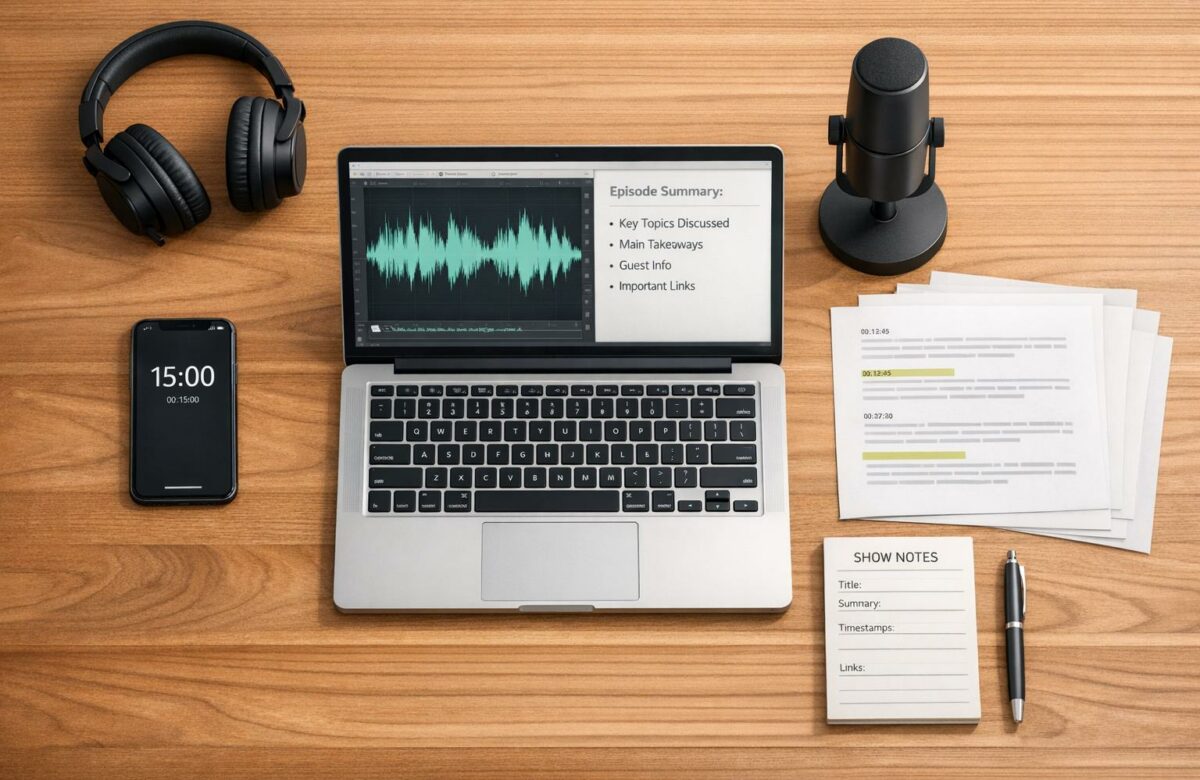
Writing podcast show notes doesn’t have to be a time-consuming process. By using a structured workflow, you can create professional, SEO-friendly notes in under 15 minutes. Here’s how you can do it:
- Start with a transcript: Use tools like Descript or Otter.ai to generate a transcript and identify key moments with timestamps.
- Follow a template: Choose a format (e.g., Essential, Detailed, Promotional) that matches your podcast style. Include a short summary, bullet points, and clear calls-to-action.
- Write a concise summary: Highlight the main themes or insights in 100–200 words. Use engaging language to grab attention.
- Use AI tools: Tools like BeLikeNative can help you refine, shorten, and polish your notes quickly.
- Publish efficiently: Optimize for search engines by including keywords, testing links, and formatting for readability.
With these steps, you can streamline the process and ensure your show notes engage readers while boosting your podcast’s visibility.
Transform Any Text, On Any Site, In Seconds
Rephrase, translate, and improve text with one shortcut. Works everywhere you write.
Add to Chrome - It's Free!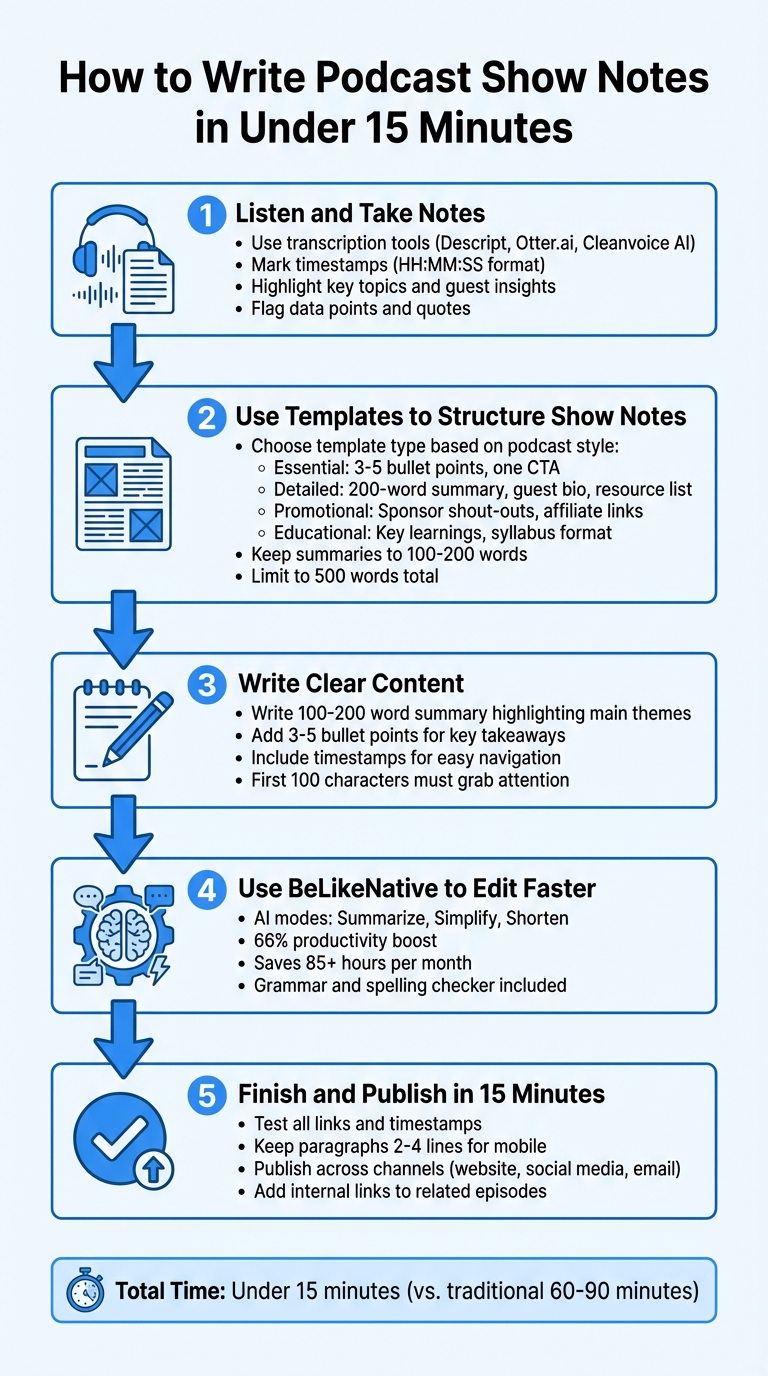
5-Step Workflow to Write Podcast Show Notes in Under 15 Minutes
How To Write Podcast Show Notes FAST with ChatGPT
sbb-itb-32359dc
Step 1: Listen and Take Notes
Taking efficient notes is the backbone of creating show notes quickly. Using a transcript can make this process significantly faster. Without one, you’ll find yourself wasting time replaying audio, trying to catch every detail.
"A transcript makes writing good show notes fast – without one, you’re writing from memory and it shows." – Podsuite
If you have a transcript, load it into a word processor and scan it once before jotting anything down. This quick review helps you pinpoint the main idea with AI summarization tools and the most impactful sections. Don’t have a transcript yet? Tools like Descript, Otter.ai, or Cleanvoice AI can generate one for you automatically. Cleanvoice AI, for instance, is trusted by over 15,000 podcasters and even offers 30 minutes of free credits to get you started.
Mark Timestamps and Key Topics
Focus on capturing the essentials: main ideas, conclusions, and standout quotes. As you skim the transcript, jot down timestamps (formatted as HH:MM:SS) at natural breaks in the conversation. These timestamps act as a guide for listeners, letting them skip straight to the parts they’re most interested in.
Pay close attention to moments when expert guests share their most impactful insights. Highlight these with timestamps to emphasize the value they bring. Additionally, flag important data points – like statistics, figures, or quotes – that can lend credibility to your content. For anything you need to double-check later, such as resource links or guest social media details, leave placeholders in your notes.
By organizing your notes this way, you’ll set yourself up for creating clear and engaging summaries later. To save even more time, consider using smart tools for note-taking.
Use Note-Taking Tools
The right tools can dramatically reduce the time it takes to gather notes. If you’re listening on the go, Snipd allows you to tap your headphones to "snip" key moments, automatically generating a transcript and summary of that section. You can even sync these highlights with your favorite note apps.
For post-production workflows, Swell AI offers a transcript editor that flags noteworthy sections and automatically labels speakers. In 2023 alone, Swell AI processed over 130 million words and 50,000 podcast episodes. Meanwhile, Riverside goes a step further by generating AI-powered show notes – complete with summaries, key takeaways, and chapters – from your recordings with just one click.
Step 2: Use Templates to Structure Show Notes
Templates make crafting show notes faster and easier. They provide a ready-made structure, so you don’t have to start from scratch every time.
"Show notes aren’t just a summary of your podcast episode – they’re how you earn your plays and get discovered off Google." – Speedypod
A structured template isn’t just a time-saver – it also improves SEO by presenting information in a clear, reader-friendly way. The best template for your show depends on your podcast’s style and goals. For instance, interview-based podcasts might highlight guest bios and credentials, while storytelling podcasts can focus on narrative arcs and key moments.
Pick the Right Template
Each podcast format benefits from a specific type of show notes template. Here’s how to match the template to your needs:
| Template Type | Best For | Key Structure Elements |
|---|---|---|
| Essential | Quick production; mobile users | Short summary, 3–5 bullet points, timestamps, one call-to-action |
| Detailed | SEO authority; deep dives | 200-word summary, guest bio, detailed outline, resource list, transcript link |
| Promotional | Affiliate marketing; sponsors | Sponsor shout-outs, affiliate links with discount codes, prominent product CTAs |
| Educational | Tutorials; narrative podcasts | "Syllabus" style points, key learnings, required reading, audience prompts |
For example, an Educational template is ideal for how-to podcasts, using sections like "Syllabus", "Key Learnings", and "Required Reading". On the other hand, Good Morning Podcasters! uses a transcript-focused approach, starting with a brief summary followed by a full transcript complete with speaker labels.
When writing summaries, aim for a length of 100–200 words to make an impact. Keep your guest bios concise – no more than 75 words. And for the overall show notes, stick to around 500 words to maintain reader engagement.
Format Content for Easy Reading
Most podcast apps cut off descriptions after about 100 characters, so your opening line must grab attention immediately. To make your content scannable:
- Use clear section headings like Summary, Guest Bio, and Resources.
- Include bullet points to highlight key takeaways.
- Place your podcast audio player at the top of your show notes page for easy access.
- Format timestamps as HH:MM:SS so listeners can jump to specific segments.
When adding links, use descriptive anchor text (e.g., "Read the full guide" instead of a raw URL). That said, some apps may require full URLs to ensure they’re clickable.
"Most listeners will read your show notes before listening to your podcast episode, so if you write a podcast show note that grabs their attention… you can bet that they’ll spend their time listening." – Speedypod
Limit your calls-to-action to one or two per episode – too many can overwhelm readers and lower engagement. Finally, stick to a consistent structure across all episodes. This not only builds trust with your audience but also makes it easier for regular listeners to find what they’re looking for.
Step 3: Write Clear Content
Fill your template with concise, engaging content that makes listeners want to press play. Your show notes should provide enough detail to stand alone while sparking curiosity to encourage listening.
Write a 100-200 Word Summary
Highlight the main themes or the most compelling story in your episode – don’t try to cover everything. Focus on the problem solved or the key insight offered, and explain why someone should invest their time in listening.
Start with impact. Avoid bland openings like "In this episode, we talk to…" Instead, lead with a benefit or the most interesting part of the episode. For instance, The Tim Ferriss Show titled episode #717 "How to Launch a Million-Dollar Business This Weekend", immediately establishing Noah Kagan’s credibility as employee #30 at Facebook and #4 at Mint.
"Business, really, it’s three Ws. It’s what’s a problem you’re solving that people care about, who are those people, and where are they?" – Noah Kagan, CEO of AppSumo
When introducing your guest, mention what makes their perspective stand out. For example, in December 2023, Huberman Lab featured Dr. Karen Parker from Stanford University, with a summary that emphasized her expertise in the biology of social connections, autism research, and new treatments – giving listeners a clear reason to tune in.
Wrap up your summary with a clean structure, breaking content into bullet points for easy scanning.
Add Bullet Points for Quick Reference
Summarize your episode into 3–5 key takeaways that deliver value, even if someone doesn’t listen. These should be specific, actionable, or surprising. For example, instead of saying, "Sarah talks about strategy", write something like, "Sarah’s three-step content plan for consistent publishing."
Include timestamps so listeners can jump straight to the parts they care about. Detailed timestamps have been shown to boost engagement.
Write a Hook to Draw Listeners In
Once you’ve outlined the takeaways, craft a hook that turns them into an irresistible reason to listen.
The first 100 characters are critical – apps like Spotify cut off longer text. Lead with something bold: a surprising fact, a provocative question, or a specific result. For example, Scam Goddess (Episode 160) grabbed attention with this hook:
"This week, we welcome back Diallo Riddle to discuss one of Mississippi’s largest state-wide corruption cases. It involves millions in state welfare funds misappropriated to powerful state officials, pro-wrestlers, and former athletes including Brett Favre".
Tease the outcome to create curiosity. Highlight the transformation or insight your episode delivers, and naturally weave in your target keyword to improve search visibility.
Step 4: Use BeLikeNative to Edit Faster
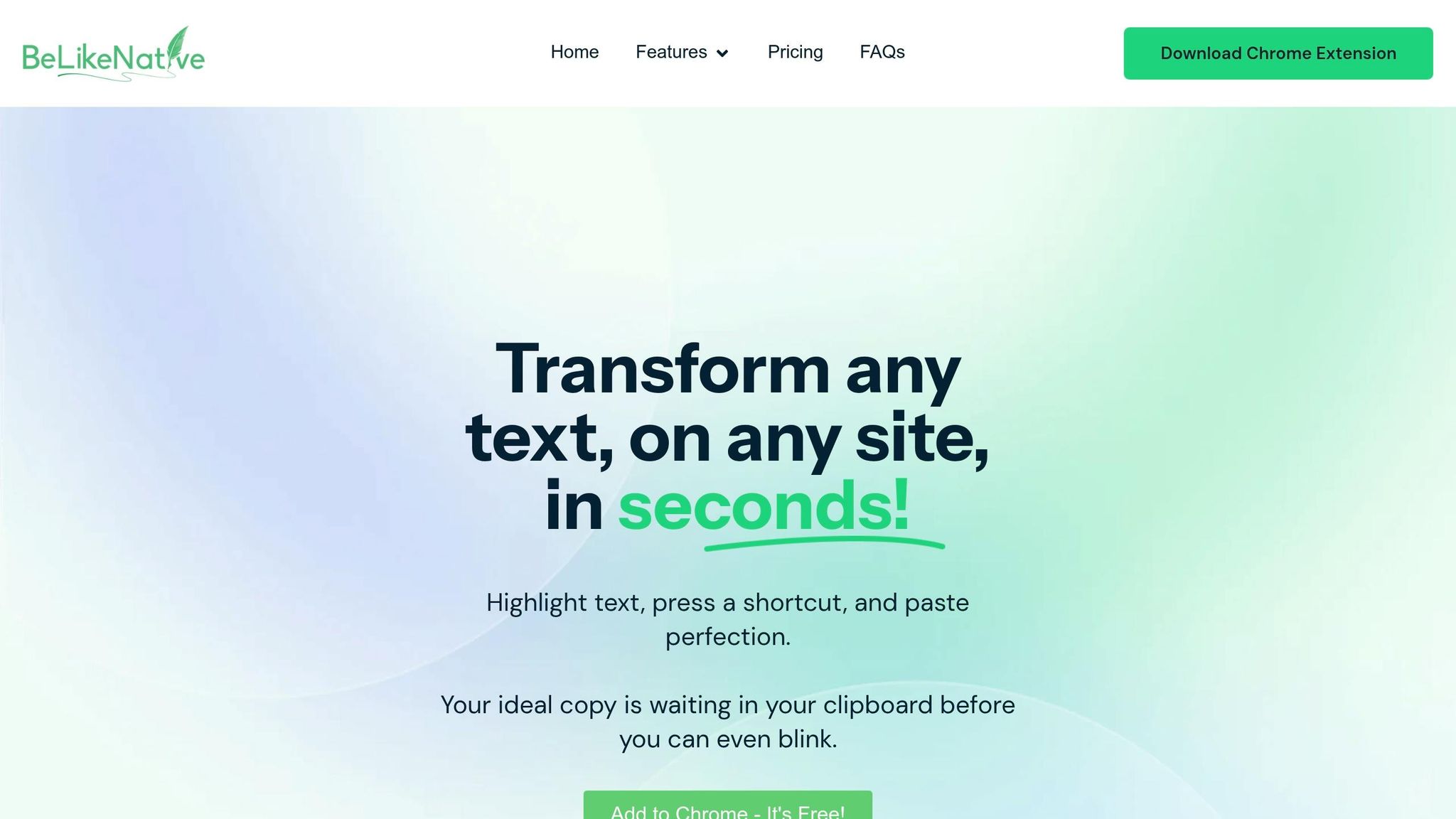
Once you’ve drafted your show notes, BeLikeNative’s Chrome extension can help you refine your writing directly within your podcast platform, Google Docs, or any web app. With a 4.6/5 star rating on the Chrome Web Store and 256 reviews, this "Featured" extension is trusted for its ease of use and adherence to best practices. Here’s how to set it up and make the most of it.
Install and Configure BeLikeNative
Start by heading to the Chrome Web Store and searching for "BeLikeNative – AI Writing Assistant." Click "Add to Chrome" to install it. After installation, customize your settings by selecting one of over 55 supported languages and choosing a tone that aligns with your podcast’s style. For example, you might opt for a formal tone for a business-focused podcast, a casual tone for a laid-back vibe, or a friendly tone for community-centered content. The best part? You don’t need an account, and all text is processed securely.
Enhance Your Writing with AI Tools
BeLikeNative is equipped with AI modes tailored for podcast show notes. Here’s how you can use them:
- Summarize: Quickly condense lengthy transcripts into concise summaries.
- Simplify: Break down complex guest explanations for better clarity.
- Shorten: Trim overly wordy descriptions without losing meaning.
The extension’s AI is context-aware, offering suggestions to improve flow and clarity. You can also adjust the tone to match your content – choose from formal, casual, friendly, professional, or academic styles. According to top users, this tool boosts productivity by 66% and saves over 85 hours per month on writing and editing tasks. These features make it easier to create polished show notes efficiently.
Edit Faster with Clipboard Shortcuts
Speed up your edits by highlighting any text and using keyboard shortcuts to rephrase or translate instantly. The updated text is automatically copied to your clipboard, ready to paste wherever you need it – no tab-switching required.
Before publishing, take advantage of the built-in grammar and spelling checker to ensure your notes are error-free.
Step 5: Finish and Publish in 15 Minutes
Do Final Quality Checks
Before you hit publish, take a few minutes to double-check everything. Make sure your main keyword is included in the title, the first paragraph, and at least one subheading. Test all your links, confirm timestamps (HH:MM:SS) are accurate, and ensure your calls-to-action are in the right spots.
Keep your paragraphs short – ideally 2 to 4 lines each – so they’re easy to read on mobile devices. Wrap up your notes with a quick call-to-action to encourage further engagement. As Podsuite explains:
"The gap between ‘invisible to search’ and ‘ranking on page one’ is often less than 300 words and thirty minutes of additional effort per episode".
Publish Across Channels
Once your notes are polished, it’s time to share them. For directories with strict word limits, craft a 150–200 word summary that links to the full, SEO-optimized version. On your website, aim for a detailed version between 600 and 1,200 words, complete with headers and bullet points for better readability.
For social media, pull out "click-to-tweet" quotes or key takeaways to post on LinkedIn, Twitter, and Facebook. In your email newsletter, include a section with key takeaways to provide instant value and drive readers to the full episode. Don’t forget to add internal links to related past episodes – this creates a content loop that keeps your audience exploring your catalog.
With a solid workflow in place, you can go from quality checks to publishing across platforms in just 15 minutes. This efficient process ensures your show notes are polished, engaging, and ready to boost your episode’s reach.
Conclusion
Creating podcast show notes doesn’t have to take up 60–90 minutes of your time. By focusing on active listening and timestamping during recording, you can skip the hassle of replaying episodes. Using structured templates also saves time, giving you a solid starting point for every draft.
These simple steps help you craft concise, reader-friendly notes. A brief 100–200 word summary answers key questions like "What’s this about?" and "Why should I listen?" – all before the "see more" cutoff. Adding bullet points and timestamps ensures your audience can quickly find the highlights they care about.
For even faster results, advanced tools can make a big difference. BeLikeNative offers single-keyboard shortcuts to refine clarity and tone in seconds, helping you edit efficiently. This means you can turn a rough draft into polished show notes in no time.
With the help of AI transcription and BeLikeNative’s editing tools, you can wrap up professional-grade show notes in under 15 minutes. This approach transforms what used to be a time-consuming task into a streamlined, repeatable process, making it easier to expand your podcast’s reach.
FAQs
What should I include in a show note summary?
A well-crafted show note summary serves as a roadmap for your episode. It should cover the key topics, highlights, and any resources mentioned during the discussion. Here are the essential elements to include:
- Episode Overview: Provide a brief description of what the episode is about.
- Main Discussion Points: Highlight the core ideas or themes covered.
- Timestamps: Add markers for key moments in the episode, so listeners can easily navigate to specific sections.
- Guest Bios (if applicable): Include a short introduction or background about any featured guests.
- Resources and Links: Share any tools, books, websites, or references mentioned during the episode.
These details not only make it easier for listeners to engage with your content but also improve your search engine visibility and offer extra value to your audience.
How do I pick the best keywords for show notes?
When crafting keywords for your show notes, aim for terms that closely align with the episode’s content and match what your audience is likely to search for. Start by using descriptive, keyword-rich titles and summaries that naturally include relevant terms.
One helpful tip? Use transcripts. They can quickly highlight key phrases from your episode, making it easier to identify words that resonate with your audience and improve SEO. Incorporating these phrases into your notes not only enhances discoverability but also makes your content more accessible.
Think of each episode as its own piece of content. By treating it as standalone, you can fine-tune the keywords and optimize its search potential to reach a broader audience.
Do I need timestamps if I publish a transcript?
Transcripts offer a complete, word-for-word record of your episode, making them a great resource for anyone who wants the full details. On the other hand, show notes serve as brief summaries designed to grab attention and encourage listeners to tune in.
Timestamps? They’re optional. While they can make navigation easier and might even boost SEO, they’re not a must-have. Consider using them if you want to spotlight key moments or make your content more accessible.
Related Blog Posts
- Need to Find the Main Idea? AI Tools That Summarize Any Text Instantly
- Find The Main Idea Instantly With AI Summarization Tools
- Best Ai Tools To Shorten Essays While Keeping Key Points
- How Real-Time Translation Speeds Up Multilingual Drafting
BeLikeNative fixes grammar, rephrases, translates, and simplifies text on any website in 1 second — just highlight and hit a keyboard shortcut. No tab switching. Try it free →

