
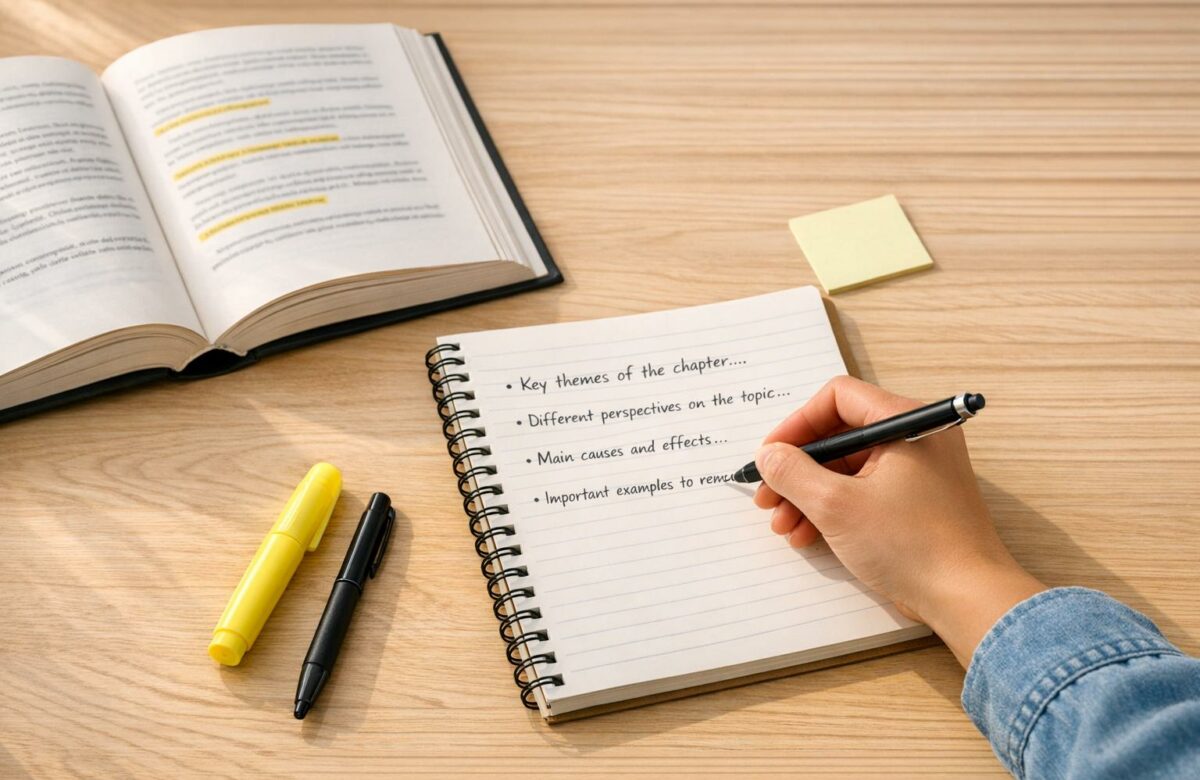
How To Paraphrase Book Excerpts For Class Notes
Paraphrasing book excerpts is a practical way to create clear, concise, and personalized class notes. Instead of copying large chunks of text, this approach helps simplify complex ideas, improve understanding, and avoid plagiarism. Here’s how you can do it effectively:
- Understand the text: Read the original passage thoroughly to grasp its main ideas.
- Write from memory: Set the text aside and rewrite the ideas in your own words.
- Change structure: Alter sentence structures and replace words, but keep technical terms intact.
- Compare and revise: Check your version against the original to ensure accuracy and originality.
- Cite properly: Always credit the source, even when rephrasing.
For faster paraphrasing, tools like BeLikeNative can help by rephrasing text directly in your browser. It supports multiple languages, adjusts tone, and integrates with popular apps like Google Docs. Plans range from free to $14/month depending on usage needs.
Transform Any Text, On Any Site, In Seconds
Rephrase, translate, and improve text with one shortcut. Works everywhere you write.
Add to Chrome - It's Free!Paraphrasing made EASY! Real example walkthrough
sbb-itb-32359dc
Why Paraphrase Book Excerpts for Class Notes
Paraphrasing can change how you interact with the material you’re studying. When you rephrase book excerpts, you’re not just copying information – you’re processing it, making sure you truly understand the concepts rather than simply recording them.
Simplifying Complex Information
Academic texts can be dense and overwhelming. Paraphrasing allows you to strip away unnecessary details and focus on the key ideas that are most relevant to your studies. By breaking down complex jargon into plain, straightforward language, you create notes that are easier to review later. This process forces you to decide what’s truly important, helping you explain it in a way that works for you. The result? Notes that are clearer and more aligned with your own understanding.
Creating Personalized Notes
Your notes should represent your voice, not just a collection of passages from various sources. Courtney Gahan and Jack Caulfield from Scribbr put it best:
"In academic writing, it’s usually better to integrate sources by paraphrasing instead of quoting. It shows that you have understood the source, reads more smoothly, and keeps your own voice front and center".
When your notes are written in your own words, they’re much easier to use for assignments. This makes the transition from note-taking to writing essays feel seamless. Plus, creating personalized notes plays a vital role in maintaining academic integrity.
Preventing Plagiarism
Paraphrasing doesn’t just enhance your learning – it also protects you from the risks of plagiarism, especially in a time when plagiarism detection tools are more advanced than ever. Even with proper citations, copying text word-for-word can raise red flags. Tools like Scribbr’s plagiarism checker scan 99.3 billion webpages and 8 million publications to spot similarities. By paraphrasing, you ensure that both your word choice and sentence structure are authentically your own. Remember, though, that even when you rewrite something in your own words, you still need to credit the original author. The ideas remain theirs, so proper citations are essential.
How to Paraphrase Book Excerpts: 5 Steps
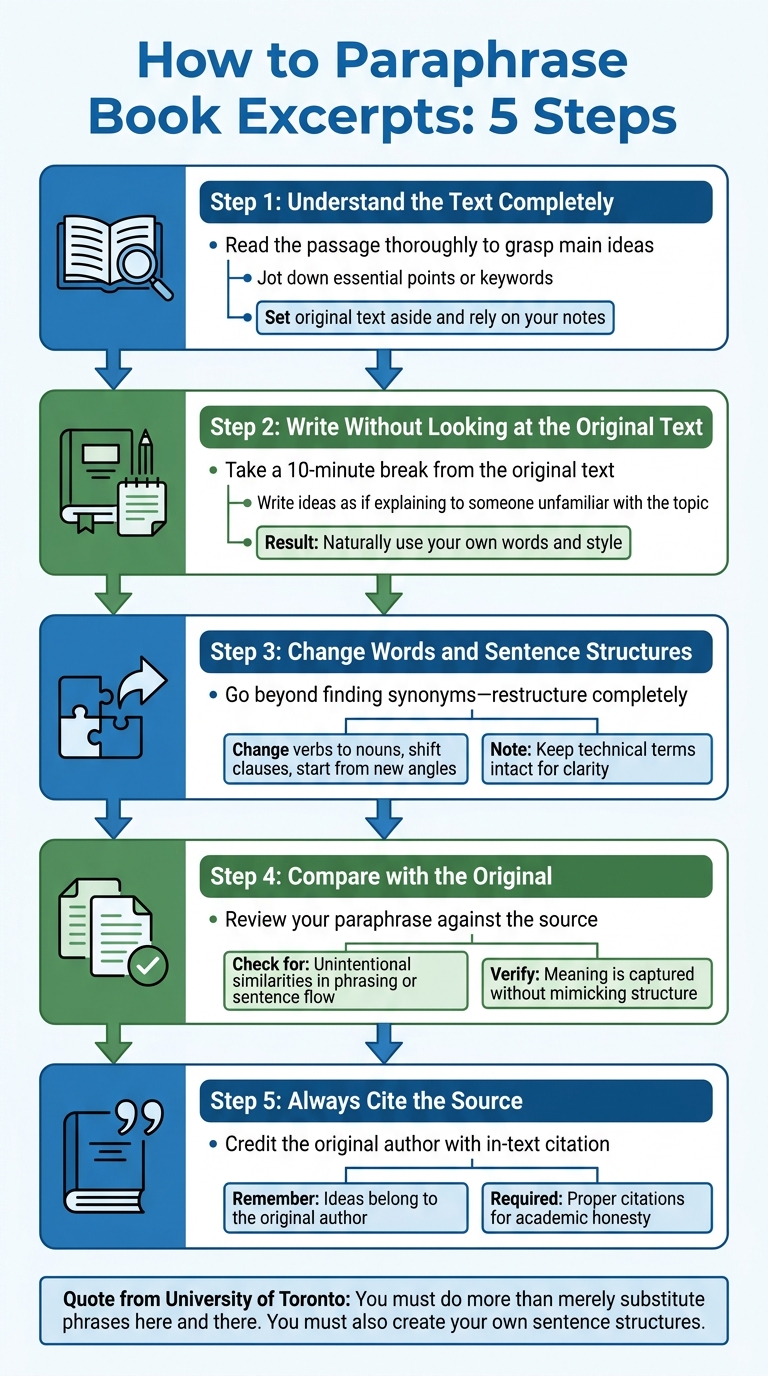
5-Step Process for Paraphrasing Book Excerpts for Class Notes
Paraphrasing effectively goes beyond swapping out a few words. It involves reworking sentence structures and rephrasing ideas entirely. As the University of Toronto explains, "You must do more than merely substitute phrases here and there. You must also create your own sentence structures". Follow these steps to do it properly.
Step 1: Understand the Text Completely
Start by thoroughly reading the passage. Focus on grasping the main ideas and key details. Jot down only the essential points or keywords during this process. Once you’ve absorbed the meaning, set the original text aside and rely on your notes.
Step 2: Write Without Looking at the Original Text
With the text out of sight, take a short break – about 10 minutes – to distance yourself from the original phrasing. Then, using your notes, write the ideas as if you’re explaining them to someone unfamiliar with the topic. This approach helps you naturally use your own words and style.
Step 3: Change Words and Sentence Structures
Effective paraphrasing means more than just finding synonyms. You should completely restructure sentences and use different expressions. For instance, you can change verbs into nouns, shift clauses around, or start sentences from a new angle, like emphasizing a cause or time frame. Keep technical terms intact for clarity, but make sure the rest of the language reflects your own writing style. Once done, review your work to ensure it’s accurate and distinct.
Step 4: Compare with the Original
After drafting your paraphrase, compare it directly with the source. Check for any unintentional similarities in phrasing or sentence flow. Make sure your version captures the original meaning without mimicking its structure or style.
Step 5: Always Cite the Source
Even when paraphrasing, the ideas still belong to the original author. Be sure to include an in-text citation to credit the source. While quotation marks aren’t necessary for paraphrased content, proper citations are crucial to maintain academic honesty and avoid plagiarism. This step ensures your work remains credible and ethical.
Using BeLikeNative to Paraphrase Faster

When manual paraphrasing slows you down, BeLikeNative steps in to make the process effortless. This Chrome extension allows you to paraphrase text directly in your browser without needing to switch between apps. With just a keyboard shortcut, you can rephrase any highlighted text and have the updated version instantly copied to your clipboard – ready to use in under a second. This streamlined approach keeps you focused on your work, whether you’re studying from a digital textbook or a PDF. Plus, it integrates smoothly with popular tools like Notion, Evernote Web, Google Docs, and Microsoft Teams, making it a perfect companion for your note-taking needs.
Quick Clipboard Integration
Switching between apps to paraphrase can be a hassle. BeLikeNative solves this by letting you highlight text, press your shortcut, and instantly receive the rephrased content in your clipboard. No more juggling tabs or tools – just quick, seamless paraphrasing that fits right into your workflow.
Adjusting Tone and Style
Different tasks require different tones. Whether you’re writing a formal research paper, simplifying study notes, or creating summaries for group projects, BeLikeNative lets you tailor the tone and style of your paraphrased text. Need something formal? Done. Prefer a conversational tone? Easy. The tool adapts to your needs, ensuring your notes or writing always match the context. This flexibility makes it especially useful for academic work.
Support for 80+ Languages
For those working with international sources or foreign language textbooks, BeLikeNative supports paraphrasing in over 80 languages. This means you can rephrase or even translate content from a variety of sources without needing additional tools. It’s a game-changer for international students or anyone handling multilingual content.
BeLikeNative Plans Comparison
BeLikeNative offers four pricing tiers to suit different levels of use. With over 5,000 users and a 4.6/5 rating on the Chrome Web Store (based on 256 reviews), it’s clear that this tool is making an impact. Users report a 66% boost in productivity, with top users saving more than 2 hours every day – adding up to over 85 hours saved per month.
| Plan | Price | Uses/Day | Chars Limit | Key Features |
|---|---|---|---|---|
| Explorer | $0/month | 5 | 500 | Spelling and grammar correction, 80+ languages, community access |
| Learner | $4/month | 25 | 2,000 | Everything in Explorer, editable shortcuts, premium support |
| Native | $6/month | 50 | 4,000 | Everything in Learner, priority bandwidth, influence on development |
| Premium | $14/month | 125 | 6,000 | Everything in Native, partnership benefits, potential lifetime license |
For students with moderate note-taking needs, the Learner plan offers a great balance with 25 daily uses at $4/month. On the other hand, heavy users managing multiple textbooks or projects might find the Native plan more suitable, offering 50 daily uses for $6/month.
Finalizing and Organizing Your Paraphrased Notes
Once you’ve worked through the paraphrasing process, it’s time to ensure your notes are reliable and easy to review. Here’s how to refine and organize them effectively.
Check for Accuracy and Clarity
After paraphrasing, compare your notes to the original text to confirm that you’ve kept the core meaning intact. Be careful not to alter the author’s intent, especially when dealing with technical terms like natural selection or autism, which should remain unchanged.
Reading your notes aloud can help you spot awkward phrasing. Grammarly emphasizes:
"Academic writing flows more naturally when you strike a balance between paraphrasing and direct quotes".
If a sentence feels clunky, simplify it without losing its meaning. Avoid overusing a thesaurus to swap out words – this can lead to confusing or unnatural phrasing. Your goal is to create notes that are both clear and easy to understand when you revisit them later.
Once you’re confident in the accuracy and clarity of your notes, focus on structuring them for quick and efficient reference.
Organize Notes for Easy Review
To keep your notes well-organized, use clear labels: mark quotes as Q, paraphrases as P, and summaries as S. This method, as Excelsior OWL points out, helps prevent accidental misattribution:
"With guidelines such as these… you won’t find yourself unintentionally using someone else’s words by confusing a quote with your own summary".
Arrange your notes by themes or arguments instead of sticking to the textbook’s order. Remove irrelevant details that don’t align with your study objectives. If a paraphrased section feels too long, break it into smaller, more digestible chunks. This thematic organization not only makes your notes easier to scan but also enhances your overall study efficiency.
Add Citations
Always include an in-text citation immediately after each paraphrased section, and maintain a full bibliography at the end of your notes. Capture citation details during the note-taking process to save time later. This habit ensures academic integrity and makes it simpler to revisit sources when needed.
Conclusion
Paraphrasing turns textbook passages into concise, personalized notes that cut out unnecessary details, help avoid plagiarism, and improve comprehension. By actively engaging with the material – choosing synonyms and reworking sentences – you gain a deeper understanding compared to simply highlighting or copying text.
A five-step process can help you create original and academically sound notes: read for understanding, write from memory, vary sentence structures, verify accuracy, and cite sources. As Matt Ellis puts it, "Paraphrases work best alongside quotations so that you don’t overuse either," emphasizing the importance of balancing originality with proper citations.
This method becomes even more efficient with tools like BeLikeNative. It simplifies the workflow by removing the hassle of switching tabs or manually prompting. With features like a quick keyboard shortcut (e.g., "Alt + 1") and instant clipboard integration, it delivers polished paraphrases in less than a second. Supporting over 80 languages and offering various tone and style options, it adapts to your study needs.
Users report saving significant time – over an hour daily for many – with top users seeing a 66% boost in productivity and some reclaiming more than 85 hours per month. When combined with manual efforts, BeLikeNative’s enhanced workflow helps create clear, accurate notes faster and more efficiently.
FAQs
How do I paraphrase without changing the author’s meaning?
To paraphrase effectively, you need to express the author’s ideas in a new way while keeping the original meaning intact. Instead of simply replacing words with synonyms, focus on rethinking the sentence structure and using different vocabulary. Make sure your version conveys the main points and important details accurately, ensuring the message stays clear and true to the original intent. This method prevents any misinterpretation of the text.
When should I quote instead of paraphrase in my notes?
When the original wording holds particular importance – like a key phrase, a precise definition, or a statement with a strong impact – it’s best to quote it directly. Quoting is also ideal when the language is distinct, difficult to rephrase without losing its meaning, or when the exact words lend credibility or authority to your content.
What citation details should I capture while paraphrasing?
When rephrasing information, make sure to note key citation details to properly acknowledge the original source. Include details like the author’s name, the date of publication, and page numbers (if applicable). Clearly label whether your notes are a paraphrase, summary, or direct quote to avoid confusion with the original material. This practice ensures accurate attribution, prevents plagiarism, and upholds academic integrity.
Related Blog Posts
- How To Paraphrase In Apa Format With Step-by-step Examples
- How To Paraphrase And Reference In Apa Without Plagiarism
- How To Paraphrase Academic Papers Without Plagiarism
- How To Paraphrase Quotes For Research Papers Without Plagiarism
BeLikeNative fixes grammar, rephrases, translates, and simplifies text on any website in 1 second — just highlight and hit a keyboard shortcut. No tab switching. Try it free →

