
How To Paraphrase Online Course Transcripts For Notes
Ever feel like you’ve learned something from an online course, only to forget it days later? That’s because passive learning – like just watching videos – doesn’t stick. Paraphrasing transcripts into your own words fixes this by making you actively process the material. It’s proven to boost retention by up to 42% and saves time by creating searchable notes instead of rewatching videos.
Here’s how to paraphrase effectively:
Transform Any Text, On Any Site, In Seconds
Rephrase, translate, and improve text with one shortcut. Works everywhere you write.
Add to Chrome - It's Free!- Understand the material: Read the transcript fully to grasp the context.
- Pick key terms: Keep important technical terms intact.
- Rewrite in your own words: Change sentence structure and vocabulary.
- Check accuracy: Compare your version with the original.
- Organize notes: Use headings, bullet points, or timestamps for easy review.
For faster results, tools like BeLikeNative can automate paraphrasing. It lets you rephrase text directly on course pages, simplify complex ideas, and even adjust tone for different styles. With plans starting at $4/month, it’s a time-saver for students who paraphrase frequently.
To make your notes truly effective:
- Write from memory to deepen understanding.
- Use structured methods like the Cornell system.
- Follow APA paraphrasing rules and cite sources properly to avoid plagiarism.
Paraphrasing transforms unsearchable video content into clear, personalized notes, helping you retain more and study smarter. Combine manual strategies with tools like BeLikeNative to save time and improve learning.
How to paraphrase like a pro – BEST step by step method
sbb-itb-32359dc
How to Paraphrase Online Course Transcripts
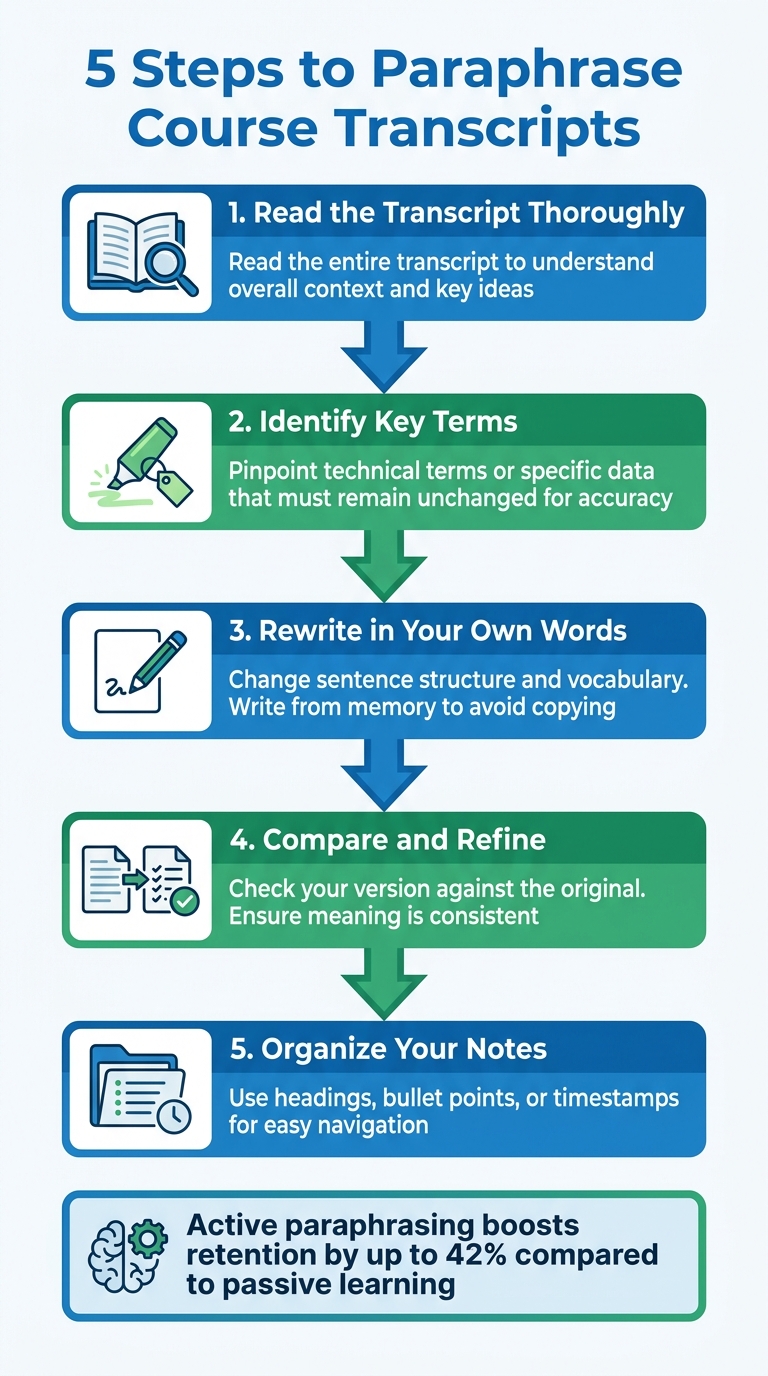
5-Step Process to Paraphrase Online Course Transcripts Effectively
Paraphrasing involves taking the time to fully understand material and then rephrasing it in your own words. As the UW‑Madison Writing Center puts it:
Think of what ‘your own words’ would be if you were telling someone who’s unfamiliar with your subject… what the original source said.
This method turns passive note-taking into a more active learning experience.
To paraphrase effectively, follow these five steps:
- Read the transcript thoroughly: Start by reading the entire transcript to understand the overall context and key ideas.
- Identify key terms: Pinpoint technical terms or specific data that must remain unchanged to ensure accuracy.
- Rewrite in your own words: Change both the sentence structure and vocabulary. Try looking away from the original text and writing from memory to avoid unintentional copying.
- Compare and refine: Check your rewritten version against the original. Make sure the meaning is consistent and avoid accidental shifts, like confusing correlation with causation.
- Organize your notes: Use headings, bullet points, or timestamps to make your notes easy to navigate later.
Incorporating these steps into your routine can improve both your understanding and the efficiency of your notes.
Some practical techniques to try include the "Explain to a Friend" method, where you imagine teaching the material to someone unfamiliar with it, and the "Look Away" approach, where you write down your understanding after setting the transcript aside. These strategies help ensure you’re genuinely processing the information rather than just rearranging words.
Using BeLikeNative for Faster Paraphrasing
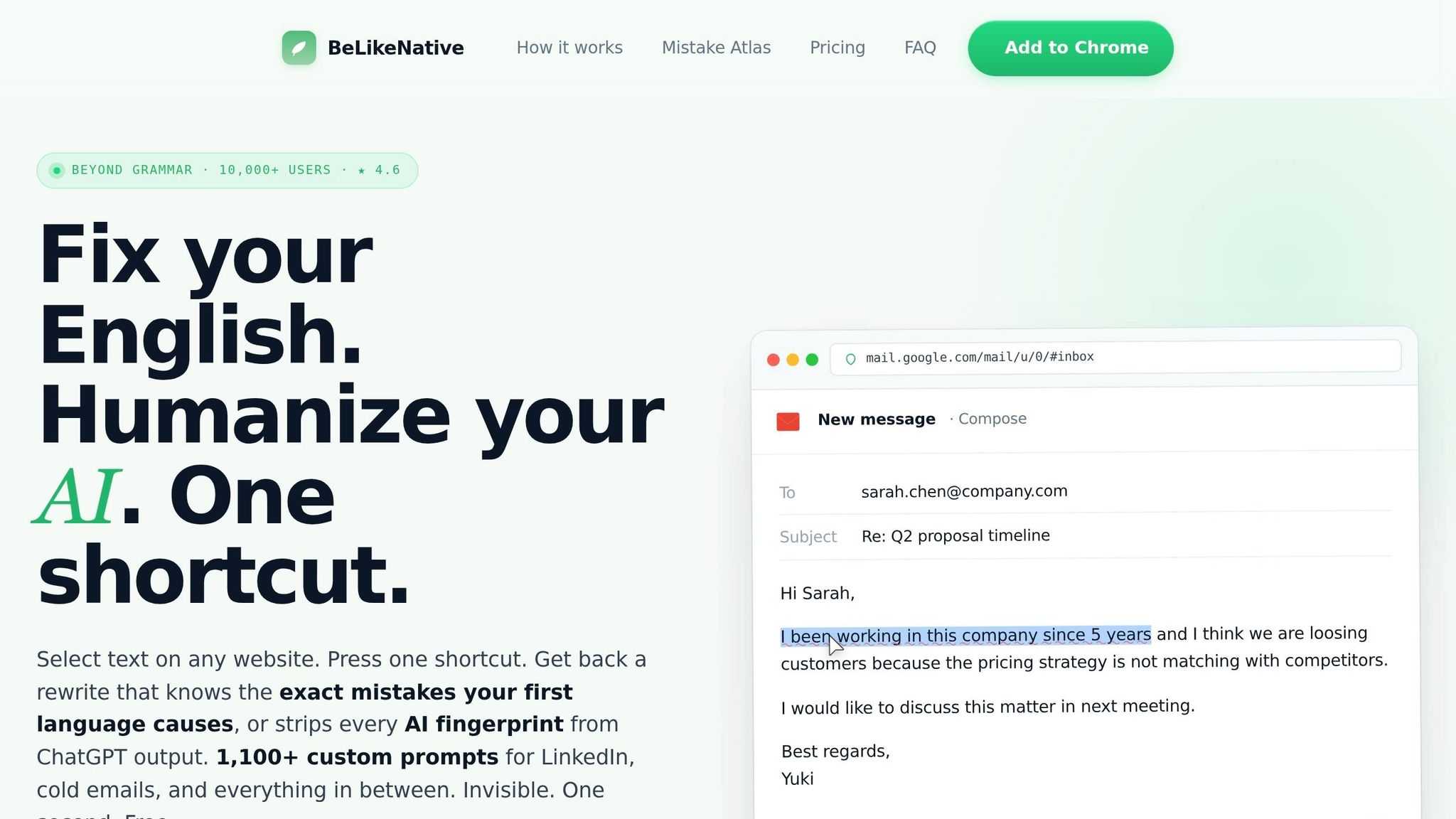
BeLikeNative takes the manual five-step paraphrasing process and streamlines it into an automated, time-saving workflow. This Chrome extension allows you to rephrase transcript sections directly on the course page, eliminating the need to switch tabs. Users report saving over an hour each day by cutting out repetitive tasks, with some saving as much as two hours daily. Let’s dive into the features that make BeLikeNative an essential tool for efficient paraphrasing.
BeLikeNative Features Overview
BeLikeNative is packed with tools designed to simplify note-taking. The Paraphrase feature rewrites sentences while keeping their original meaning intact. For technical or dense content, the Simplify mode breaks down jargon into more digestible language. The Shorten function condenses long explanations into bullet-point-ready summaries, and Tone Adjustment allows you to tailor your notes to specific styles, such as Academic or Professional.
Additionally, the extension supports translation in over 80 languages, making it a versatile choice for international learners. With a 4.6/5 rating from 296 reviews on the Chrome Web Store and over 9,000 users as of early 2026, BeLikeNative has built a reputation for reliability. Its context-aware AI ensures that suggestions remain accurate and relevant.
How to Paraphrase with BeLikeNative
Using BeLikeNative is simple. Highlight the text you want to paraphrase, press the shortcut key, and the rephrased version is ready in your clipboard in less than a second. You can then paste the updated text directly into your favorite note-taking app, whether it’s Notion, Google Docs, or Evernote Web. This "highlight-shortcut-done" process works seamlessly on any website where text can be highlighted, including YouTube video transcripts and various learning management systems.
For paid subscribers on the Learner plan or higher, there’s an added bonus: customizable keyboard shortcuts. This feature allows you to integrate the tool effortlessly into your existing workflow.
Once you’ve mastered the basics, you can take things a step further by fine-tuning the tone to suit your needs.
Adjusting Tone and Style for Your Needs
BeLikeNative offers flexibility in tone and style, letting you adapt your notes to your preferences. Whether you need a polished, formal tone for technical courses or a casual, approachable style for quick reviews, the extension has you covered. You can switch between tones like Formal, Casual, Friendly, Professional, or Academic with ease.
"BeLikeNative allows you to select different languages, tones, and styles to match the needs of your communication. Whether you need formal language for a business email or casual phrasing for a quick message, the tool adapts to your preferences." – BeLikeNative
Pricing Plans
BeLikeNative offers four pricing tiers to cater to different levels of usage:
- Explorer Plan (Free): Limited to 5 free uses per day and a 1,000-character limit.
- Learner Plan ($4/month): Includes 25 daily uses with a 2,000-character limit.
- Native Plan ($6/month): Provides 50 daily uses and a 4,000-character limit.
- Premium Plan ($14/month): Offers 125 daily uses and a 6,000-character limit.
Pick the plan that aligns with how many transcript sections you typically paraphrase during your study sessions. Whether you’re a casual user or someone who paraphrases extensively, there’s an option to suit your needs.
Best Practices for Note-Taking from Paraphrased Transcripts
Keeping Context and Clarity
To take effective notes from paraphrased transcripts, start by fully understanding the material. Read or listen multiple times until the concept clicks. Then, write from memory to ensure your notes reflect genuine understanding, steering clear of patchwriting – where the original structure is barely altered. This approach helps you avoid misrepresenting information, like turning a "predictor" into a "cause" or overstating a "could be" as a definitive conclusion .
"Paraphrasing requires you to understand ideas well enough to write them in your own words, so it not only helps you pass on information but also can help you learn and retain it." – Grammarly
When paraphrasing, focus on reworking sentence structures rather than simply swapping out words. For example, break long sentences into shorter ones or merge concise sentences for better flow. Be cautious with synonyms – replacing every word can lead to awkward or inaccurate phrasing. Technical terms should stay as they are unless a precise alternative is available. These techniques ensure your notes are both clear and accurate.
Organizing Notes for Fast Review
Once you’ve paraphrased effectively, organizing your notes is the next step. Systems like the Cornell method can help structure your notes while linking paraphrased content to timestamps for quick reference . This method eliminates the need to scrub through videos repeatedly – a process that can eat up 23% of an online learner’s study time.
Refine your notes within 24 hours of the lecture to retain context while it’s fresh in your mind . Use consistent shorthand (e.g., "w/" for "with" or "→" for "leads to") and leave space for additional insights or connections later. Structured, active note-taking has been shown to improve retention by 50–70%, making it far more effective than passive reading.
Citing Sources When Needed
Citing sources is essential for maintaining academic integrity and giving credit where it’s due. Even when you’ve rewritten content in your own words, you must acknowledge the original author, as the ideas still belong to them. Add citations as you go to avoid accidental plagiarism and to keep a clear record of your sources.
For online course transcripts, include the instructor’s name and relevant timestamp in your notes (e.g., "Dr. Aris explains that…"). This ensures clarity and proper attribution . For digital notes, you might also include a direct URL to the course video for easy reference.
"Effective research writing conveys understanding rather than mere repetition." – Kellogg Community College
Academic writing typically consists of 80–90% paraphrased material, with only 10–20% direct quotes. Plagiarism isn’t just about copying text – it also includes failing to credit the original source of ideas. By citing as you write, you’ll stay organized and uphold ethical standards.
Conclusion
Turning online course transcripts into paraphrased notes shifts learning from passive to active. Research shows that students who actively engage with material – like through paraphrasing – retain 50–70% more information compared to those who simply read or listen. This approach transforms unsearchable video content into structured, personalized notes that are easy to reference.
"The act of converting transcripts into study notes is itself a powerful study technique. You’re processing the information multiple times, which significantly improves retention." – VideoToBe
Using a five-step manual process helps deepen comprehension, but when paired with tools like BeLikeNative, it also boosts productivity. Users have reported saving over an hour daily by cutting out repetitive tasks like switching tabs to rephrase text. Top users even experienced a 66% productivity increase, reclaiming more than 85 hours each month.
Striking a balance between manual and AI-driven methods is key. Manual paraphrasing helps you digest complex ideas, while AI paraphrasing tools refine your syntax and keep your workflow smooth. To lock in what you’ve learned, review your notes within 24 hours, organize them using systems like Cornell, and always credit your sources – even for paraphrased content.
Whether you’re tackling varied course topics or diving into specialized material, paraphrasing turns fleeting spoken words into a lasting, searchable knowledge resource. Combine manual strategies with tools like BeLikeNative to create a comprehensive and efficient learning system.
FAQs
How do I paraphrase without accidentally copying?
To paraphrase well, begin by thoroughly grasping the original material. Identify the main points, then express them using your own phrasing, altering both the sentence structure and most of the wording. Try not to reference the original text while rewriting. Always acknowledge the original source to avoid plagiarism. This approach ensures you communicate the same message without unintentionally copying.
When should I keep exact wording from the transcript?
When precision matters – like with key definitions, technical terms, or exact data points – it’s important to stick to the original wording. This keeps the meaning clear and avoids any misinterpretation. For everything else, rephrasing in your own words not only makes the content more concise but also helps you understand and remember it better.
How can I turn paraphrased notes into quick study reviews?
To streamline study reviews, start by summarizing key ideas into short bullet points or concept maps from your notes. Use these summaries to create flashcards or practice questions that encourage active recall. Additionally, consider using AI tools to generate quizzes or condensed review sheets tailored to your needs. Regularly revisiting these materials will help solidify your understanding and boost retention, ensuring your study time is more productive.
Related Blog Posts
- How To Paraphrase In Apa Format With Step-by-step Examples
- How To Paraphrase And Reference In Apa Without Plagiarism
- How To Paraphrase Quotes For Research Papers Without Plagiarism
- How To Paraphrase Book Excerpts For Class Notes
BeLikeNative fixes grammar, rephrases, translates, and simplifies text on any website in 1 second — just highlight and hit a keyboard shortcut. No tab switching. Try it free →

