
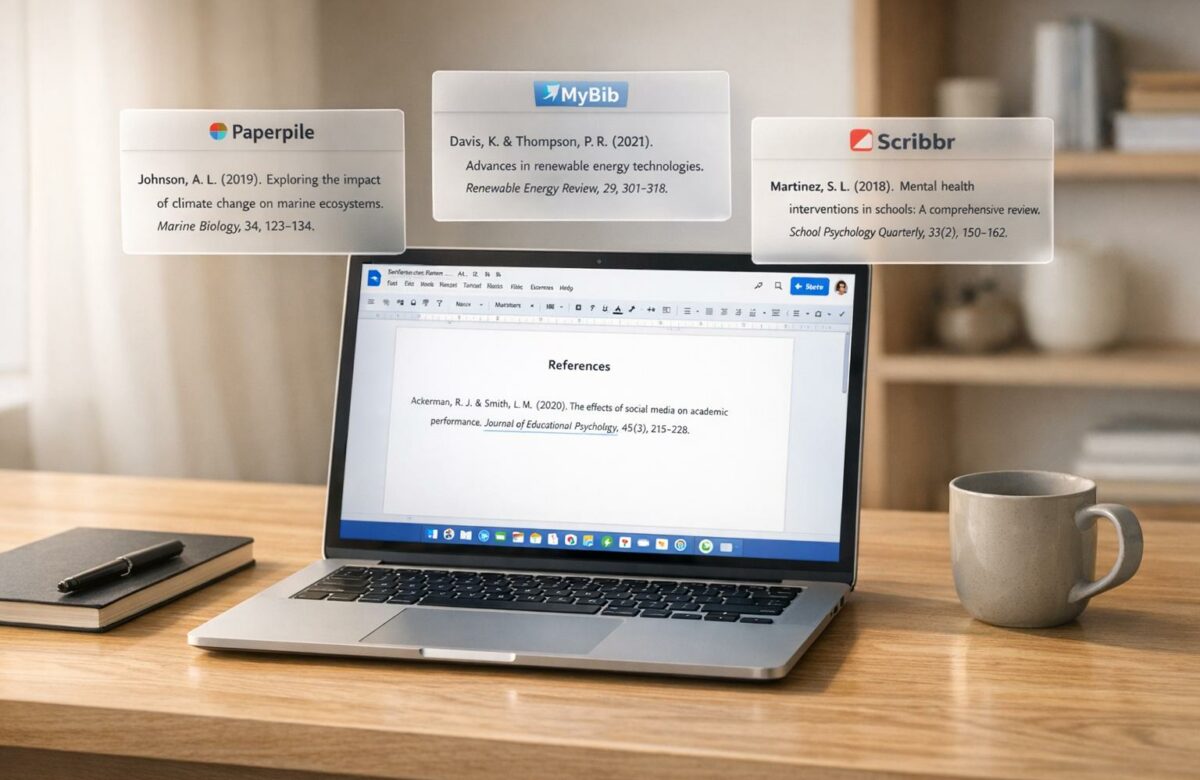
Best APA Citation Generator That Works Inside Google Docs
If you’re writing academic papers in Google Docs, using an APA citation generator can save you time and reduce errors. Here’s a quick breakdown of four tools that integrate with Google Docs: Paperpile, MyBib, Scribbr, and WPS Office Writer.
Key Takeaways:
- Paperpile: Best for collaborative projects and managing large research libraries. Offers seamless integration with Google Docs via a sidebar add-on. Free 30-day trial, then starts at $4.15/month.
- MyBib: Completely free, supports APA 6th and 7th editions, and works via a browser-based setup. Great for students on a budget but lacks direct Google Docs integration.
- Scribbr: Free and user-friendly, with a Chrome extension that simplifies citation creation. Provides APA 7th edition templates but requires manual copying into Google Docs.
- WPS Office Writer: Does not support APA citation generation or integrate with Google Docs.
Quick Comparison:
| Feature | Paperpile | MyBib | Scribbr | WPS Office Writer |
|---|---|---|---|---|
| Google Docs Integration | Sidebar & Chrome | Browser-based | Chrome extension | None |
| APA Edition Support | 6th & 7th | 6th & 7th | 7th only | Not supported |
| Free Tier | 30-day trial | Fully free | Fully free | N/A |
| Pricing (After Trial) | $4.15/month | Free | Free | N/A |
For simple tasks, MyBib or Scribbr are excellent free options. For advanced features and collaboration, Paperpile is worth considering. Choose based on your needs and budget.
Transform Any Text, On Any Site, In Seconds
Rephrase, translate, and improve text with one shortcut. Works everywhere you write.
Add to Chrome - It's Free!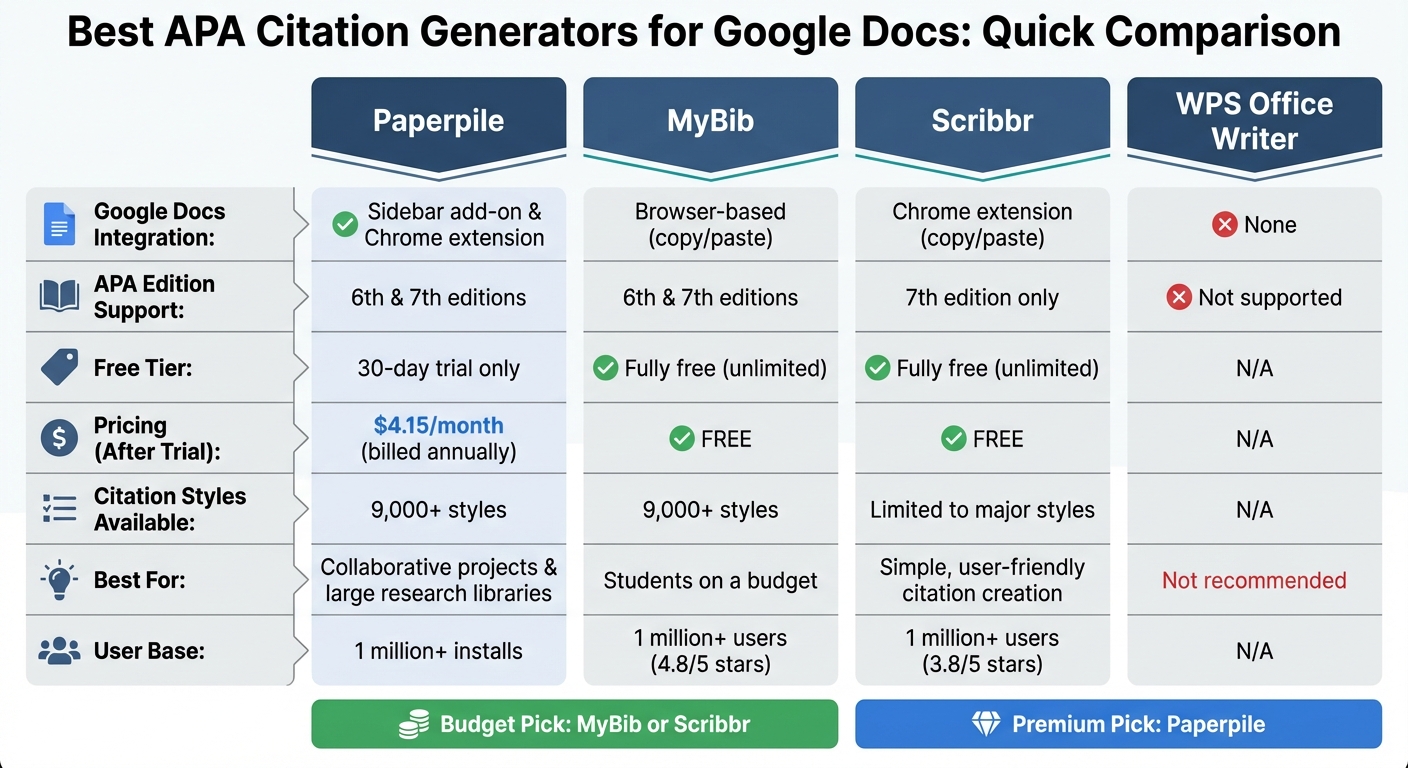
APA Citation Generators for Google Docs: Feature Comparison Chart
Formatting the APA Reference Page in Google Docs (6th Edition) | Scribbr 🎓
sbb-itb-32359dc
1. Paperpile
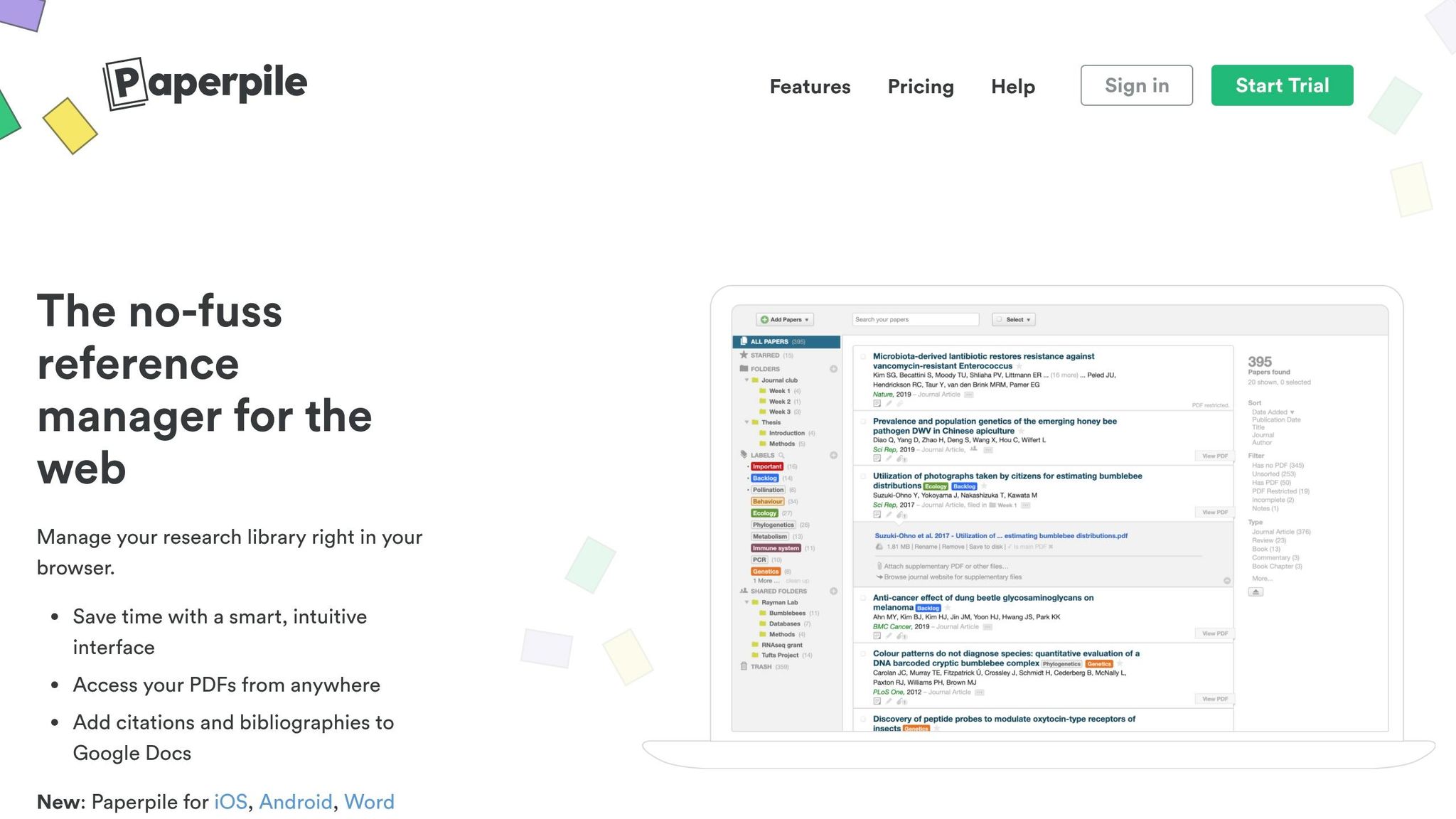
Paperpile is designed to make APA citation management both accurate and efficient. This web-based reference manager has gained popularity among academics and professionals, boasting over 1 million installs on the Google Workspace Marketplace. It works seamlessly with Google Docs through a Chrome extension and a sidebar add-on, placing a "P" button in your Google Docs toolbar for quick access.
Integration with Google Docs
With Paperpile, you can access your library or search databases like PubMed and Google Scholar directly from the "P" button in the Docs toolbar. Keyboard shortcuts (Ctrl-Alt-P or Shift-⌘-P) make it even easier to insert blue placeholder citations instantly. Once your document is ready, you can finalize everything by selecting "Paperpile > Format citations" from the top menu. This action formats the bibliography and converts placeholders into properly styled APA citations.
One feature that stands out is collaborative citing. It allows multiple authors to edit citations in real time, even if some collaborators are using the free version. This makes Paperpile a great choice for team projects. As Stefan Washietl, Paperpile’s founder, puts it:
Paperpile does not seek to replace Google Docs but rather to extend it and make it a first class platform for academic writing.
This integration provides a smooth workflow while maintaining strong APA citation support.
APA Version Support
Paperpile fully supports the APA 7th edition, using the Citation Style Language (CSL) system, which offers access to over 9,000 citation styles. The platform was recently updated in March 2024 to ensure DOIs are formatted correctly in APA7 styles. Advanced citation settings allow you to customize entries by suppressing author names for narrative citations, adding page numbers, or including prefixes and suffixes.
Free Tier Features
Although Paperpile doesn’t have a permanent free plan, it does provide a 30-day free trial that unlocks all Expert plan features. After the trial, you can export references in formats like BibTeX, RIS, CSV, or JSON. Even after the trial ends, shared Google Docs keep their citations intact, and collaborators can continue using the sidebar add-on for free.
Pricing
Paperpile offers two pricing tiers: the Regular Plan at $4.15 per month (billed annually at $49.80) and the Expert Plan at $5.75 per month (billed annually at $69.00). Discounts are available, with a 50% reduction for academic users and group discounts of up to 20%. The Expert Plan includes additional features like full-text PDF search, annotations, and shared libraries.
2. MyBib
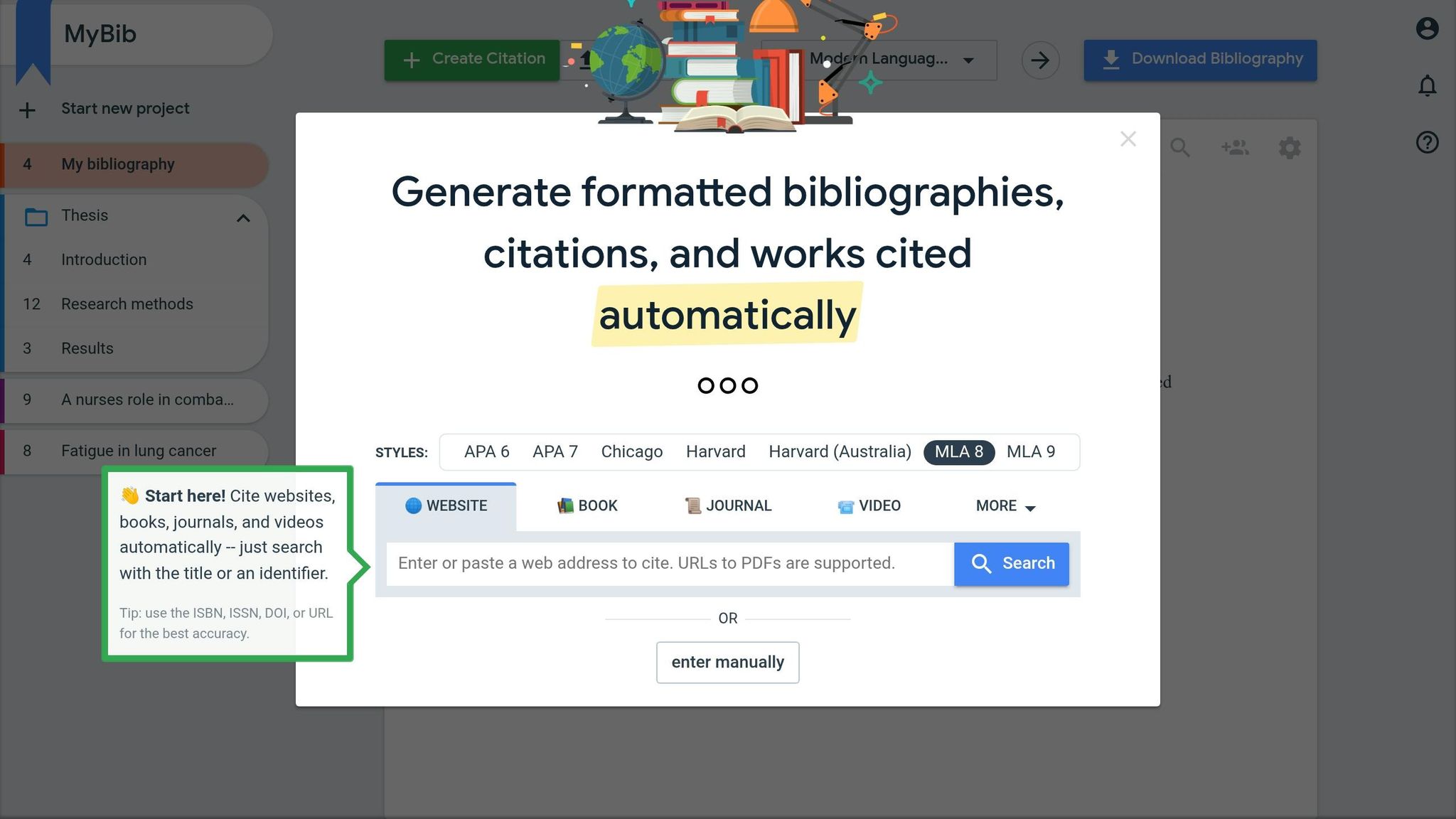
MyBib is a completely free citation tool with over 1,000,000 users on the Chrome Web Store. It boasts an impressive 4.8 out of 5-star rating from more than 1,600 reviews. Plus, it’s ad-free and doesn’t include any privacy trackers.
Integration with Google Docs
MyBib makes working with Google Docs incredibly simple, offering three integration methods. First, its Chrome extension for APA citations allows you to create citations for websites and PDFs with just one click. These citations can then be copied directly into your document. For local PDF files, you’ll need to enable "access to file URLs" in the extension settings.
Second, the MyBib web platform includes a "Download" button, which lets you export your entire formatted bibliography directly to Google Docs. Finally, you can install the MyBib app from the Google Workspace Marketplace. With over 856,000 installs, this app saves bibliographies straight to your Google Drive. If you don’t see the add-on in Google Docs, check under the "Extensions" or "Add-ons" menu to ensure it’s properly enabled. These options make it easy to integrate MyBib into your workflow.
APA Version Support
MyBib supports both APA 6th and 7th editions, along with over 9,000 other citation styles. It uses the same citation formatting engine as popular tools like Zotero and Mendeley, ensuring consistent and reliable formatting. To get the best results with the autocite feature, use specific identifiers like ISBN, DOI, or ISSN instead of general titles.
Free Tier Features
MyBib is entirely free – there are no time limits, restrictions, or premium tiers. Its free version supports over 30 source types, including websites, books, journals, PDFs, and videos. It also offers features like project organization via folders and collaboration tools for group projects. Citations can be exported to Word, Google Docs, Google Drive, or as BibTeX files for use with other reference managers. This unrestricted access ensures writers can keep their citations accurate and organized without any financial barriers, making it a fantastic resource for academic work in Google Docs.
Educational consultant Saurabh Y. highlights:
MyBib’s auto-fill feature saves time by automatically populating citation fields with relevant information.
To keep the tool free, the Chrome extension may occasionally use unused bandwidth to anonymously crowdsource citation data when your browser is idle.
3. Scribbr
Scribbr takes a different approach to integration compared to native add-ons. Instead of embedding a sidebar within your document, it operates through a Chrome browser extension that has over 1,000,000 users. This extension allows you to create citations while browsing the web and copy them into your Google Doc with just one click.
Integration with Google Docs
When you’re viewing an online source – whether it’s a webpage, article, or video – the Chrome extension automatically pulls key metadata like the title, author, and publication date. From there, you can copy both the in-text citation and reference list entry to your clipboard and paste them directly into your document. While this requires an extra step compared to some tools, it works seamlessly with any Google Doc without needing additional permissions.
Scribbr also provides free APA 7th edition templates for Google Docs, designed for both student and professional papers. These templates take care of formatting by setting 1-inch margins, double spacing, and 0.5-inch indentations automatically – eliminating the need for manual adjustments. This simple workflow sets Scribbr apart from traditional sidebar tools.
APA Version Support
Scribbr supports multiple citation styles, including APA 7th and 6th editions, MLA, Chicago, and Harvard. The tool uses Citation Style Language (CSL) – the same technology behind Zotero and Mendeley – but enhances it with expert-verified algorithms for greater accuracy. Scribbr emphasizes the importance of precision:
Inaccurate citations can cost you points on your assignments, so our seasoned citation experts have invested countless hours in perfecting Scribbr’s citation generator algorithms.
Additionally, the tool includes an AI-powered Citation Checker that identifies common APA mistakes, such as missing commas, incorrect "et al." usage, and errors with ampersands in narrative citations. These features improve accuracy and complement its user-friendly design.
Free Tier Features
Scribbr’s citation generator is entirely free, with no premium tiers or time restrictions. The free version includes an Autocite feature that lets you search for sources using a URL, DOI, ISBN, or title to automatically fill in citation details. The Chrome extension also uses AI to extract key sentences from sources and generate summaries, which can be added to your document alongside citations.
You can organize your citations into separate reference lists for different projects and sort them into folders within your Scribbr account. Export options include Microsoft Word and Bib(La)TeX formats, which are compatible with LaTeX editors like Overleaf. The tool is ad-free, offering a clean and distraction-free experience. While the citation generator is free, Scribbr also offers paid services for plagiarism checks, citation reviews, and professional proofreading.
The Chrome extension has a 3.8 out of 5-star rating from 128 reviews, with users frequently highlighting its ease of use and accurate formatting.
4. WPS Office Writer
WPS Office Writer lacks support for APA citation generation and does not integrate with Google Docs. There’s no verified evidence to suggest that it offers these features.
In contrast, tools like Paperpile, MyBib, and Scribbr are designed to work seamlessly with Google Docs. They function as Google Workspace add-ons or Chrome extensions, making it easy to manage APA citations directly within your document. If you’re using Google Docs for citation-heavy work, these integrated tools are a better choice for simplifying the process.
Comparison of Strengths and Weaknesses
Different citation generators cater to varying needs, offering distinct features that suit specific workflows. Below is a breakdown of how Paperpile, MyBib, and Scribbr stack up for Google Docs users.
| Feature | Paperpile | MyBib | Scribbr |
|---|---|---|---|
| Google Docs Integration | Sidebar add-on & Chrome extension | Browser-based (copy/paste) | Browser-based (copy/paste) |
| APA Version Support | APA 6th & 7th editions | APA 6th & 7th editions | APA 7th edition |
| Citation Styles Available | 8,000+ styles | 9,000+ styles | Limited to major styles |
| Free Tier | 30-day trial; free sidebar for collaborators | Completely free | Free citation generation |
| Search Functionality | Search-as-you-type from PubMed, JSTOR, and Google Scholar | Search by URL, ISBN, or DOI | Manual entry or search |
| Collaboration | Co-authors can use the free sidebar add-on | Individual use | Individual use |
Paperpile stands out for its seamless integration with Google Docs through a sidebar add-on and Chrome writing extensions, making it a strong choice for collaborative projects. However, it offers only a 30-day trial for its full features, though collaborators can use the sidebar for free.
MyBib is entirely free and supports over 9,000 citation styles, including both APA 6th and 7th editions. While it doesn’t integrate directly with Google Docs, its browser-based setup allows users to copy and paste citations with ease.
Scribbr, on the other hand, is ideal for those who need a simple, free solution for APA 7th edition citations. However, its limited library of styles and manual entry process make it less versatile compared to the other two options.
This table helps highlight the strengths of each tool, making it easier to choose one based on your citation needs and workflow preferences in Google Docs.
Conclusion
Picking the right APA citation generator for Google Docs comes down to your specific needs, budget, and how you work. If you’re a student tackling basic assignments, the built-in Google Docs Citations tool is a great starting point. It’s free, easy to use, and supports APA 7th edition alongside MLA and Chicago styles. This tool is perfect for straightforward academic papers, offering a no-hassle solution with zero learning curve.
For those handling larger citation libraries or working on collaborative projects, more advanced tools may be worth considering. Researchers and PhD candidates, for example, might find Paperpile to be an excellent choice. With its smooth Google Drive integration, efficient PDF management, and broad journal style support, Paperpile makes managing extensive research libraries much simpler. After the 30-day free trial, its subscription is well-justified for heavy users. As Dr. Emily Jane Dennis shared, “@paperpile has made writing my thesis 23092384x easier. Long live paperpile”. Plus, its collaborative features are a bonus – co-authors can access the sidebar add-on for free without needing their own subscriptions.
Ultimately, the key is to match the tool to your citation needs. For simple papers, a basic tool works just fine. But for complex research projects, investing in advanced features can save you time and headaches.
FAQs
Which option works directly inside Google Docs without copy/paste?
The SmartCite add-in for Google Docs allows users to insert citations and manage references directly within their document. This feature removes the hassle of copy-pasting citations, making the process more streamlined and efficient.
How do I switch between APA 6th and APA 7th in these tools?
Switching between APA 6th and 7th editions depends on the tool you’re using. For instance, Google Docs’ built-in citation feature generally follows the latest APA guidelines but doesn’t specify the edition. On the other hand, some third-party tools, such as MyBib, give you the option to choose between APA 6 and APA 7. To know for sure, check the settings or options in your chosen tool to see if switching editions is available.
What’s the best way to avoid citation errors before submitting?
Using Google Docs’ Citations tool is a handy way to manage sources and format APA references with ease. For additional support, third-party tools like EasyBib or Paperpile can make citation formatting even simpler. However, it’s crucial to double-check your citations against official APA guidelines to ensure everything is correct before submitting your work.
Related Blog Posts
- How To Paraphrase In Apa Format With Step-by-step Examples
- How To Paraphrase And Reference In Apa Without Plagiarism
- Common Citation Mistakes and Fixes
- AI Chrome Extension for Quick APA Citation Generation in Google Docs
BeLikeNative fixes grammar, rephrases, translates, and simplifies text on any website in 1 second — just highlight and hit a keyboard shortcut. No tab switching. Try it free →

