
Best DeepL Alternative For Real Time Translation
- BeLikeNative: Offers clipboard integration for instant translations in 80+ languages, focusing on tone and context. Pricing starts at $4/month.
- Google Translate: Covers 249+ languages with features like camera translation and offline packs. Free for basic use; API starts at $20/million characters.
- Microsoft Translator: Ideal for businesses with Office 365 integration and Conversation Mode for group chats. Free API for up to 2 million characters; $10/million after.
Quick Comparison
| Tool | Best For | Language Support | Key Features | Pricing |
|---|---|---|---|---|
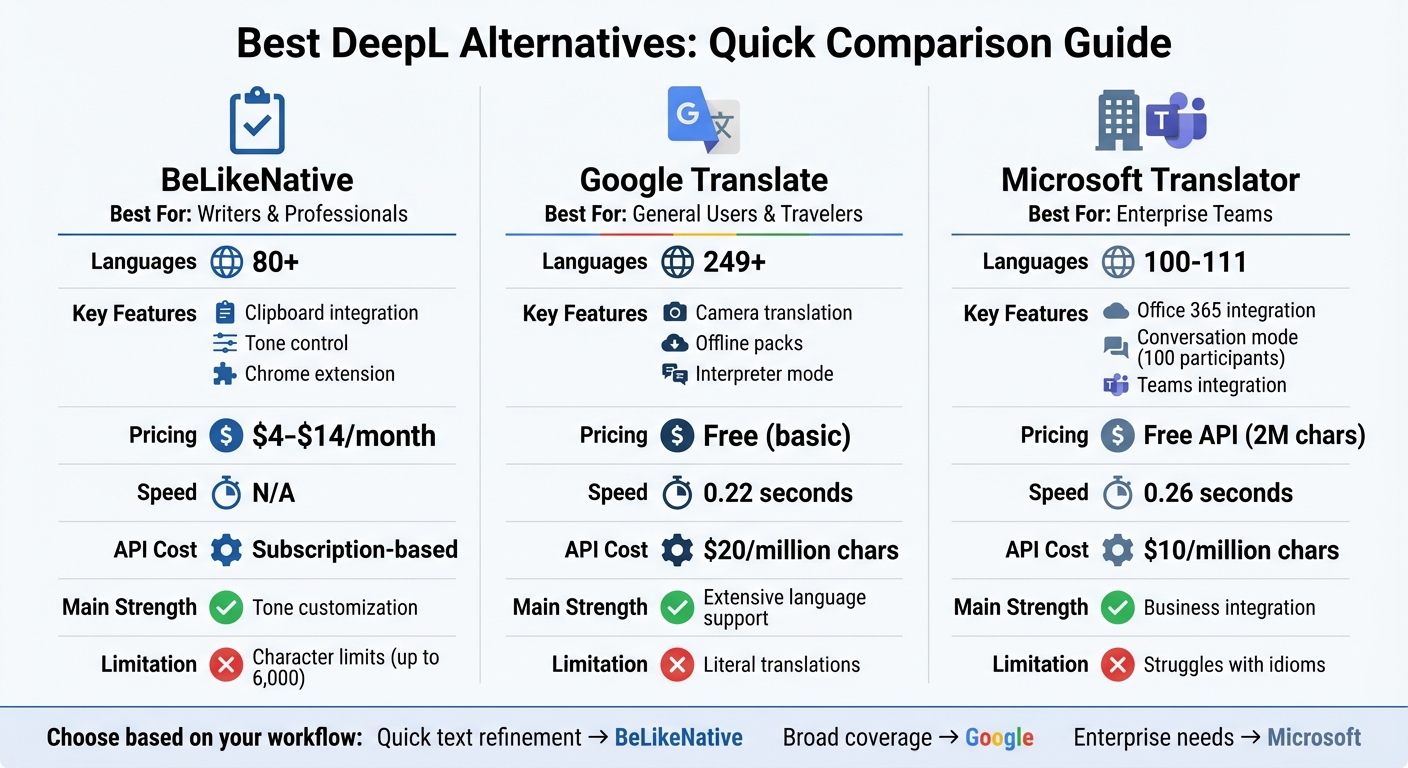
| BeLikeNative | Professionals, writers | 80+ languages | Clipboard integration, tone control | $4–$14/month |
| Google Translate | General users, travel | 249+ languages | Camera mode, offline packs | Free; API $20/million chars |
| Microsoft Translator | Businesses, teams | 100+ languages | Office 365 integration, group chats | Free API up to 2M chars; $10/million chars |
Each tool has strengths tailored to specific needs. Choose based on your workflow and language requirements.
DeepL Alternatives Comparison: Features, Pricing, and Language Support
1. BeLikeNative
Real-Time Translation Accuracy
BeLikeNative uses advanced neural networks to deliver translations that go beyond word-for-word accuracy. By understanding the context of your text, it ensures the tone and intent of your writing remain intact, even in sensitive scenarios. With its Chrome extension, translations happen instantly through clipboard integration, reducing the chances of manual errors during text transfers.
Language Support
With support for over 80 languages, BeLikeNative makes multilingual communication accessible. Whether you need to translate widely spoken languages like Spanish or French or less common ones, the tool handles them all seamlessly. Best of all, every language is included across all pricing tiers – even the free Explorer plan.
Integration and Usability
The tool’s clipboard functionality works effortlessly with platforms like WhatsApp Web, Google Docs, and Notion. A single keyboard shortcut allows you to refine text without interrupting your workflow, no matter which app you’re using.
To make your translations even more personalized, you can adjust settings to match the desired tone, style, or formality. This flexibility, combined with its easy integration, ensures a smooth and efficient user experience. Plus, the pricing options are designed to cater to a variety of needs, making it a versatile choice for users.
Pricing and Value
BeLikeNative offers four pricing plans tailored to different usage levels:
- Explorer (Free): 5 uses per day, 500-character limit.
- Learner ($4/month): 25 uses per day, 2,000-character limit.
- Native ($6/month): 50 uses per day, 4,000-character limit.
- Premium ($14/month): 125 uses per day, 6,000-character limit, plus partnership perks and the option for a lifetime license after two years.
Every plan includes features like spelling and grammar checks, clarity improvements, and robust data security. Since character limits reset daily, you can plan ahead to meet your translation needs without worry.
2. Google Translate
Real-Time Translation Accuracy
Google Translate relies on its Neural Machine Translation (GNMT) engine, which processes entire sentences to maintain context and meaning. It achieves an accuracy rate of 82.5% overall, with Spanish translations exceeding 90% accuracy. For most European languages, accuracy typically falls between 80% and 90%.
Since the introduction of neural machine translation in 2016, error rates have dropped by 55%–85%. However, the tool struggles with more complex or specialized content. For example, a 2014 study revealed a lower accuracy rate of 57.7% when translating medical phrases. While it’s effective for straightforward, literal text like instructions or menus, it has difficulty handling nuances like sarcasm, irony, or creative marketing language.
Beyond its accuracy, the sheer range of languages it supports sets Google Translate apart.
Language Support
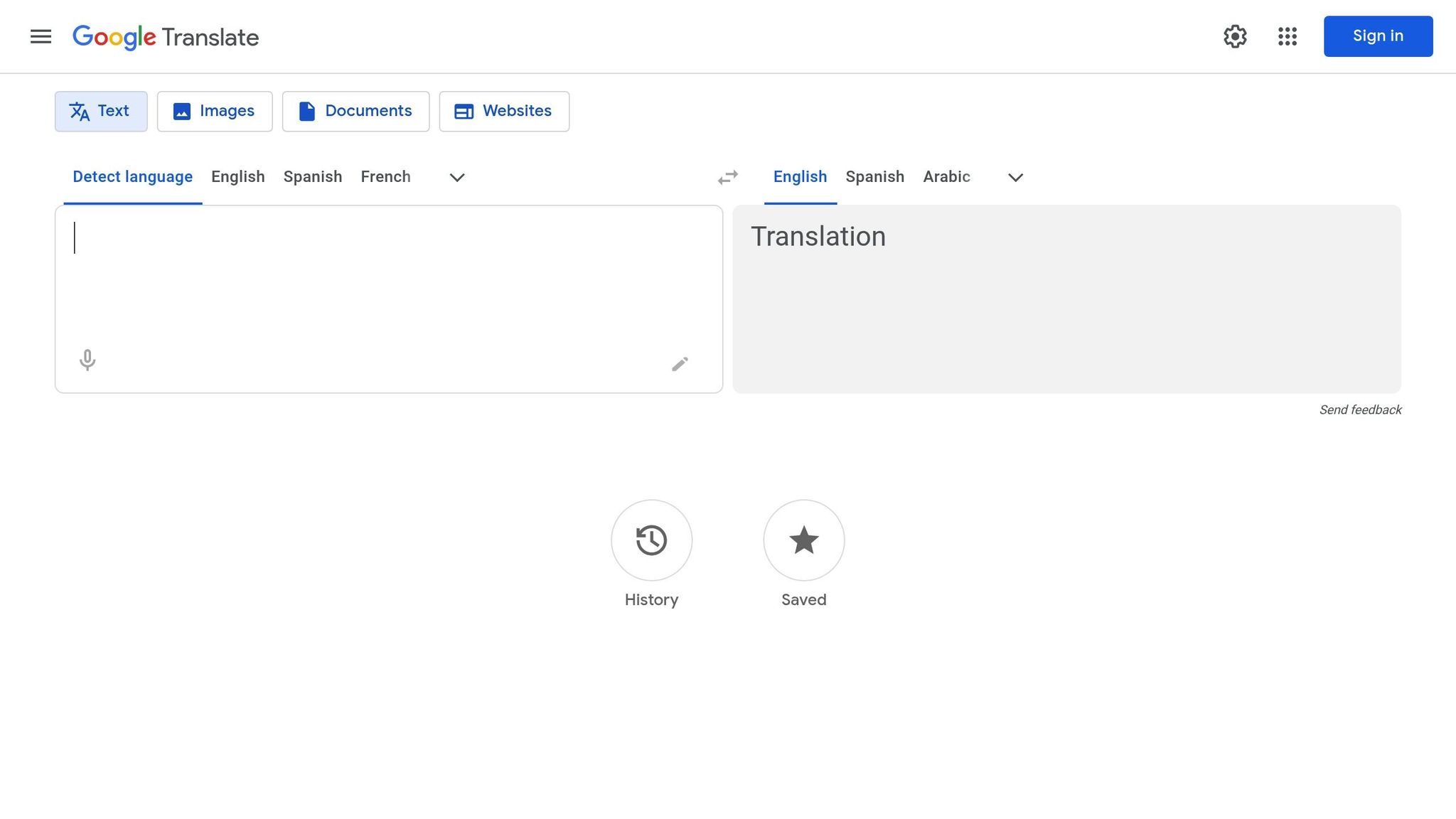
Google Translate offers support for over 249 languages and dialects. This includes less commonly used languages such as Swahili, Hindi, Icelandic, and several indigenous languages that many competitors don’t accommodate. The mobile app even provides offline language packs, enabling real-time translations without requiring an internet connection.
Google Translate also includes specialized modes tailored for different scenarios: Interpreter Mode for live conversations, Transcribe for real-time speech translation, and Camera Translation for translating text captured through a device’s camera. In tests conducted using a Motorola g54 5G, the app processed real-time translations in about 4 seconds.
Integration and Usability
Google Translate’s usability extends beyond standalone translations. It integrates seamlessly with Chrome and Gmail, offering full-page and email translations. On Android devices, the "Tap to Translate" feature allows users to translate copied text from any app without switching screens. Additionally, users can upload documents like Word, Excel, PowerPoint, or PDF files (up to 10MB) via the web interface, with formatting preserved.
The platform also supports voice transcription, handwriting input for non-Latin scripts, and camera-based translations for items like signs or menus. For developers, the Google Cloud Translation API enables large-scale translation capabilities for third-party apps and websites.
Pricing and Value
For individual users, Google Translate is completely free when accessed via the web browser or mobile apps, though there’s a 5,000-character limit per request. Businesses and developers can use the Cloud Translation API, which offers the first 500,000 characters per month for free and charges $20 for every 1 million characters thereafter. For those requiring custom models, AutoML starts at around $300, plus additional data sourcing expenses.
3. Microsoft Translator
Real-Time Translation Accuracy
Microsoft Translator uses Neural Machine Translation (NMT) to provide high-quality translations for professional and technical content. In tests, it earned an impressive accuracy score of 9.6 out of 10. It’s particularly reliable for maintaining a formal and consistent tone in business documents.
The platform is especially strong in real-time speech translation, with seamless integration into tools like Microsoft Teams and Outlook. Eva Legovic, Project Manager & Content Writer at Taia, highlights this strength, saying, "Where it shines, however, is in real-time speech and conversation translation – a feature that can outperform both DeepL and Google, especially inside Microsoft Teams". However, it’s worth noting that Microsoft Translator sometimes struggles with idioms and casual language compared to other tools.
Its combination of accuracy and real-time capabilities, supported by extensive language options, makes it a standout choice for global communication.
Language Support
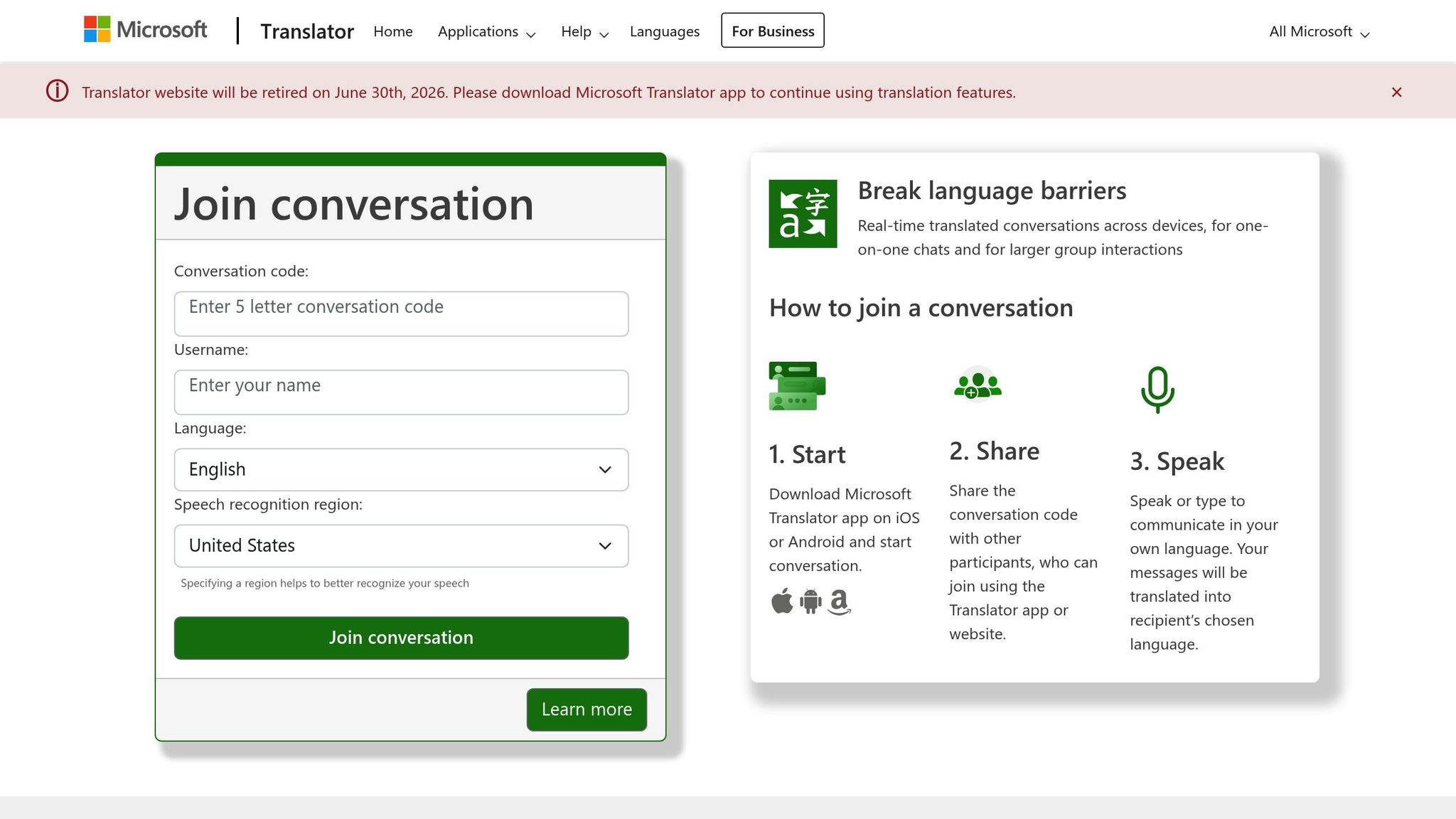
As of 2025, Microsoft Translator supports between 100 and 111 languages, including major global languages and regional dialects like Cantonese and Literary Chinese. One of its standout features is Conversation Mode, which allows up to 100 participants to communicate in their own languages simultaneously.
This extensive language support strengthens its ability to facilitate seamless, real-time conversations across diverse audiences.
Integration and Usability
Microsoft Translator goes beyond accurate translations by offering seamless integration with Microsoft Office tools like Word, PowerPoint, Outlook, and Excel, enabling users to translate directly within these apps. It also enhances collaboration through live meeting captions in Microsoft Teams, making it easier for international teams to work together.
For developers, the Azure AI Services REST API provides multi-language support for custom websites and apps. Additionally, the Custom Translator feature enables businesses to create domain-specific models tailored to unique industry needs.
Pricing and Value
Microsoft Translator provides a generous free tier with 2 million characters per month via its API. Individual users can also access the platform’s mobile app and web interface at no cost. For businesses with higher usage needs, the Standard API is priced at $10 per 1 million characters – half the cost of Google Translate’s API. For custom translation models, the rate is $40 per 1 million characters.
This pricing makes Microsoft Translator an affordable option for both individual users and businesses requiring large-scale or specialized translation services.
sbb-itb-32359dc
Top 5 AI Translation Apps in 2025
Advantages and Disadvantages
Every translation tool brings its own set of strengths and compromises, making them suited for different needs.
BeLikeNative is a standout choice for writers and professionals thanks to its smooth clipboard integration and tone customization features across more than 80 languages. It’s perfect for those who need quick text polishing without jumping between apps. Plus, its Chrome extension supports platforms like WhatsApp Web, Google tools, and Notion. The pricing is also accessible, with plans ranging from $4 to $14 per month.
Google Translate shines in its extensive language support, covering over 249 languages, and its ability to translate quickly. It’s a go-to for general users and travelers, offering handy features like camera translation for signs and menus. However, it often struggles with nuanced or context-sensitive translations, producing literal results. In professional reviews, it generated roughly 25 issues compared to DeepL’s 10 for identical text. Its API pricing starts at $20 per million characters after the first 500,000 free characters.
Microsoft Translator is particularly effective in enterprise environments. It integrates seamlessly with Office 365 and offers a free daily API tier covering up to 2 million characters. Its Conversation Mode enables group interactions with rapid translation speeds. The paid API costs $10 per million characters, making it an economical choice, though it occasionally falters with idiomatic or casual language. This aligns with the detailed features outlined earlier.
Here’s a quick comparison of the tools’ best uses, strengths, and limitations:
| Tool | Best For | Key Strength | Main Limitation | Processing Speed | API Cost |
|---|---|---|---|---|---|
| BeLikeNative | Writers & Professionals | Clipboard integration, tone control | Character limits vary by plan (up to 6,000 in Premium) | N/A | $4–$14/month |
| Google Translate | General Users & Travelers | 249+ languages, camera mode | Literal translations that miss nuances | 0.22 seconds | $20/million chars |
| Microsoft Translator | Enterprise Teams | Office 365 integration, conversation mode | Struggles with idioms occasionally | 0.26 seconds | $10/million chars |
The right tool depends on your workflow. If you need quick, tailored text refinements, BeLikeNative is a solid pick. For broad language coverage and on-the-go convenience, Google Translate is hard to beat. And for enterprise teams, Microsoft Translator offers efficient, cost-effective integration.
Conclusion
Finding the right translation tool depends on how well it aligns with your specific needs. Here’s a quick breakdown of what each tool brings to the table:
- BeLikeNative: Perfect for writers and professionals who need quick, in-app text refinement. It stands out with clipboard integration and tone adjustment features across 80+ languages. Plans range from $4 to $14 per month, making it an affordable option for those seeking polished translations.
- Google Translate: A go-to choice for casual users and travelers. With support for over 249 languages and features like camera translation, it’s built for convenience and speed, processing text in just 0.22 seconds. However, it leans toward literal translations rather than nuanced ones. API pricing starts at $20 per million characters after the first 500,000 free.
- Microsoft Translator: Tailored for enterprise users within the Microsoft 365 ecosystem. It integrates seamlessly with Teams, Word, and Outlook, offering a free API tier for up to 2 million characters. Its Conversation Mode allows up to 100 participants, making it ideal for multilingual business meetings.
Consider these features and decide which tool best supports your multilingual communication goals.
FAQs
How does BeLikeNative deliver accurate translations while preserving tone?
BeLikeNative specializes in delivering translations that preserve the original tone and intent of your content. Although the specifics of their technology and processes aren’t disclosed, it’s safe to assume they rely on advanced language models paired with rigorous quality checks to produce translations that are accurate and contextually relevant.
For more details about their methods, consider contacting the BeLikeNative team directly – they can provide deeper insights into how they approach their work.
How does language support differ between BeLikeNative, Google Translate, and Microsoft Translator?
Google Translate stands out for its broad language coverage, supporting an impressive array of languages, including some that are less commonly spoken. This extensive support makes it a go-to tool for users seeking quick translations across a wide variety of languages.
Microsoft Translator also offers an extensive language selection, though it doesn’t quite match the sheer number provided by Google Translate. Still, it covers enough languages to meet the majority of translation needs effectively.
As for BeLikeNative, there isn’t detailed information currently available about the range of languages it supports, making a direct comparison with Google Translate or Microsoft Translator difficult.
What integration features does BeLikeNative offer for professionals?
BeLikeNative offers integration options that blend effortlessly into professional workflows, boosting efficiency without causing interruptions. With real-time translation capabilities, users can seamlessly incorporate these tools into their daily tasks.
Key features include compatibility with widely-used productivity tools, support for collaborative platforms, and APIs that allow for custom application development. These integrations make it easier for professionals to handle multilingual projects, work with international teams, and simplify routine tasks. By prioritizing flexibility, BeLikeNative ensures its tools can adapt to various professional settings with ease.

