
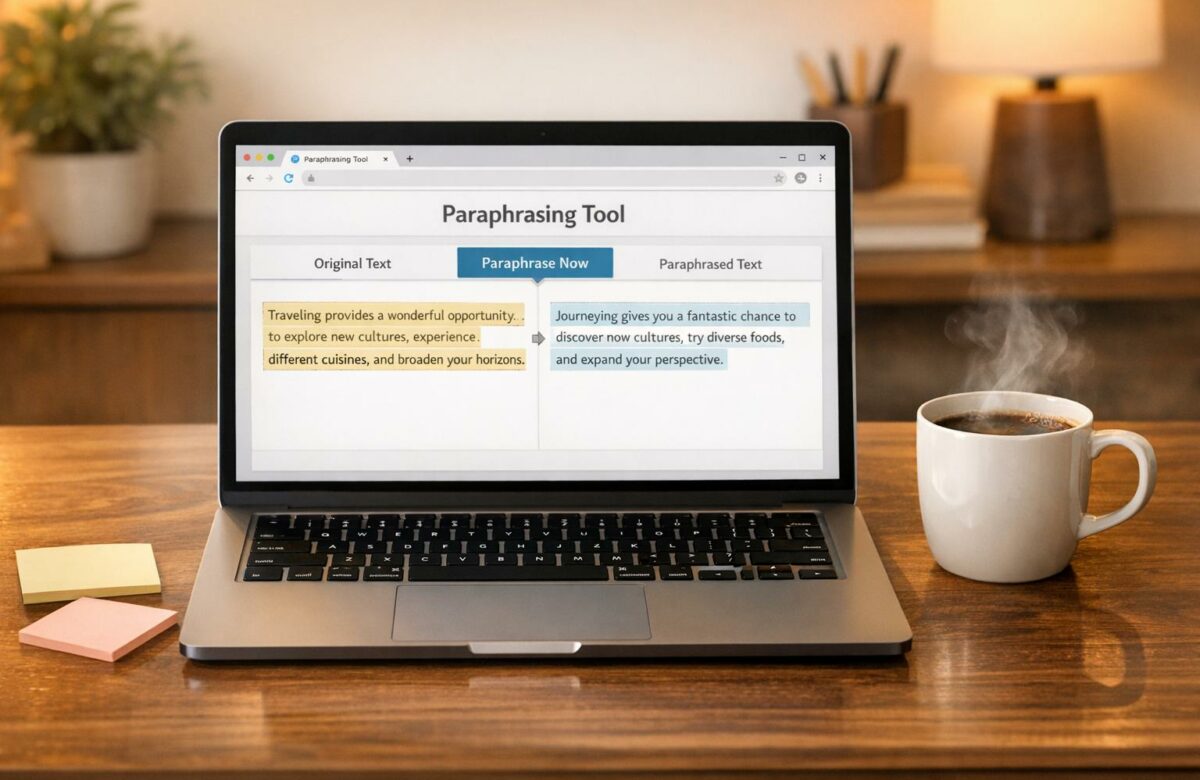
Best Free Paraphrasing Tool That Works On Any Website
BeLikeNative is a free Chrome extension that simplifies online writing. With just a shortcut (Alt/Command + E), it refines your text in seconds, offering paraphrasing, grammar corrections, tone adjustments, and translations across 80+ languages. It integrates smoothly with platforms like Gmail, Google Docs, Slack, and LinkedIn, eliminating the need for tab-switching or extra apps. Users save over 85 hours per month and report a 66% productivity boost.
Key Features:
- Works on any website via clipboard-based functionality.
- Supports formal and casual tone adjustments.
- Free plan includes 5 daily uses (500-character limit).
- Paid plans offer increased limits starting at $4/month.
Whether you’re a student, professional, or writer, BeLikeNative provides a quick, efficient way to improve your writing without disrupting your workflow.
Transform Any Text, On Any Site, In Seconds
Rephrase, translate, and improve text with one shortcut. Works everywhere you write.
Add to Chrome - It's Free!Key Features of BeLikeNative
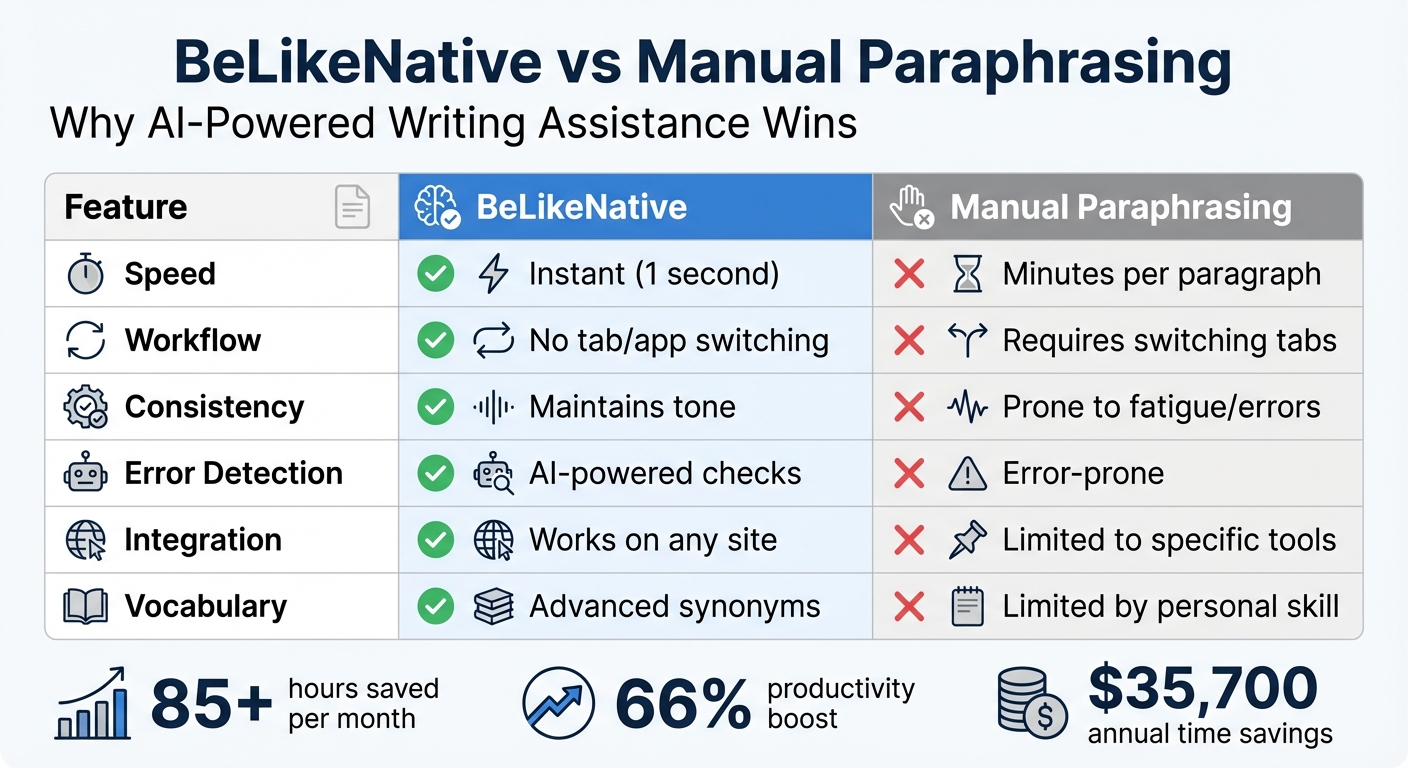
BeLikeNative vs Manual Paraphrasing: Speed, Efficiency and Feature Comparison
Core Capabilities
BeLikeNative packs a complete writing toolkit into a single shortcut. Beyond just paraphrasing, it handles grammar checks, punctuation fixes, text simplification, summarization, and even generates instant replies – all without requiring you to leave your current tab. With processing speeds of just one second, it refines your selected text and automatically copies the polished version to your clipboard.
Supporting over 80 languages, this tool is especially useful for US professionals collaborating with international clients or teams. You can tailor the output by choosing between formal or casual tones, adjusting the language, and fine-tuning the style to match your needs – whether you’re drafting a business proposal or firing off a quick message.
For students and researchers, BeLikeNative simplifies academic work with built-in APA and MLA citation generators, eliminating the hassle of switching to separate tools. Depending on your plan, character limits range from 500 characters on the free Free plan to 6,000 characters on the Premium plan.
These features work consistently across all supported platforms, ensuring a smooth experience.
Platform Compatibility
BeLikeNative integrates seamlessly with over 100 platforms. Whether you’re crafting emails, writing academic papers, or creating content, it ensures smooth functionality. Its clipboard-based system allows it to work on any text-based website, including Google Docs, Gmail, WhatsApp Web, Slack, Discord, and LinkedIn. It’s also compatible with productivity tools like Notion, Trello, and Asana, as well as academic platforms such as Google Scholar and Overleaf.
The extension operates through the Chrome browser and works on Windows, Mac, and Linux systems, delivering consistent performance regardless of your setup.
Benefits Compared to Manual Paraphrasing
Using BeLikeNative across platforms saves both time and effort. Manual paraphrasing can be tedious and time-consuming, but this tool eliminates that hassle by providing instant results while maintaining a polished, professional tone.
Users report saving over 85 hours per month by avoiding repetitive tasks like switching tabs or rewriting text manually. Top users even achieve a 66% boost in productivity. For professionals, this efficiency can translate into an estimated $35,700 in annual time savings.
Here’s how BeLikeNative stacks up against manual paraphrasing:
| Feature | BeLikeNative | Manual Paraphrasing |
|---|---|---|
| Speed | Instant (1 second) | Minutes per paragraph |
| Workflow | No tab/app switching | Requires switching tabs |
| Consistency | Maintains tone | Prone to fatigue/errors |
| Error Detection | AI-powered checks | Error-prone |
| Integration | Works on any site | Limited to specific tools |
| Vocabulary | Advanced synonyms | Limited by personal skill |
Getting Started With BeLikeNative
Installing and Activating BeLikeNative
To get started, head over to the Chrome Web Store, search for BeLikeNative, and click "Add to Chrome" to install it. Once installed, pin the extension by clicking the puzzle piece icon in your browser for quick access. You can activate it anytime using Alt + E on Windows or Command + E on Mac, which opens a side panel showcasing all its features. After installation, make sure to create an account through the central dashboard. This will help you personalize your settings and keep track of your usage.
Once you’re all set up, tweak the settings to suit your needs as a US-based user.
Configuring Settings for US Users
Open the settings dashboard and set your primary language to English (US). Next, choose a tone that fits your writing style: go with Formal for professional emails or academic papers, or Casual for friendlier communication like social media posts. If you often interact with Spanish-speaking clients or colleagues, you can also add Spanish as a secondary language – just one of over 80 languages supported by BeLikeNative.
After personalizing your settings, it’s time to explore the available plans.
Understanding the Free Free Plan
The Free plan is a free option that gives you 5 uses per day, with each use capped at 500 characters. It includes essential features like paraphrasing, grammar corrections, and translations in over 80 languages. Plus, you’ll get access to the community, early previews of new features, and premium support. While the daily limit is great for light, occasional use, it might feel a bit tight if you’re tackling longer writing projects. For those who need more flexibility, the Learner plan offers a significant upgrade. Starting at just $4.00 per month, it boosts your daily usage to 25 entries and increases the character limit to 2,000.
How To Use BeLikeNative On Any Website
Clipboard-Based Workflow
BeLikeNative makes your writing process smoother by cutting out the hassle of constantly switching tabs or copying and pasting multiple times. All you need to do is highlight your text, press Alt/Command + E, and then paste the refined version with Ctrl/Cmd + V. Simple, right? This shortcut keeps your focus intact, eliminating unnecessary interruptions.
Whether you’re typing an email in Gmail, fine-tuning notes in Notion, or replying to a message in Slack, BeLikeNative seamlessly fits into your routine. Plus, you have the flexibility to adjust the tone – formal or casual – and select your preferred language using the side panel before triggering the shortcut.
Let’s dive into how this tool adjusts to different writing needs.
Common Writing Scenarios
BeLikeNative’s intuitive workflow isn’t just convenient – it’s versatile. It’s designed to handle a variety of writing situations, whether you’re crafting professional emails, simplifying academic text, or managing multilingual communication.
- Business Communication: Need to turn a casual draft into a polished email? BeLikeNative can rephrase it for a professional tone or even help craft replies directly in Microsoft Teams.
- Academic Work: For researchers and students, it’s a game-changer. You can paraphrase dense paragraphs, break down technical language, or generate citations in APA or MLA format – all without leaving platforms like JSTOR or Google Scholar.
- Multilingual Tasks: With support for over 80 languages, BeLikeNative is perfect for bridging communication gaps with international clients or colleagues.
- Productivity Tools: Whether summarizing meeting notes or refining project tasks, BeLikeNative keeps your workflow streamlined in tools like Notion or Trello.
Process Table for Common Tasks
| Context | Writing Goal | BeLikeNative Action |
|---|---|---|
| Business Email (Gmail/Outlook) | Shift from casual to professional tone | Rephrase / Grammar Fix |
| Academic Research (JSTOR/Scholar) | Simplify complex jargon for a summary | Simplify This / Summarize |
| Social Media (X/LinkedIn) | Increase engagement and clarity | Rephrase / Fix Punctuation |
| Multilingual Slack/Teams Chat | Communicate with international colleagues | Translate (80+ languages) |
| Project Management (Notion/Trello) | Turn rough notes into polished tasks | Grammar Fix / Simplify |
| Customer Support (Zendesk/WhatsApp) | Draft a polite response | Write Instant Reply |
With BeLikeNative, tasks that once took extra time and effort can now be done directly within your workspace, saving you time while ensuring polished results.
sbb-itb-32359dc
Best Practices for Paraphrasing
Ensuring Accuracy and Originality
Paraphrasing is more than swapping words – it’s about staying true to the original meaning. Before you let BeLikeNative do its thing, take a moment to fully understand the source material. After generating the paraphrased version, review it carefully to ensure no essential details or nuances have been lost.
Pay attention to details like formatting and units. For example, use MM/DD/YYYY for dates, imperial measurements, and Fahrenheit for temperatures. These small adjustments are crucial in professional or academic contexts where precision is non-negotiable.
BeLikeNative also lets you tweak the tone – whether you’re aiming for a formal business email or a casual message. But remember, you’re the final editor. Use its synonym suggestions and sentence restructuring as a base, then refine the output to match your unique voice and make it sound natural.
And don’t forget – integrity matters.
Maintaining Academic and Professional Integrity
Whenever you paraphrase, proper citation is a must. Whether you’re using APA, MLA, or Chicago style, giving credit to the original source is non-negotiable.
"Plagiarism is when you use someone else’s ideas in your work without crediting them via a citation".
Also, check the policies of your institution or workplace regarding AI-assisted writing. Some organizations require you to disclose the use of tools like BeLikeNative, while others have specific rules on how much assistance is acceptable. If you’re unsure, being upfront about your process is always a safe choice.
For extra assurance, run your final work through a plagiarism checker. Tools like Grammarly’s plagiarism detector scan billions of online texts to confirm originality. This step can help you avoid "patchwork" plagiarism, where too much of the original phrasing sneaks into your version.
Now, let’s talk about working smarter, not harder.
Efficiency Tips for Daily Use
To get the most out of BeLikeNative, take advantage of the Alt/Command + E shortcut for quick results. Customize your default settings – like language, tone, and style – in the side panel to save time and avoid repetitive adjustments.
Users have reported a 66% increase in productivity, saving over 85 hours per month by cutting down on repetitive editing tasks. The key is to make the tool a seamless part of your workflow. Whether you’re drafting in Gmail, Slack, or Notion, let BeLikeNative handle the polishing so you can focus on your ideas.
If you’re frequently using it for tasks like turning informal notes into polished summaries, consider upgrading from the Free Free Plan (5 uses per day, 500 characters) to a paid plan. The Learner Plan at just $4/month offers 25 daily uses and a 2,000-character limit – perfect for most daily writing needs without interruptions.
Conclusion
BeLikeNative transforms the way you handle online writing by removing the hassle of switching tabs or copying and pasting. With just a quick keyboard shortcut, you can paraphrase, fix grammar, or translate text across more than 90 platforms – like Gmail, Slack, Google Docs, and LinkedIn – without ever leaving your current screen. The refined text is automatically copied to your clipboard, ready to use wherever you need it.
The Free Free Plan gives you 5 daily uses with a 500-character limit, perfect for light tasks. For those with heavier writing needs, the Learner Plan costs just $4 per month and offers 25 daily uses with a 2,000-character limit. On average, users save over an hour every day – adding up to 85 hours a month – and see a 66% boost in productivity. It’s a game-changer for anyone looking to streamline their writing process.
By seamlessly integrating into your favorite platforms, BeLikeNative ensures your writing stays sharp and efficient. Those saved hours can be redirected toward what truly matters – whether you’re crafting business proposals, replying to emails, or perfecting academic papers.
Why not give it a try? Start with the free plan today and see how effortlessly BeLikeNative fits into your daily routine. No complicated setup, no steep learning curve – just instant, smooth support for all your writing needs.
FAQs
How does BeLikeNative help users save time and work more efficiently?
BeLikeNative simplifies repetitive writing tasks into a seamless, one-click solution. With its intuitive Chrome extension, all you need to do is highlight text on any webpage, use a custom keyboard shortcut, and instantly receive a rephrased, translated, or refined version – ready to go on your clipboard. No extra apps. No manual copy-pasting. Just quick results.
Supporting over 80 languages, the tool also lets you tweak tone and style in real time, making it ideal for perfecting emails, crafting reports, or polishing academic papers. Users have reported saving up to 85 hours each month and achieving a 66% increase in efficiency, all while minimizing errors and enhancing communication with ease.
What are the advantages of upgrading to a paid plan?
Upgrading to a paid plan gives you unlimited access to the paraphrasing tool, meaning you can rewrite as many words or documents as you need without worrying about daily limits. This is perfect for students, professionals, and content creators who handle a high volume of writing.
A paid plan also unlocks advanced features powered by AI, such as more precise and polished rewrites, options to choose from different tones and styles, and built-in tools for grammar and fluency checks. These upgrades make it easier to produce high-quality content quickly and with minimal effort.
On top of that, paid users benefit from an ad-free experience, priority customer support, and faster processing speeds. These perks not only save time but also make the tool more efficient and enjoyable to use, giving you a smoother and more productive writing process.
Does BeLikeNative support APA or MLA citation formatting?
BeLikeNative is designed to help you improve and rephrase your text, but it does not handle academic citation formatting for styles like APA or MLA. While it excels at refining your writing and maintaining an academic tone, you’ll need to take care of citation formatting manually.
To sum up, BeLikeNative streamlines your writing process, but ensuring correct citation formatting is still up to you.
Related Blog Posts
- Top Quillbot Alternatives That Offer Free And Powerful Rewording
- Best Free Quillbot Alternatives For Rewriting And Paraphrasing
- Best Free Quillbot Alternative For Chrome Users
- Best Wordtune Alternative For Browsing The Web
BeLikeNative fixes grammar, rephrases, translates, and simplifies text on any website in 1 second — just highlight and hit a keyboard shortcut. No tab switching. Try it free →

