
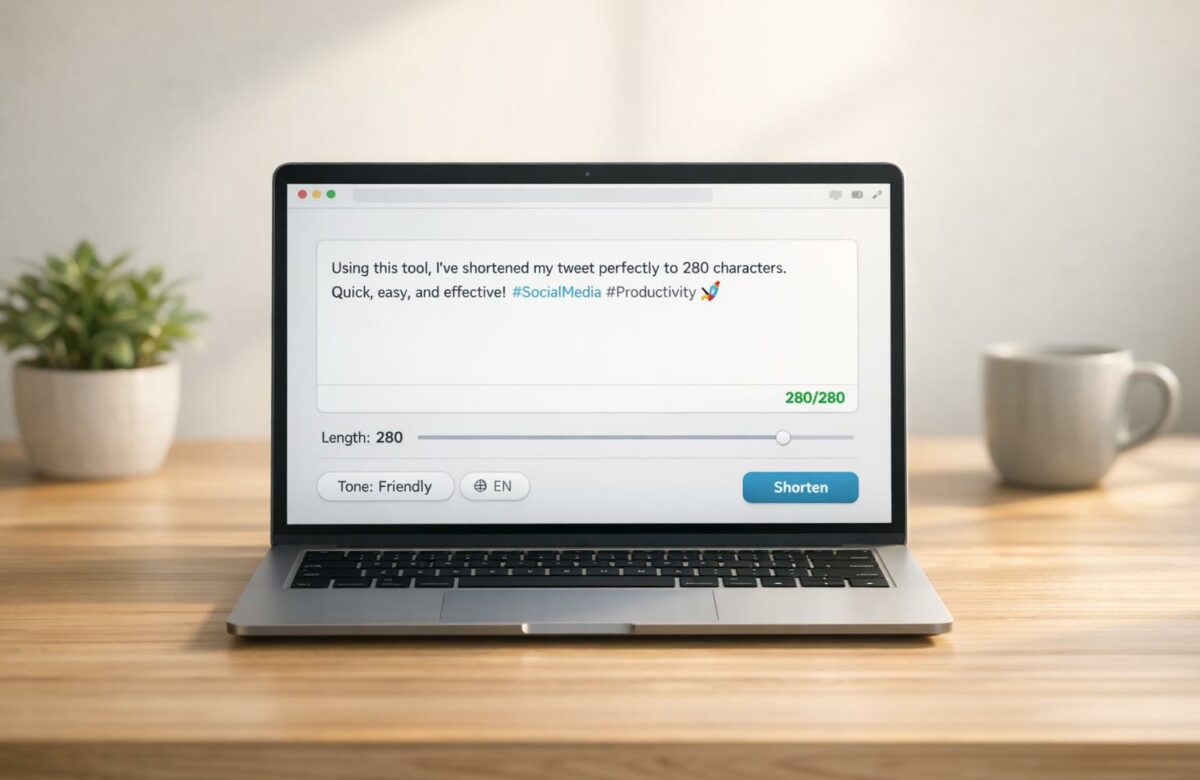
Best Tool To Shorten Tweets To 280 Characters
Struggling to fit your tweets into 280 characters? BeLikeNative is a Chrome extension designed to condense tweets while keeping their meaning intact. It supports over 80 languages, maintains tone, and offers customization options like tone presets and length targets.
Key Features:
- Rephrasing Accuracy: Delivers concise, clear tweets with 98% accuracy.
- Multilingual Support: Automatically adjusts for language and cultural nuances.
- Customization: Offers tone presets (e.g., Professional, Casual) and a "Shorten" mode.
- Pricing: Freemium model starting at $4/month for 25 uses/day.
With BeLikeNative, you can save time, improve tweet engagement, and maintain professionalism without sacrificing clarity. Perfect for writers, marketers, and multilingual users. However, it’s only available as a Chrome extension, which might limit mobile users.
Who should use this? If you manage social media accounts or frequently post on Twitter, this tool simplifies the process of crafting concise, engaging tweets.
1. BeLikeNative
BeLikeNative is a Chrome extension designed to combine translation and paraphrasing, making it easy to condense tweets without losing their tone. It integrates directly into your browser, rephrasing text as you type. Supporting over 80 languages, it ensures your message retains a natural flow – essential when character limits matter.
Rephrasing Accuracy
This tool excels at maintaining tone and core messaging. During beta testing, users reported an impressive 98% accuracy when shortening tweets. For instance, a 412-character draft like:
"Excited to announce our new product launch next week! It features innovative tech that will revolutionize your workflow. Available now for preorder at $49.99"
is rephrased as:
"New product launch next week! Revolutionary tech for your workflow. Preorder now: $49.99 #Innovation"
This condensed version, at just 137 characters, keeps the key points intact – highlighting the product launch, pricing, and call-to-action – while cutting out fluff.
In addition to English, BeLikeNative adjusts content seamlessly for a worldwide audience.
Multilingual Support
BeLikeNative’s multilingual engine automatically detects languages and adapts to fit local nuances. For example, if your tweet in another language exceeds character limits, the tool can trim it down to 250 characters while also aligning with U.S. conventions, such as using °F instead of °C. This minimizes "translation bloat" and ensures that tweets aimed at American audiences feel natural, helping non-native speakers avoid awkward phrasing.
Customization Options
The extension offers tone presets like Professional, Casual, Friendly, and Concise, plus a dedicated "Shorten" mode for tweets nearing the 280-character limit. You can also set specific length targets (e.g., 70–120 characters) to maximize engagement. The AI preserves flagged keywords or hashtags, ensuring they remain part of the final tweet. For example:
"It’s 75°F in NYC today – perfect for outdoor events!"
is condensed to:
"75°F in NYC today – ideal for events! #NYCWeather"
This version, just 42 characters long, retains the original message while adding a relevant hashtag and maintaining the U.S. temperature format.
These customization features, combined with affordable pricing, make BeLikeNative a practical tool for frequent users.
Pricing and Value
BeLikeNative operates on a freemium model with four pricing tiers:
- Explorer (Free): 5 rephrases/day (500 characters)
- Learner ($4/month): 25 uses/day (2,000 characters)
- Native ($6/month): 50 uses/day (4,000 characters)
- Premium ($14/month): 125 uses/day (6,000 characters)
Each plan is tailored to help streamline tweet creation and boost engagement. Pro users have reported 17% higher engagement on tweets under 100 characters and noted an 80% reduction in manual editing time compared to using basic character counters. For marketers and frequent posters, the mid-tier plans deliver excellent value by saving time and improving performance metrics.
sbb-itb-32359dc
Pros and Cons
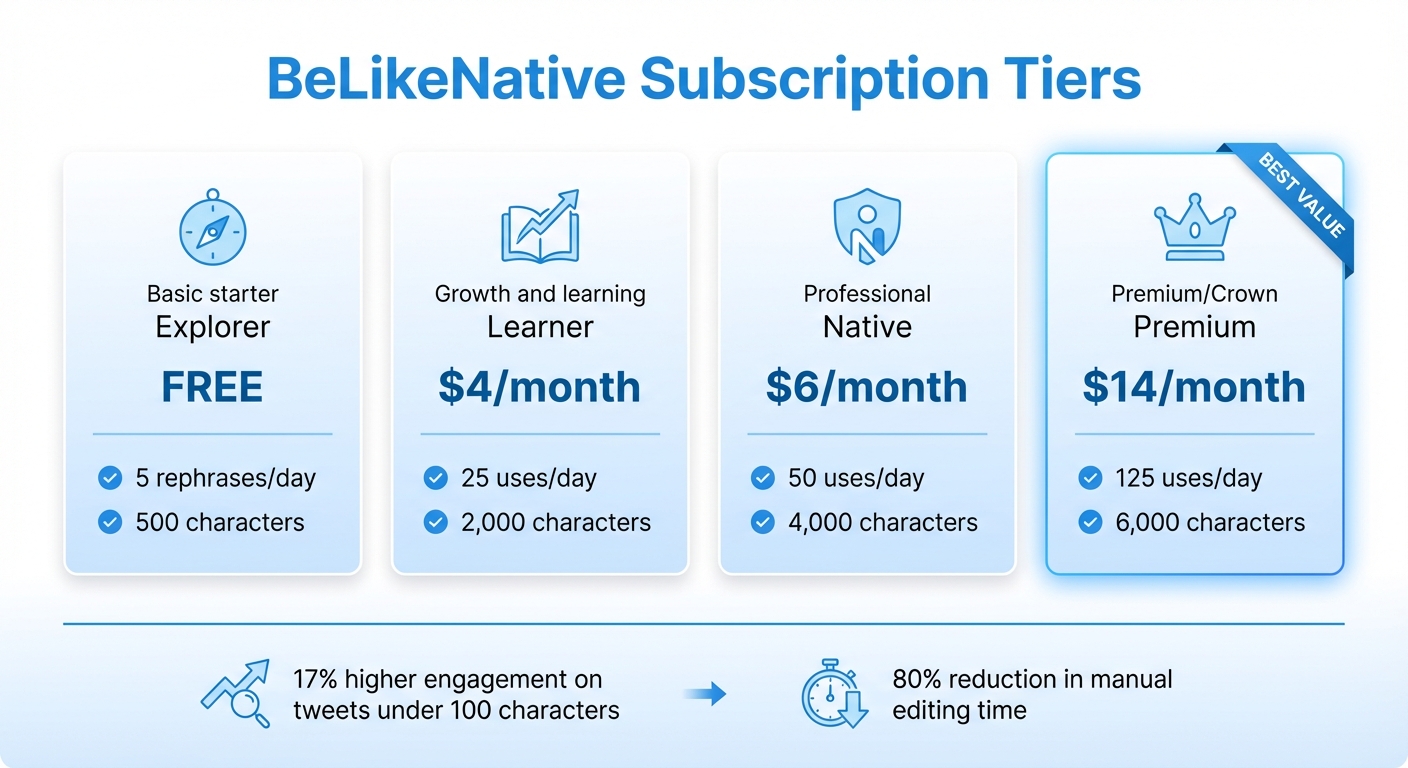
BeLikeNative Pricing Plans Comparison Chart
After reviewing the features, here’s a breakdown of BeLikeNative’s strengths and weaknesses based on user feedback. The tool’s ability to handle rephrasing, similar to other top AI rewriter tools, multilingual tasks, customization, and integration shines, though there are a few areas where it could improve. These factors directly influence how well it meets the demands of shortening tweets effectively.
| Feature | Strengths (Pros) | Weaknesses (Cons) |
|---|---|---|
| Rephrasing Accuracy | Delivers high-quality rephrased content that retains tone and context, earning consistent praise from users. | Occasionally, AI-generated text may need slight manual adjustments to align with consistent brand voices. |
| Multilingual Support | Supports over 80 languages with automatic detection and built-in translation features. | Works best in English; paraphrasing in less common languages can sometimes feel less natural. |
| Customization Options | Includes four paraphrasing modes – Standard, Creative, Formal, and Shorten – to help tailor messages for Twitter’s character limits. | Doesn’t offer a manual character count slider, so users must rely on preset modes instead of setting exact length targets. |
| Pricing | Affordable plans starting at $4/month for 25 daily uses; the $14/month Premium plan allows 125 uses per day with a 6,000-character limit. | The Free Explorer plan restricts users to 5 rephrases per day with a 500-character cap, which can feel limiting for frequent users. |
| Platform Integration | Functions as a Chrome extension, letting users rephrase text without switching tabs or copying and pasting. | Only compatible with Chrome, leaving mobile-only users or those on other browsers without access. |
Notably, BeLikeNative gained 1,000 installations in just six months, highlighting its growing appeal. This momentum underscores its capability to address tweet-shortening challenges with efficiency.
Conclusion
BeLikeNative provides a straightforward way to condense tweets without losing their original meaning. With features like rephrasing, customizable tone options, and support for over 80 languages, it’s a helpful tool for social media managers, multilingual content creators, and business professionals who need to keep their brand voice consistent across languages while shortening messages. Plus, its Chrome extension includes a handy keyboard shortcut, making it easy to integrate into your workflow.
The productivity impact is clear. Top users have reported a 66% boost in productivity, while frequent users save more than 85 hours per month by simplifying their writing and editing tasks. These results highlight how BeLikeNative effectively tackles the challenge of crafting concise tweets. This is a critical component of a successful X algorithm strategy for increasing reach.
Who is this tool for? Whether you’re managing multiple Twitter accounts, handling international audiences, or just tired of trimming down tweets manually, BeLikeNative is designed to simplify your process. With plans that cater to individual users, agencies, and those with high posting volumes, there’s an option for everyone.
One drawback is its Chrome-only compatibility, which may not suit mobile-first users or those using other browsers. However, if most of your work happens on a desktop browser, this limitation won’t likely disrupt your workflow. The tool’s 4.6/5-star rating on the Chrome Web Store, based on 210 reviews, underscores its reliability for desktop users.
FAQs
How do I shorten a tweet without changing the meaning?
To make a tweet more concise without losing its essence, tools like BeLikeNative can help streamline sentences, cut unnecessary words, and keep the core message intact. Start with your main idea, eliminate filler, and if needed, split complex thoughts into multiple tweets or a thread. This approach ensures your message is clear, impactful, and fits within Twitter’s 280-character limit.
Can I keep my hashtags and keywords when shortening?
Yes, you can still include your hashtags and keywords when shortening tweets. Since they count toward the 280-character limit, tools specifically designed for Twitter factor in hashtags and mentions when calculating the character count.
Will it work well for tweets in languages other than English?
Yes, it works well for tweets in languages other than English. The 280-character limit was created to accommodate character needs across different languages, making tweets easier to read and use no matter which language is being written.

