
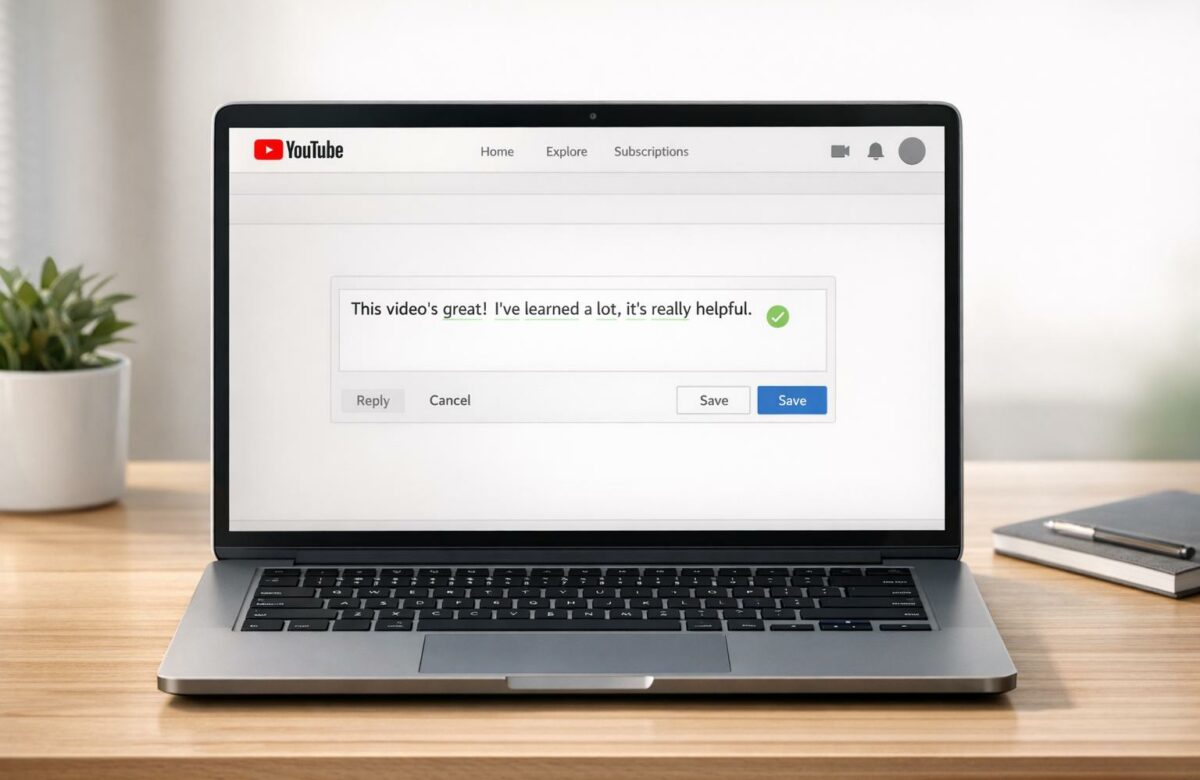
How To Fix Punctuation In Youtube Comments
Punctuation mistakes in YouTube comments can make your thoughts unclear or difficult to follow. Fixing these issues improves readability and ensures your message is understood. Here’s how you can address common errors:
- Missing or misplaced commas and periods: Add commas after introductory phrases and avoid joining sentences with just a comma (comma splices). Example: "I liked the video, I subscribed" should be "I liked the video, and I subscribed."
- Overusing exclamation marks and ellipses: Limit these to avoid making your comment seem overly dramatic or unprofessional.
- Incorrect apostrophes: Learn the difference between "its" (possessive) and "it’s" (it is), and correctly place apostrophes in possessives.
Quick Fix Tools:
- Word processors: Copy your comment into tools like Word or Google Docs to spot errors.
- BeLikeNative extension: Automatically correct punctuation directly in your browser. It offers plans starting at $0/month with features like real-time corrections, multilingual support, and style adjustments.
Proper punctuation enhances clarity and credibility. Whether you use manual methods or tools like BeLikeNative, polished comments make a stronger impact.
Common Punctuation Mistakes in YouTube Comments
Quick, casual typing often leads to punctuation errors that can confuse readers. Spotting these mistakes is the first step toward fixing them.
Missing or Misplaced Commas and Periods
Commas and periods are the backbone of clear writing, but they’re often mishandled in YouTube comments. One frequent issue is skipping commas after introductory phrases. For example, "After the video I was happy" should be "After the video, I was happy".
Another big one? The comma splice – this happens when two complete sentences are joined with just a comma. For instance: "I liked the video, I subscribed." The fix? Add a conjunction: "I liked the video, and I subscribed". And let’s not forget missing periods, which can lead to long, hard-to-follow run-on sentences.
"The comma is the most used and misused of all the punctuation marks." – Sewanee University
Even native speakers can stumble over comma rules since they’re not always consistent. A quick tip: read your comment out loud. Natural pauses often reveal where commas are needed.
Too Many Exclamation Marks and Ellipses
Overusing exclamation marks or ellipses is another common issue. Excessive exclamation marks can dilute their impact, while too many ellipses can make your comment feel uncertain or overly dramatic.
"Exclamation points… should be used sparingly if you want them to retain their potency." – Grammarly
Both punctuation marks are great for adding emotion or emphasis, but moderation is key. Overdoing it can make your message seem unprofessional or unclear.
Wrong Use of Apostrophes
Apostrophes trip up many people, especially with the its/it’s mix-up. Here’s the rule: "it’s" means "it is", while "its" shows possession. The confusion happens because they sound identical. Another common mistake? Misplacing apostrophes in possessives, like writing "your parent’s permission" when the correct form is "your parents’ permission".
| Error Type | Incorrect Example | Corrected Version |
|---|---|---|
| Its vs. It’s | The dog wagged it’s tail. | The dog wagged its tail. |
| Possessive Plural | Both of your parent’s permission. | Both of your parents’ permission. |
| Comma Splice | I liked the video, I subscribed. | I liked the video, and I subscribed. |
When proofreading, try focusing on one type of error at a time. For example, check all apostrophes first, then move on to commas. This method makes it easier to spot and fix mistakes. Mastering these punctuation basics will make your comments clearer and more polished.
Manual Methods for Fixing Punctuation
Taking a hands-on approach can help you spot and fix punctuation errors before posting your content.
Using Word Processors for Quick Edits
One simple trick is to copy your text into a word processor like Microsoft Word. These tools highlight punctuation mistakes with colored underlines, making them easy to spot and fix. Once you’ve made the necessary corrections, you can paste the polished text back into YouTube or wherever you’re posting.
"The service goes beyond the basic spell-check and grammar check built into the word processor, as Grammarly can identify correctly spelled words that are used in the wrong context." – Bill Winterberg, Journalist
Some online grammar tools even offer a "Fix All Errors" button. This feature can save time, especially when you’re dealing with longer comments or posts, by automatically correcting all identified issues in one go.
Once you’ve made your edits, it’s a good idea to read your text aloud to ensure it flows naturally before hitting publish.
Reviewing Comments Before Posting
Even after using digital tools, a manual review can add an extra layer of polish to your writing. Reading your text aloud is particularly effective – it helps you catch awkward phrasing, unnatural pauses, or punctuation errors that might have slipped through. If you find yourself stumbling over certain phrases or losing track of your sentence’s meaning, it’s a sign that some revision is needed. Pauses in your speech often indicate where commas should go, while natural stops suggest where periods belong.
"One of the best ways to check your sentence structure is to read it out loud. If you get lost partway through or find yourself tripping over certain phrases, you can try rewriting your sentence or breaking it into simpler ones." – Grammarly
Another helpful tip is to apply the "FANBOYS" rule for commas. When you use coordinating conjunctions like for, and, nor, but, or, yet, or so, check if the words that follow form a complete thought. If they do, a comma should come before the conjunction. You can also try the removal test: if you can take out a phrase and the sentence still makes sense, that phrase likely needs commas to set it apart.
Using BeLikeNative to Fix Punctuation Automatically
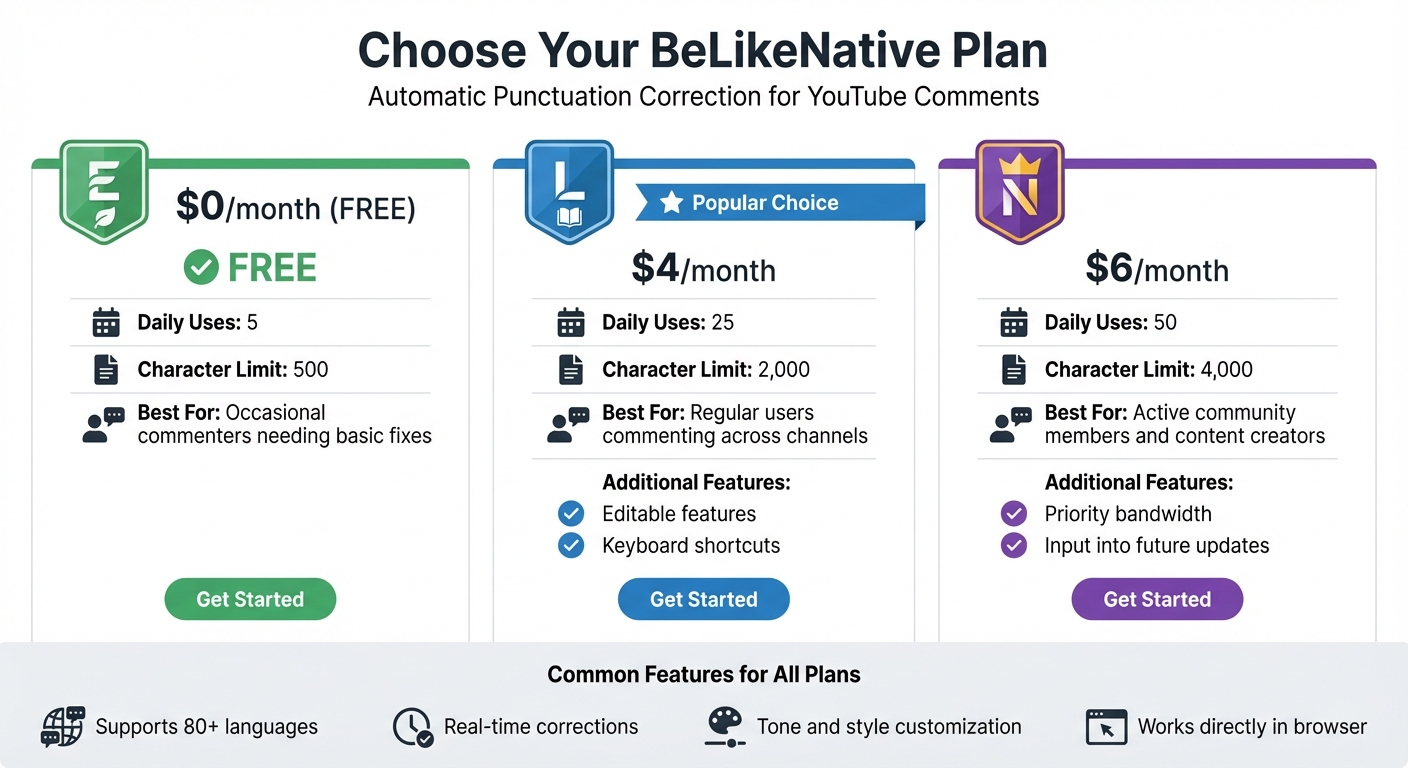
BeLikeNative Pricing Plans Comparison for YouTube Comment Correction
Manually fixing punctuation can be a hassle, especially when you’re frequently commenting on YouTube. BeLikeNative simplifies this process by automatically correcting punctuation as you type, saving you time and effort. Instead of juggling between tools or second-guessing your punctuation, this extension lets you make corrections directly in your browser.
BeLikeNative integrates effortlessly with your clipboard, allowing you to refine YouTube comments with a quick keyboard shortcut. Just paste, fix, and post – it’s that simple. It also ensures your text feels concise and natural, which is perfect for YouTube comments where clarity and a conversational tone matter more than strict formalities.
Installing and Activating BeLikeNative
Getting started with BeLikeNative is quick and easy. Head to the Chrome Web Store and click "Add to Chrome" to install the extension. Once installed, it works across all major platforms.
To activate the clipboard feature, use a simple keyboard shortcut. You can highlight text in the YouTube comment box, trigger the tool, and instantly get corrections for punctuation and grammar. The built-in editor even allows you to paste text for immediate refinement, ensuring your comments are polished before you hit publish.
Key Features for Punctuation Improvement
BeLikeNative is designed to automatically correct punctuation and grammar, ensuring your YouTube comments are error-free. It reviews your text in real-time, catching missing commas, misplaced apostrophes, or overused punctuation. Beyond basic fixes, it enhances the flow of informal content, helping your comments sound more natural.
The extension supports over 80 languages, making it a fantastic tool for engaging with multilingual YouTube audiences. You can also customize the tone and style of your corrections, whether you want your comment to feel casual, professional, or something in between. This adaptability ensures your punctuation matches the tone of the video and resonates with its audience.
Plan Comparison: Explorer vs. Learner vs. Native
BeLikeNative offers three subscription plans tailored to different needs.
- The Explorer plan is free and includes 5 daily uses with a 500-character limit. It’s ideal for occasional commenters who need basic corrections.
- The Learner plan, priced at $4/month, allows up to 25 daily uses and a 2,000-character limit. It also unlocks editable features and shortcuts, making it a great choice for regular commenters.
- The Native plan costs $6/month and provides 50 daily uses with a 4,000-character limit. It’s perfect for active community members and content creators, offering priority bandwidth and input into future tool updates.
| Plan | Price | Daily Uses | Character Limit | Best For |
|---|---|---|---|---|
| Explorer | $0/month | 5 | 500 | Occasional commenters needing basic fixes |
| Learner | $4/month | 25 | 2,000 | Regular users commenting across channels |
| Native | $6/month | 50 | 4,000 | Active community members and content creators |
sbb-itb-32359dc
Step-by-Step Guide: Correcting YouTube Comments with BeLikeNative
Typing and Fixing Punctuation Errors
Start by typing, highlighting, or pasting your comment into BeLikeNative for instant corrections. You can activate the tool right away using the keyboard shortcut.
If you’ve written a longer comment in a Word document or a notes app, pasting it into BeLikeNative’s dedicated Editor is especially helpful. The tool automatically scans for punctuation mistakes, underlining errors so you can easily spot what needs adjustment [19, 31].
Once your comment is in the editor, take a moment to review the suggestions.
Reviewing Suggestions and Making Edits
Click on each underlined error to see the tool’s correction. For every suggestion, you’ll get the recommended fix along with an explanation of how it improves your punctuation [19, 22]. BeLikeNative checks for a variety of punctuation issues, including commas, periods, semicolons, apostrophes, and hyphens [25, 1].
In addition to correcting mistakes, the tool helps improve the overall flow of your text. Once you’re satisfied with the edits, copy the polished text back into the YouTube comment box and hit publish.
Tips for Multilingual Punctuation Correction
When working with multilingual text, punctuation rules can be surprisingly complex and require careful attention to detail.
Understanding Punctuation Rules in Other Languages
Punctuation isn’t universal – it varies significantly across languages. For example, Spanish features unique marks like upside-down question marks (¿) and exclamation points (¡) at the start of sentences. Greek uses a symbol resembling an English semicolon (;) to indicate questions, while Japanese and Chinese rely on open circles (。) for periods. Japanese commas also slant differently than their English counterparts. In right-to-left languages like Arabic, Farsi, and Urdu, punctuation symbols are mirrored, such as flipped question marks (؟) and commas (،). Even though Russian uses punctuation similar to English, its flexible sentence structure often demands more frequent commas for clarity.
"In order to accurately convey the meaning and tone of a translated text, a translator must be aware of how punctuation plays into that." – Language Connections
Understanding these differences is crucial for maintaining the correct tone and meaning in multilingual communication.
Customizing Tone and Style for Multilingual Comments
Correcting punctuation is just one part of the puzzle. Tools like BeLikeNative go further by allowing you to tailor tone and style to match the cultural expectations of different languages. Features like adjusting formality, confidence, and friendliness can make your text resonate better with your audience. This is particularly important, as a 2021 study revealed that 59% of professionals dismiss texts with noticeable errors.
For languages with flexible syntax, such as German or Russian, tools like BeLikeNative often suggest additional commas to enhance clarity. Additionally, tone adjustments can ensure that punctuation aligns with the intended level of formality in your message. With multilingual support, BeLikeNative applies these nuanced rules effortlessly, boasting accuracy rates of up to 98% for grammar, punctuation, and even complex sentence structures. This context-aware functionality ensures your text not only reads correctly but also feels appropriate for its audience.
Conclusion
Fixing punctuation in YouTube comments isn’t just about avoiding errors – it’s about ensuring your message is clear and your credibility remains intact. As Grammarly puts it, "Clean, mistake-free writing helps you come across as credible, confident, and professional". By addressing even minor surface errors, you remove distractions that might pull readers away from your ideas.
With tools like BeLikeNative, manual proofreading becomes a thing of the past. This platform handles real-time punctuation fixes in over 80 languages, making it easy to maintain polished communication. Whether you’re writing in English or juggling the complexities of multilingual punctuation, the tool adapts to your needs and helps you strike the right tone – whether confident, friendly, or formal – depending on your audience.
Punctuation acts as a guide for your readers, and even small mistakes, like a misplaced comma or an excessive exclamation point, can change the meaning of your message. With over 40 million people already using AI writing assistants to refine their communication, there’s no reason to let punctuation slip-ups hold back your YouTube engagement.
If you’re ready to elevate your online presence, BeLikeNative offers an easy starting point. Test its essential features for free with the Explorer plan, or unlock advanced options with the Learner or Native plans, starting at just $4 to $6 per month. This affordable solution not only sharpens your comments but also strengthens your professional voice across YouTube.
FAQs
How can BeLikeNative help me fix punctuation in YouTube comments?
BeLikeNative simplifies improving punctuation in YouTube comments by providing practical tools and strategies to make your writing clear and polished. With its AI-powered tools, it spots common punctuation errors – like missing commas or misplaced periods – and suggests corrections to boost readability.
No matter if you’re writing in English or another language, BeLikeNative offers easy-to-follow guidance to help you express yourself more effectively and professionally in your YouTube comments.
What are the most common punctuation mistakes in YouTube comments, and how can I avoid them?
YouTube comments often reflect the casual tone of online communication, and that can lead to a range of punctuation slip-ups. One of the most frequent issues? Missing or misplaced commas. These tiny marks can completely change the meaning of a sentence or make it harder to understand. For example, skipping commas after introductory phrases can leave readers scratching their heads. Another common mistake is misplacing quotation marks – especially in American English, where they should go inside periods and commas.
Apostrophes also trip people up. Mixing up "its" (possessive) with "it’s" (short for "it is") happens all the time. Then there’s the inconsistent use of semicolons and colons, which can make sentences feel clunky or unclear. And let’s not forget the overuse of exclamation points! While they can add excitement, too many can make your comment come across as unpolished.
If you want your comments to stand out for the right reasons, take a moment to proofread before hitting post. Tools like grammar-checking extensions can also catch these errors for you. Clean, well-punctuated comments not only make your message easier to understand but also ensure it’s taken more seriously.
How can I check and fix punctuation in my YouTube comments?
To make sure your YouTube comments are polished, start by carefully reviewing your text for punctuation errors. Check that every sentence ends with the right punctuation mark – like a period, question mark, or exclamation point. Pay close attention to commas, using them to separate ideas, list items, or after introductory phrases.
In American English, punctuation marks like periods and commas should always go inside quotation marks. Double-check that your quotation marks and parentheses are correctly paired, as mismatched punctuation can confuse readers. Reading your comment out loud is a great way to catch errors and ensure your punctuation flows naturally with your message.
By following these simple steps, your comments will come across as clearer and more polished when you hit "post."

