
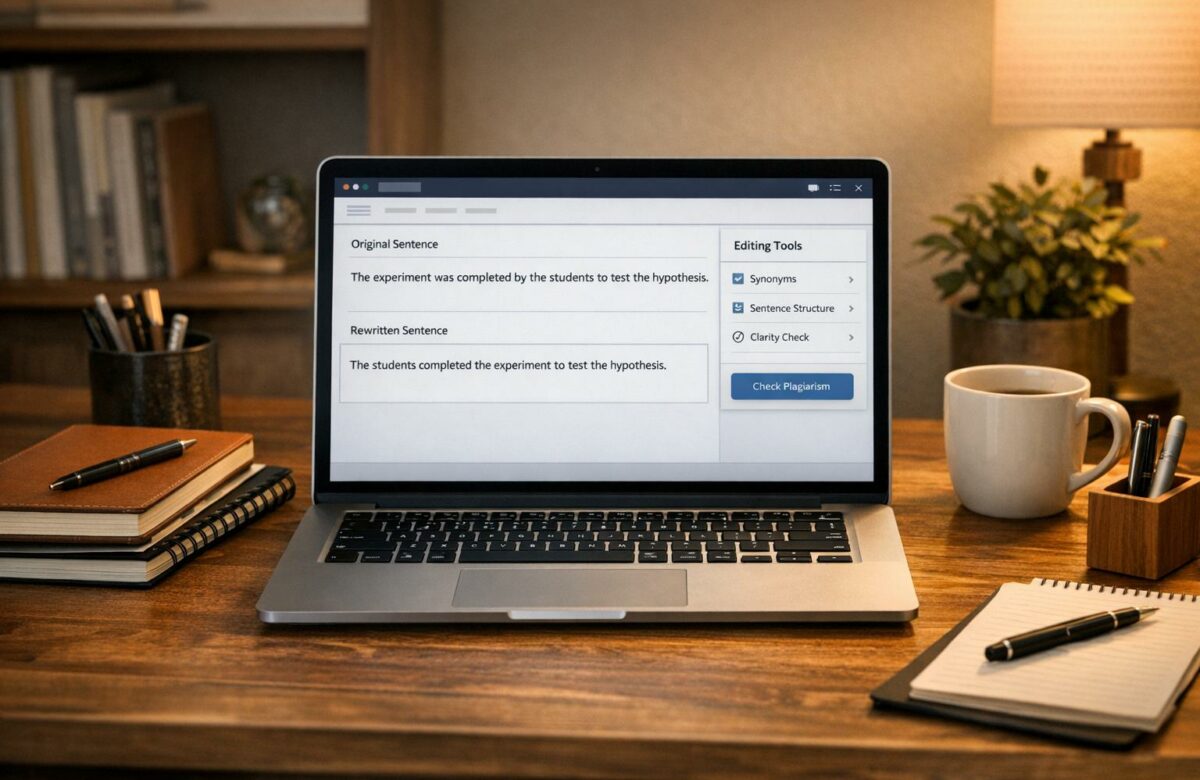
Rewrite Sentences To Avoid Plagiarism In Canvas
Plagiarism is a serious issue in both academic and professional contexts, and tools like Canvas and Turnitin are designed to detect it. To avoid plagiarism, you need to rewrite sentences effectively while maintaining the original meaning and citing sources properly. This article explains:
- How plagiarism detection works in Canvas: Tools like Turnitin analyze your submissions for text matches and provide a Similarity Report.
- Common types of plagiarism flagged by Canvas: Includes verbatim copying, minimal paraphrasing, mosaic plagiarism, and self-plagiarism.
- Effective rewriting strategies: Focus on understanding the material, changing sentence structures, using synonyms carefully, and adding proper citations.
- Using tools like BeLikeNative: This Chrome extension helps with rephrasing and improving text directly in Canvas while ensuring compliance with academic standards.
How to Paraphrase ANYTHING with AI, Undetected (3 Easy Steps)
How Canvas Detects Plagiarism
Canvas Turnitin Similarity Score Color Guide and Plagiarism Types
Plagiarism Detection Tools in Canvas
Canvas relies on Turnitin’s Plagiarism Review engine to analyze your submissions. This tool compares your work against a vast database of web pages, academic papers, and publications, generating a Similarity Report that highlights matching text and assigns an overall percentage score.
Instructors have the flexibility to adjust settings, such as excluding bibliographies or quoted material from the analysis. They can also enable a collusion check, which compares your work to submissions from other students on the same assignment. If you submit multiple files, Canvas creates individual reports for each one, and the Gradebook reflects the highest match percentage. Let’s dive into the specific types of plagiarism these tools are designed to detect.
Types of Plagiarism That Get Flagged
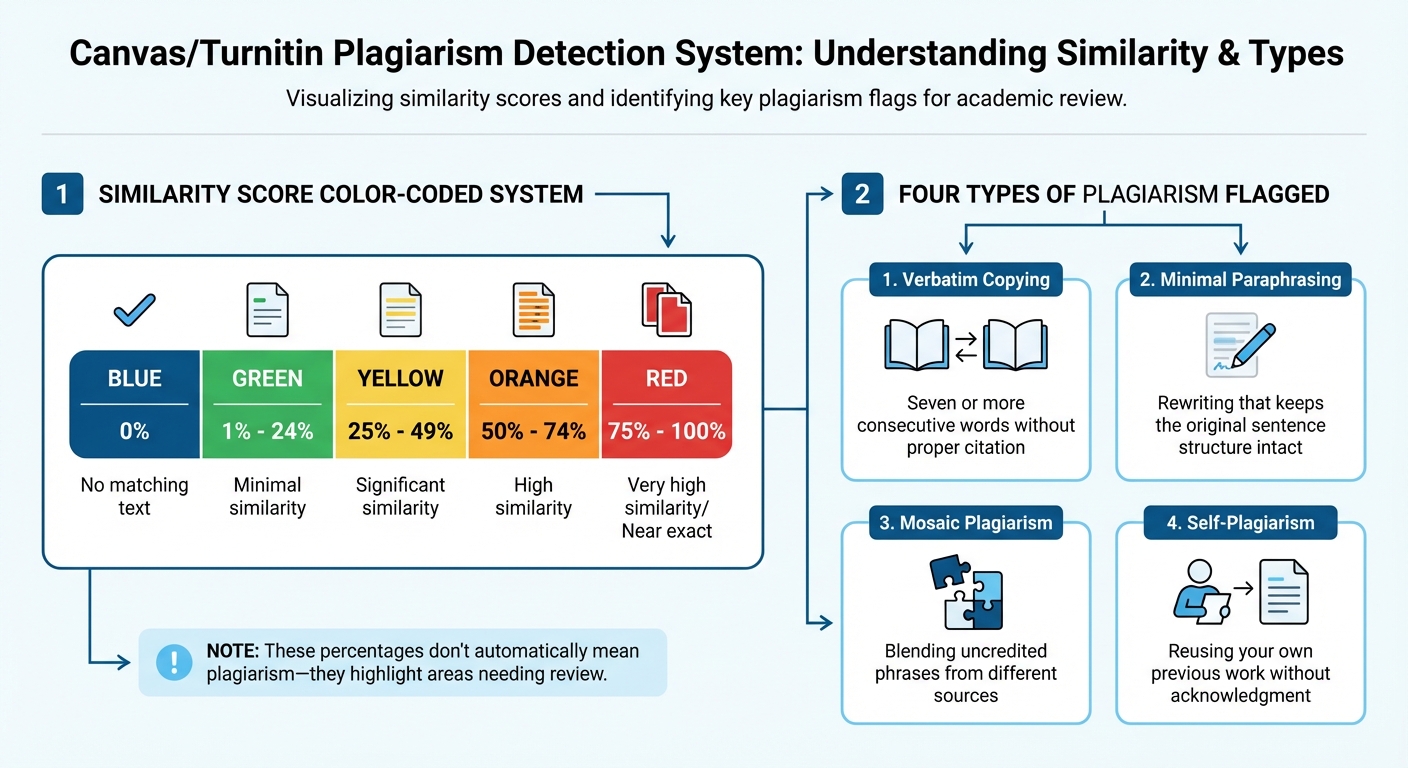
Canvas uses a color-coded system to indicate similarity levels in your submission:
- Blue: No matching text
- Green: 1% to 24% similarity
- Yellow: 25% to 49% similarity
- Orange: 50% to 74% similarity
- Red: 75% to 100% similarity
Keep in mind, these percentages don’t automatically mean plagiarism. Instead, they highlight areas where your text matches other sources, prompting a closer look.
The system flags several types of plagiarism, including:
- Verbatim copying: Seven or more consecutive words without proper citation.
- Minimal paraphrasing: Rewriting that keeps the original sentence structure intact.
- Mosaic plagiarism: Blending uncredited phrases from different sources.
- Self-plagiarism: Reusing your own previous work without acknowledgment.
Understanding these categories can help you refine your writing and ensure your work meets originality standards.
What U.S. Institutions Expect for Originality
In the U.S., plagiarism is treated as a serious violation of academic integrity. To meet these expectations, always provide citations for borrowed ideas, theories, statistics, or visuals – even if you’ve paraphrased them. When in doubt about whether something qualifies as common knowledge, it’s safer to include a citation.
This is especially important because every Canvas submission is archived and can be compared to future work. Following these guidelines ensures your submissions align with institutional standards.
How to Rewrite Sentences to Avoid Plagiarism
Focus on Meaning, Not Just Words
The best way to rewrite sentences is to fully grasp the original material before attempting to rephrase it. Start by reading and understanding the passage, then put it into your own words without looking back at the source. This method helps you convey the idea in your own voice rather than simply rearranging the original text. As Matt Ellis from Grammarly explains:
"Plagiarism isn’t just about words; it’s also about ideas. To avoid plagiarism completely, you must rewrite the idea(s) with new words and credit the source material with a citation."
Once you’ve written your version, compare it to the original to ensure the meaning remains intact. This approach also minimizes the risk of patchwriting, which happens when fragments of the original text are still noticeable in your rewrite.
Change the Sentence Structure
Altering sentence structure is more effective than merely swapping out words. For instance, you can break a long sentence into shorter, more digestible parts or combine several short sentences to create a smoother flow. Rearranging phrases and clauses – like moving a dependent clause to the beginning or end – can also make a difference. Additionally, you can adjust parts of speech, such as turning a noun into a verb or an adjective into an adverb. These changes help ensure your new sentence doesn’t mimic the rhythm or layout of the original.
Use Synonyms and Varied Vocabulary
Substitute common words with suitable synonyms, such as using "scientists" instead of "researchers" or "older adults" instead of "the elderly." However, leave technical terms like "photosynthesis" unchanged to maintain accuracy. Overusing synonyms or forcing replacements can result in awkward expressions, so aim for natural phrasing that conveys the same idea without distorting the meaning.
Add Proper Citations
Even when you rewrite an idea, it still requires proper citation. In the U.S., academic standards call for in-text citations for both paraphrased content and direct quotes. You can use narrative citations, like "According to Smith (2023)…", to clearly separate the source material from your own analysis. If you include unique terms or specific wording from the source, enclose these in quotation marks. Be sure to follow the required citation style – APA, MLA, or Chicago – for consistency and accuracy.
Keep Your Writing Clear and Consistent
Once you’ve rewritten the content, review it to ensure it’s clear, grammatically correct, and flows naturally. Your writing should maintain an academic tone while being easy to read. To ensure accuracy, keep detailed notes during your research, including the author, publication date, and page numbers for each idea. This will help you stay organized and ensure proper citations throughout your work. Next, explore how BeLikeNative integrates these strategies into Canvas.
sbb-itb-32359dc
Using BeLikeNative to Rewrite Sentences in Canvas
What BeLikeNative Does
BeLikeNative is a Chrome extension designed to streamline the process of rephrasing, translating, and improving text directly within Canvas. It works with over 80 languages and lets you tailor tone, style, and formality to meet academic writing standards. The tool integrates clipboard functionality, making it easy to rewrite content without leaving the platform. It also includes built-in APA and MLA citation generators, helping you properly credit sources while reworking text. According to users, this extension saves more than an hour daily by eliminating the need to toggle between tabs and external AI tools. Top users report a 66% boost in productivity – saving over 85 hours per month.
How to Use BeLikeNative with Canvas
To start using BeLikeNative for your Canvas assignments, install the Chrome extension and set up your keyboard shortcuts. While drafting in the Canvas text editor, highlight the text you want to rework. Use your assigned shortcut to activate the "Paraphraser" function, which will generate a rewritten version for you to review and paste back into Canvas. The extension also works smoothly with other platforms linked to Canvas, such as Google Docs, Microsoft Teams, and Google Classroom. For the best results, configure the tool to align with U.S. academic standards for a seamless experience.
Setting Up BeLikeNative for U.S. English
Open the BeLikeNative dashboard, select "English", and set the tone to "Academic" to align with U.S. academic writing expectations. Assign shortcuts for features like the Paraphraser and Fix Grammar tools to make them easily accessible. When reviewing the rewritten text, pay attention to sentence variety – AI detectors like Copyleaks, commonly used by U.S. institutions, may flag overly uniform patterns.
Using BeLikeNative Responsibly
While BeLikeNative is a powerful aid, your final work should reflect your own ideas. This tool is meant to enhance your writing, not replace original thought or proper citations. Always credit the original source since the ideas belong to the author. After using the tool, compare the rewritten text with the original to ensure the meaning is preserved. Double-check for grammar and natural flow before submitting your work on Canvas. Finally, review your institution’s academic integrity policies regarding AI tools, and use the integrated citation generators to attribute borrowed ideas correctly, ensuring compliance with academic standards.
Preparing Your Final Canvas Submission
Once you’ve rewritten and refined your work using proven strategies and tools like BeLikeNative, make sure your final Canvas submission is polished, accurate, and compliant with all requirements.
Review Your Work for Accuracy
Double-check that your rewritten content stays true to the original meaning to avoid any misinterpretations or "semantic drift." It’s crucial to ensure that all statistics, theories, or ideas that aren’t your own are properly cited. As Laura Mohsene, Instructor of Composition, Humanities, and History, emphasizes:
Whether you paraphrase or use the direct quote with quotation marks, you must cite the source.
Additionally, take steps to ensure your work won’t inadvertently trigger plagiarism detection systems.
Check for Plagiarism Before Submitting
Access your Canvas assignment and review the Turnitin Similarity Report. Carefully examine the report to pinpoint sections that match external sources. Revise flagged areas by reworking sentence structures and patterns as needed. If your instructor allows multiple submissions, use the "New Attempt" button to upload a revised version. Turnitin is designed to disregard your earlier drafts, so you won’t be penalized for similarities to your previous submissions.
Once originality is confirmed, focus on aligning your document with standard U.S. English writing conventions.
Follow U.S. English Writing Standards
Proofread your work thoroughly to ensure it adheres to U.S. English rules for spelling, grammar, and punctuation. Make sure it follows the required citation style – whether APA, MLA, or Chicago – and reflects your unique academic voice. Finally, check that your file meets all specified format and size requirements.
Conclusion: How to Avoid Plagiarism in Canvas
Avoiding plagiarism in Canvas starts with a clear understanding of what it entails. It’s not just about copying text word-for-word – it also includes submitting AI-generated content as your own or paraphrasing without proper credit. Even if you’ve rewritten a sentence in your own words, the idea still belongs to the original author, and citing the source is essential. This understanding forms the groundwork for effective and ethical rewriting.
The key to proper paraphrasing lies in synthesis, not substitution. Instead of simply swapping out words or rearranging sentences, focus on truly understanding the material. Read the source, internalize the idea, and then explain it in your own words without looking at the original text. This approach not only ensures originality but also deepens your comprehension of the subject.
Tools like BeLikeNative can help refine your writing and improve clarity, but they should never replace your own thought process. If you use such tools, disclose their role when required, ensure the original meaning is preserved, and always credit the source. Keep in mind that Turnitin’s database evolves constantly, so phrases that might have been acceptable previously could be flagged later.
Before submitting your assignment on Canvas, take advantage of the Turnitin Similarity Report. Use it to identify any flagged sections, make necessary revisions, and, if allowed, resubmit using the "New Attempt" feature for a polished final version.
Maintaining academic integrity in Canvas requires a combination of deep understanding, thoughtful rewriting, and meticulous citation. By fully engaging with the material and giving proper credit where it’s due, your work will reflect your unique academic voice and remain original. These strategies not only uphold integrity but also help you grow as a learner.
FAQs
How does Canvas identify and categorize different types of plagiarism?
Canvas helps students and educators tackle plagiarism by breaking it down into clear categories. Plagiarism, as defined by Canvas, involves using someone else’s ideas or words without giving them proper credit. This includes scenarios like rephrasing content without proper acknowledgment – yes, that’s still plagiarism.
Here are the main types:
- Direct copying: Taking exact text from a source without using quotation marks or citing it.
- Insufficient paraphrasing: Tweaking a few words but sticking to the original structure or phrasing.
- Self-plagiarism: Reusing your own previous work without disclosing it.
- AI-generated plagiarism: Turning in work created by AI tools without proper attribution.
By categorizing plagiarism this way, Canvas provides educators with a framework to create clear policies and equips students with the knowledge to avoid these pitfalls. The goal? Encouraging originality and ensuring proper credit is given where it’s due.
How can I effectively rewrite sentences in Canvas to avoid plagiarism?
To effectively rewrite sentences and steer clear of plagiarism, start by thoroughly understanding the original material. Once you’ve grasped the main ideas, put the source aside and rephrase the content in your own style. Focus on reorganizing sentences – this might mean altering the structure, using different grammatical forms, or shifting between active and passive voice. Avoid the temptation to simply replace a few words with synonyms, as this doesn’t create truly original work.
After completing your draft, compare it with the original to ensure that the core ideas remain accurate while the wording is entirely your own. Don’t forget to include proper citations to give credit to the original author. For added assurance, run your work through a plagiarism detection tool and revise any sections flagged as too similar. With consistent effort, you’ll sharpen your ability to produce unique, clear content while respecting academic honesty.
How does BeLikeNative help me rewrite sentences in Canvas to avoid plagiarism?
BeLikeNative provides an AI-driven paraphrasing tool designed to help you refine sentences directly from your Canvas drafts while preserving their original meaning. This tool reworks your text with fresh phrasing and structure, ensuring your writing feels distinct and minimizing plagiarism concerns.
Using it is simple: copy your text from Canvas, paste it into BeLikeNative, choose your desired rephrasing level, and transfer the updated version back into your assignment. Additionally, the tool flags potential similarity issues, giving you the opportunity to adjust your work before submission.
With BeLikeNative, you can simplify the paraphrasing process, maintain a polished academic tone, and confidently produce original content – all while adhering to Canvas plagiarism guidelines.

