
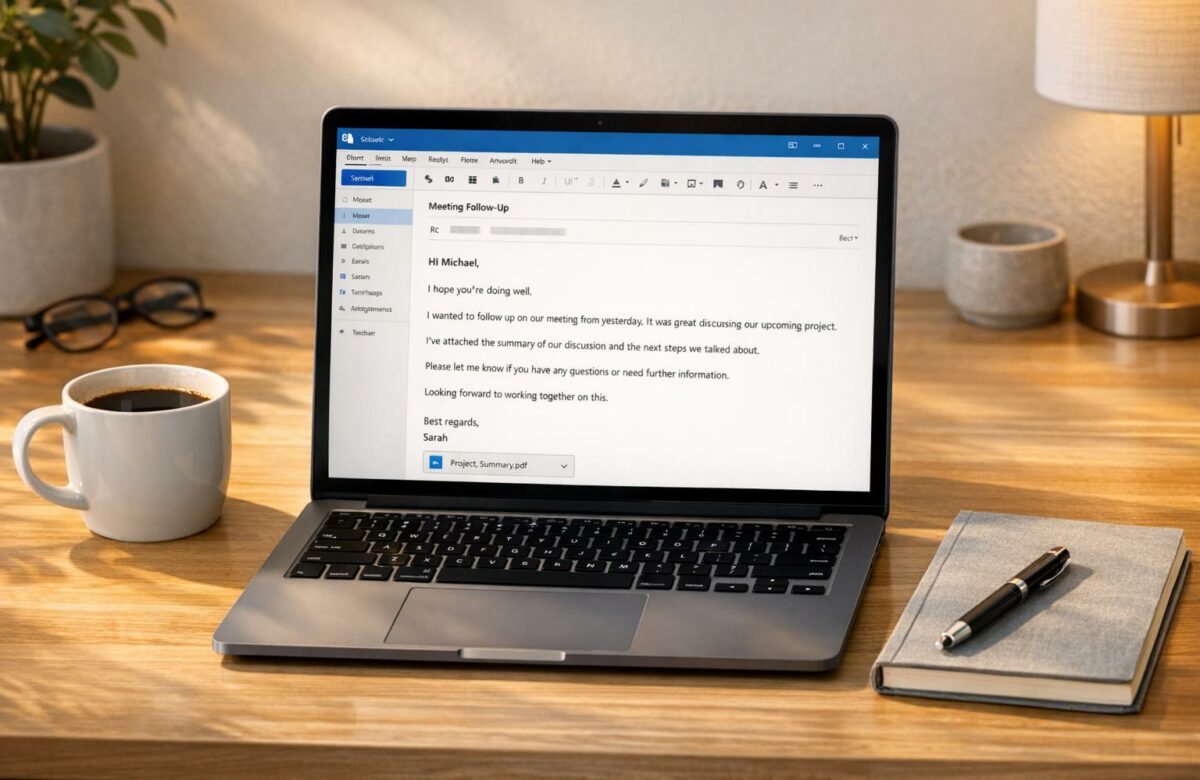
How To Sound Like A Native Speaker In Outlook Emails
Want your Outlook emails to sound natural and professional? Here’s the key: focus on clear structure, polished tone, and attention to U.S. business norms. Many non-native speakers struggle with overly formal language, awkward phrasing, or tone missteps that can hurt credibility. By following simple strategies, you can write emails that feel fluent and effective.
Key Takeaways:
- Structure matters: Use a clear subject line, concise body, and professional closing.
- Tone is crucial: Match formality to your audience and avoid robotic language.
- Polish details: Use U.S. formatting (e.g., MM/DD/YYYY for dates) and active voice for clarity.
- Helpful tools: Extensions like BeLikeNative can refine grammar, tone, and phrasing.
Whether you’re emailing colleagues or clients, these tips will help you communicate confidently and get better responses.
Transform Any Text, On Any Site, In Seconds
Rephrase, translate, and improve text with one shortcut. Works everywhere you write.
Add to Chrome - It's Free!Write Professional Emails in English | Step-by-Step
How to Structure an Outlook Email
Email Greeting and Closing Formality Guide for Business Communication
Crafting a well-structured email is key to effective communication in Outlook. A clear and concise email not only makes it easier for the recipient to understand your message but also encourages a timely response. In the fast-paced world of U.S. business, clarity and efficiency are valued over unnecessary formality. To achieve this, your email should include five essential elements: a descriptive subject line, an appropriate greeting, a focused body, a clear closing, and a professional signature.
Think of your email as a roadmap: the subject line grabs attention, the greeting sets the tone, the body delivers the message, and the closing prompts action.
Writing Clear Subject Lines
The subject line is the gateway to your email – it determines whether it gets opened or ignored. As Cole Schafer, Founder and Copy Chief at Honey Copy, advises:
Spend double the amount of time crafting the right subject line as you do on the [body] because if they don’t open the email, it doesn’t matter.
Email clients on desktops typically display about 60 characters of a subject line, while mobile devices show only around 30. This means you need to front-load the most important information. Use action-oriented language to make your purpose clear and highlight what you need from the recipient.
Strong subject lines often include prefixes like "Action Required:", "FYI:", or "Urgent:" to help the recipient prioritize. If your email is time-sensitive, include the specific deadline. For instance, "Action Required: Review and approve budget by 12/31/2025" is much clearer than a vague "Budget review." When continuing a previous conversation, be specific – "Follow-up on Project Proposal" is straightforward and avoids confusion.
Avoid generic phrases like "Checking in" or "Quick question", which don’t provide enough context. Additionally, steer clear of spammy words like "Free", "Cash", or "Act Now", as these can send your email straight to the junk folder. If the topic of an email thread changes, update the subject line to reflect the new focus and keep the conversation organized.
Choosing the Right Greetings and Closings
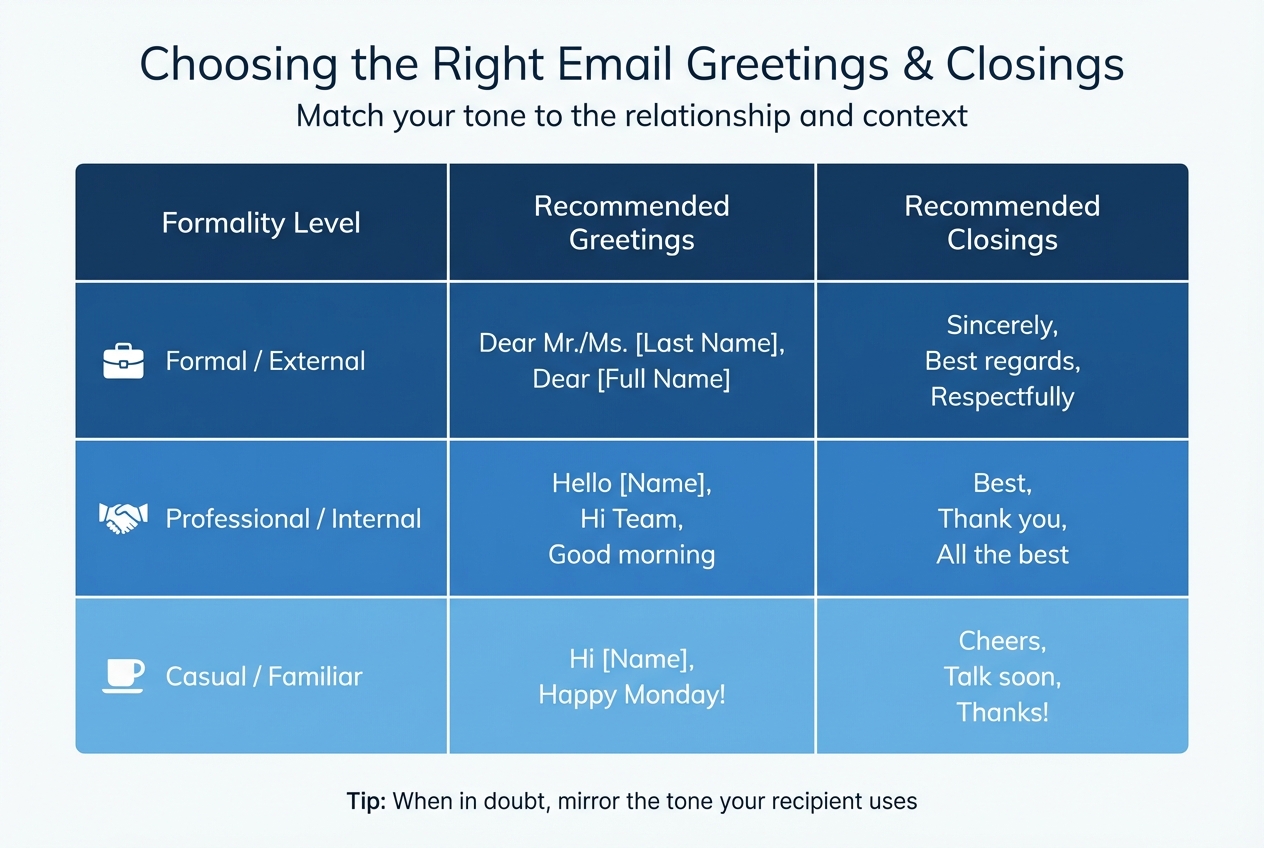
The greeting you choose sets the tone for your email. In U.S. business settings, "Dear" is commonly used for formal communications, especially when you’re reaching out to someone for the first time or addressing external clients or senior executives. Pair it with an honorific and last name, such as "Dear Dr. Martinez" or "Dear Ms. Johnson."
For ongoing professional relationships, a casual yet professional greeting like "Hi" or "Hello" followed by the recipient’s first name works well – e.g., "Hi Sarah" or "Hello Team." These options strike the right balance between approachable and professional. Avoid overly casual greetings like "Hey" or "What’s up", which can come across as unprofessional. For group emails, opt for inclusive greetings like "Hi everyone" or "Hi team" instead of "Hi guys."
When in doubt about the appropriate level of formality, Dan Post Senning from the Emily Post Institute suggests:
You kind of want to see what someone else is doing and participate, play along, sort of acknowledge the way communication develops and the way expectations in a relationship develop.
In other words, mirror the tone your recipient uses in their emails.
Your closing should include a clear call to action before your sign-off. Be specific about what you need, such as "Please send your feedback by Wednesday, 1/8/2026" or "Let me know if you have any questions." Match your sign-off to the formality of your greeting. For formal emails, "Best regards" or "Sincerely" are appropriate, while "Best" or "Thanks" suit most professional contexts. Save casual closings like "Cheers" or "Talk soon" for colleagues you know well, and avoid overly personal or religious sign-offs like "Love" or "Have a blessed day."
| Formality Level | Recommended Greetings | Recommended Closings |
|---|---|---|
| Formal / External | Dear Mr./Ms. [Last Name], Dear [Full Name] | Sincerely, Best regards, Respectfully |
| Professional / Internal | Hello [Name], Hi Team, Good morning | Best, Thank you, All the best |
| Casual / Familiar | Hi [Name], Happy Monday! | Cheers, Talk soon, Thanks! |
Writing the Email Body
Keep the body of your email concise – ideally three to five lines. As Cole Schafer notes:
Nobody wants to receive a novel. You want to keep it between three, four, or five lines of text.
Start with the most important information, then add supporting details as needed. Stick to one topic per email to avoid confusion and make it easier for the recipient to respond.
Use active voice and direct language to maintain clarity. For example, say "Please review the report by Friday" instead of "It would be appreciated if the report could be reviewed." Avoid hedging phrases like "I think" or "I feel", which can make you sound less confident.
Break your content into short paragraphs of two to three sentences each. To highlight important action items or names, use bold text for emphasis. If you’re replying to multiple points in an email thread, mention "See additional comments below" and consider using a different font color or brackets with your initials to distinguish your responses.
Write in a conversational tone, as if you’re speaking to a colleague. Use contractions like "don’t" or "can’t" to keep the language natural and approachable. Always end with a specific request or next step so the recipient knows exactly what to do.
Once your email is structured and polished, you’re ready to communicate effectively through Outlook.
Using BeLikeNative to Improve Your Outlook Emails
Crafting emails that feel natural in US English can be tricky. Balancing grammar, tone, and local conventions often takes time and effort. That’s where BeLikeNative, a Chrome extension, steps in to simplify the process. It rephrases, translates, and polishes your text, making it easier to write clear and professional emails. With its seamless integration into Outlook, all it takes is a quick "highlight-shortcut-paste" action to instantly transfer the improved text to your clipboard.
This tool supports over 80 languages and offers handy features like grammar correction, text simplification, and even instant reply generation. On average, users save more than an hour each day, cutting down on repetitive tasks and boosting productivity. Ready to get started? Here’s how to install and use BeLikeNative with Outlook.
Installing and Using the BeLikeNative Chrome Extension
Getting started is straightforward. Head to the BeLikeNative website or the Chrome Web Store and click "Add to Chrome" to install the extension. Once it’s added, it automatically integrates with Outlook.com – no extra setup needed.
To use it, simply highlight the text you want to refine, press the shortcut for your desired function (like rephrasing or grammar checking), and paste the polished version directly from your clipboard. You can even personalize these shortcuts through the extension’s dashboard, ensuring they fit your workflow and keep you focused on crafting your message without unnecessary distractions.
Adjusting Tone and Style for US English
Once installed, you can tailor BeLikeNative to meet the specific tone and style required for US business communication. Before applying a shortcut, set the extension to "Professional" or "US English" mode. This feature allows you to switch easily between styles – whether formal, casual, direct, or confident – so your emails always hit the right note.
As BeLikeNative explains:
Whether you need formal language for a business email or casual phrasing for a quick message, the tool adapts to your preferences.
This adaptability ensures your emails are always appropriate and effective for the American workplace.
BeLikeNative Plans and Features
BeLikeNative offers four subscription plans to suit different needs, from occasional users to professionals who rely on the tool every day. The Free plan is free and includes basic grammar and spelling correction with a limit of 5 uses per day. Paid options start at just $4/month and unlock advanced features like customizable shortcuts, higher character limits, and premium support.
| Plan | Price | Daily Usage Limit | Character Limit | Key Features |
|---|---|---|---|---|
| Free | $0 | Limited | 500 | Basic grammar and spelling correction, support for 80+ languages, community access |
| Learner | $4 | 50 | 4,000 | Editable shortcuts, premium support, all Free features |
| Native | $6 | 125 | 6,000 | Priority bandwidth, influence on extension development, all Learner features |
| Premium | $14 | 180 | 10,000 | Partnership perks, priority feature development, lifetime license option |
All paid plans include a 7-day free trial, so you can explore the extension’s features before committing. Whether you’re writing a few emails a day or managing a high-volume inbox, there’s a plan to fit your needs and budget. Start writing polished, natural-sounding Outlook emails today!
sbb-itb-32359dc
Using Native-Sounding Phrases and Active Voice
Once you’ve organized your email structure and adjusted the tone using BeLikeNative, the next step is to incorporate native-sounding phrases and active voice. These elements give your emails a natural flow, making them feel confident and clear. Native speakers often rely on familiar expressions and straightforward sentence structures – mastering these will help your emails come across as both genuine and professional.
Common Email Opening and Closing Phrases
The way you open and close your emails sets the tone for the entire message. For opening lines, consider phrases like "Thanks for your quick response" when acknowledging someone’s prompt reply. If you’re following up on a previous conversation, "I wanted to circle back on…" is a simple and professional choice. Reconnecting with someone? Try "Good to connect with you again" for a warm yet business-appropriate touch.
When it comes to closings, the right phrase can leave a lasting impression. If you’re expecting a reply, "Looking forward to hearing from you" makes your intent clear. Want to add a friendly note? Use phrases like "All the best" or "Have a great week" to keep things professional while adding a personal touch.
Writing in Active Voice
Active voice is your go-to tool for making emails sound confident and direct. Compare these two examples: "Your request was received" versus "I received your request". The second version is not only clearer but also more engaging. Active voice eliminates unnecessary words and ensures your message is sharp and to the point.
For instance, instead of saying, "It is recommended that you follow this approach", opt for "I recommend this approach". The active version demonstrates leadership and decisiveness, while the passive one can come across as vague or impersonal. Similarly, steer clear of hedging language like "I just think…" or "perhaps", as it can weaken your message. By having the subject perform the action, your writing becomes more concise and impactful.
With these strategies in place, your emails will exude professionalism and clarity, making them ready for final formatting touches.
Following US Formatting and Language Conventions
When writing emails for a US audience, it’s not just about getting the tone right – it’s also about nailing the technical details. In the business world, small errors in formatting, like how you write dates or measurements, can distract from your message and even undermine your credibility. That’s why understanding US-specific conventions is essential.
US Formatting Standards
Here’s what you need to know about US formatting:
- Dates: Use the MM/DD/YYYY format (e.g., 12/26/2025).
- Time: Stick to the 12-hour clock with a.m. or p.m. (e.g., 2:30 p.m.), and include the time zone when relevant (e.g., "3:00 p.m. EST").
- Currency: Use the dollar sign ($) for amounts.
- Units: Write measurements in imperial units (e.g., inches, pounds).
- Lists: Include the Oxford comma for clarity (e.g., "apples, oranges, and bananas").
When it comes to capitalization, use sentence-style rules – capitalize proper nouns but avoid writing in ALL CAPS, which can come across as shouting. Cole Schafer, Founder and Copy Chief of Honey Copy, highlights the importance of first impressions in emails:
Spend double the amount of time crafting the right subject line as you do on the [body] because if they don’t open the email, it doesn’t matter.
Following these conventions not only makes your emails look polished but also ensures they meet the expectations of a US audience.
Proofreading Before Sending
Once the formatting is spot on, don’t hit send just yet. A thorough proofread can catch issues that might slip through automated tools. Reading your email out loud or using text-to-speech software can help you identify awkward wording, repetitive phrases, or a mismatch in tone.
While tools like BeLikeNative can assist with grammar and alignment to US conventions, there’s no substitute for a personal review. Keep your email concise – ideally, stick to one topic and limit the body to three to five lines. This keeps your message scannable and respects the recipient’s time. A focused and well-formatted email leaves a stronger impression.
Conclusion
Mastering the art of effective email communication doesn’t have to be daunting. With a focus on structure, tone, and attention to detail, writing clear and professional Outlook emails is entirely achievable. Start with a strong, action-driven subject line and get straight to the point in your opening. Keep your emails brief – ideally no longer than two paragraphs – and incorporate polished phrases like "Please see attached" or "Best regards" to maintain a professional tone.
Whether you’re using the basic Free plan or leveraging advanced features, tools like BeLikeNative can support your journey toward writing emails that feel natural and fluent in US English. These tools help refine grammar, adjust tone, and address issues that could impact your credibility. However, always take time to personalize automated suggestions to ensure your messages retain your own voice.
Improvement comes with practice. Communication expert Anjie Zheng emphasizes this point:
Write more emails. The more you practice, the better you’ll get at communicating, and the easier it will become to master the art of striking the right tone in emails.
Pay attention to how your colleagues and managers craft their emails, and observe how different audiences respond to your messages. Mimicking effective styles and refining your approach over time will lead to noticeable progress. Additionally, following US formatting standards and proofreading each email can further enhance your professionalism and ensure your message resonates.
Email continues to dominate workplace communication – 91% of employees use it to connect with clients, and 61% prefer it over alternative methods. Your ability to write clear, polished emails has a direct impact on your professional success. By consistently applying these strategies, you’ll gain the confidence and skills needed to communicate effectively in any business setting.
FAQs
How can I make sure my email tone is appropriate for my audience?
To ensure your email matches its intended audience, start by identifying who you’re writing to and why. For formal situations – like communicating with senior managers or clients – stick to a polite, professional tone. Use complete sentences and avoid slang or emojis. On the other hand, for casual exchanges with colleagues or peers, a more relaxed and friendly tone is perfectly fine.
Pay attention to your greeting and closing, as they help set the tone. In formal emails, opt for “Dear [Title Last Name]” and close with “Sincerely” or “Best regards.” For more casual emails, “Hi [First Name]” and “Thanks” or “Best” are appropriate choices.
Before hitting send, review your email for both clarity and tone. Tools like Grammarly or Microsoft Editor can spot overly casual language or mismatched tones. Reading your email aloud is another great way to ensure it sounds natural and fits the level of formality you’re aiming for.
What are common email mistakes non-native speakers make and how can they be avoided?
Non-native speakers often stumble on a few common pitfalls when crafting professional emails. One major issue is neglecting to include a clear, action-oriented subject line or failing to update it as the email thread progresses. Without this, the recipient might be left guessing about the email’s purpose. Another frequent problem is poor organization – important details often get buried in the middle or at the end of the message, making it harder for readers to quickly grasp the main points. To avoid this, always place critical information at the very top and aim to keep your message brief and to the point.
Formatting is another area where mistakes are common. Merging the greeting, body, and closing into one large block of text makes the email hard to read. Instead, structure your email into clear sections: start with a polite greeting (e.g., Hi John,), follow with a concise opening line, present the main content, include a clear call-to-action, and wrap up with a professional sign-off (e.g., Best regards, Your Full Name). This approach not only makes your email easier to read but also ensures it aligns with the tone and expectations of U.S. business communication.
Lastly, steer clear of overly casual language or skipping polite expressions like please and thank you. These small but meaningful phrases play a big role in maintaining professionalism and fostering good relationships in American workplace culture.
How does BeLikeNative help you write clear and professional emails?
BeLikeNative offers hands-on strategies and tools to help you write emails that are fluent, polished, and professional. By focusing on tone, phrasing, and subtle cultural details, it ensures your messages connect with native speakers while maintaining a high level of professionalism.
With practical advice like using ready-made templates for typical email scenarios, adjusting tone to suit different audiences, and steering clear of common pitfalls, BeLikeNative equips you to communicate clearly and confidently in every email.
Related Blog Posts
- Sound More Professional? Business Email English Improvement for Non-Native Speakers
- AI Tool to Shorten Long Emails Without Losing Key Information in Outlook
- How To Rewrite Emails In Gmail For Better Clarity
- Convert Informal Text To Formal Business English
BeLikeNative fixes grammar, rephrases, translates, and simplifies text on any website in 1 second — just highlight and hit a keyboard shortcut. No tab switching. Try it free →

