
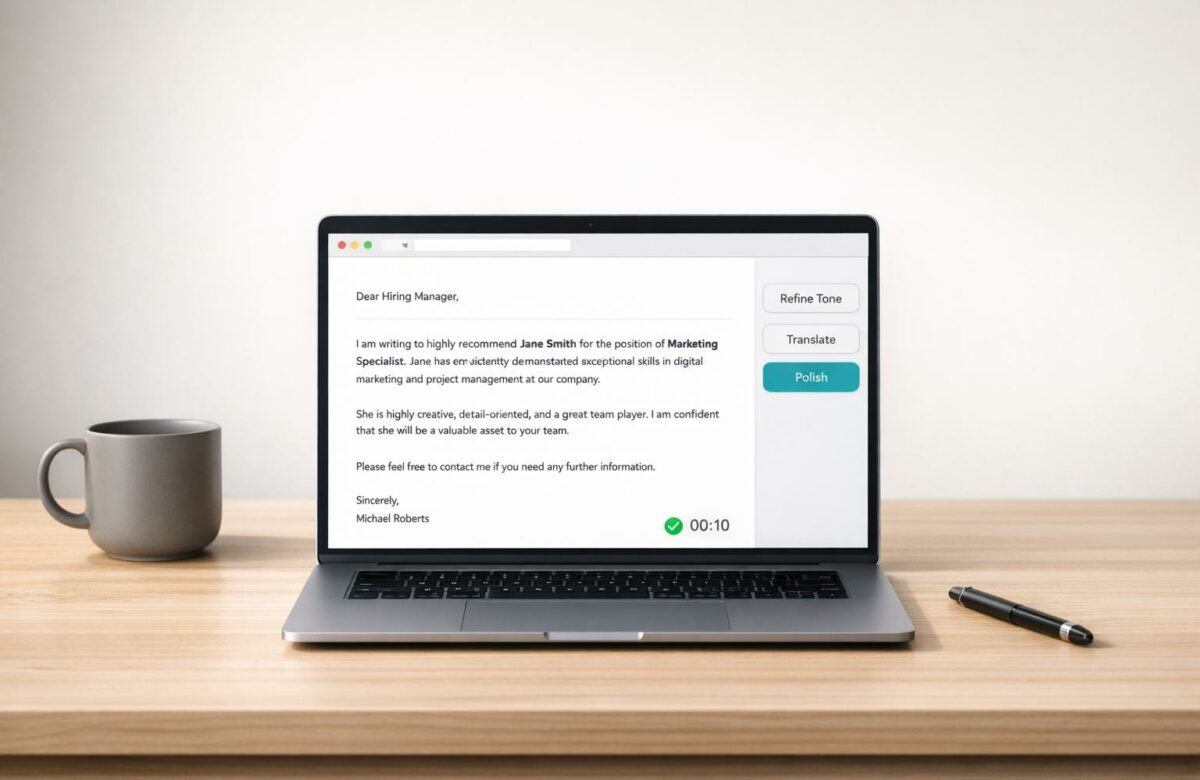
How To Write A Recommendation Letter In Seconds
Writing a recommendation letter can be a challenge, especially when you’re pressed for time or unsure how to convey the right tone. The key is to focus on specific examples, keep it concise, and make every sentence purposeful. Using tools like BeLikeNative, an AI-powered Chrome extension, you can simplify this process. It helps refine your drafts, adjust tone, and even translate letters into over 80 languages – all within seconds.
Key Takeaways:
- Preparation is crucial: Gather details like resumes, achievements, and deadlines for a personalized letter.
- Use AI writing extensions for Chrome: BeLikeNative rephrases and polishes your text, ensuring professional results.
- Customize tone and style: Match the tone to the purpose, whether it’s formal for universities or professional for job applications.
- Choose the right plan: Free and paid options are available, starting at $0 for basic use.
With BeLikeNative, you can save time and effort while creating impactful recommendation letters. Whether you’re writing for a student, colleague, or professional connection, this tool streamlines the process and ensures quality.
Setting Up BeLikeNative for Recommendation Letters
Install the Chrome Extension
Getting started with BeLikeNative is quick and straightforward. Head to the Chrome Web Store, search for "BeLikeNative", and open the extension’s page. Click the "Add to Chrome" button, confirm by selecting "Add extension", and you’re all set. For easy access, pin the extension to your toolbar once it’s installed.
The extension works with Chrome version 88 or newer and requires permissions for clipboard access and active tabs during setup. If you run into any issues, clearing your browser cache or disabling conflicting extensions can help. According to user feedback, 99% of installations succeed on the first try. After installation, you can adjust the settings to optimize the tool specifically for drafting recommendation letters.
Customize Language, Tone, and Style Settings
Once installed, open the BeLikeNative settings by clicking its icon in your toolbar. Start by setting the language to English (United States) to ensure US-specific spelling (like "personalize" instead of "personalise"), date formats (MM/DD/YYYY), and number formatting (1,000.00) using context-aware AI. This localization is especially important when writing recommendation letters for opportunities in the United States, as it ensures your language aligns with local expectations.
For tone, select the "Formal Professional" preset – perfect for recommendation letters. The tool includes sliders to adjust the levels of warmth and formality. For example, if you write "John excelled in sales" and set the tone to "Highly Formal", it transforms into "John demonstrated exceptional proficiency in sales operations". Additionally, enable the clipboard monitoring feature. This allows BeLikeNative to detect copied text and suggest real-time rephrasing, making it easy to refine key phrases without needing to switch between tabs. This feature is a huge time-saver when drafting polished, professional letters.
sbb-itb-32359dc
How To Write a Recommendation Letter in Seconds
Prepare Key Details About the Recipient
Start by gathering all the necessary details to make your recommendation letter stand out. This includes up-to-date documents like resumes, CVs, job descriptions, or program requirements. For students, focus on their current GPA, relevant coursework, and major projects. For professionals, highlight specific projects they’ve completed under your supervision.
The best recommendation letters are built on concrete examples. Include anecdotes that show how the individual tackles challenges and collaborates with others. To make this easier, ask the recipient for a "brag sheet" that outlines their key accomplishments and personal growth. Don’t forget to confirm logistical details like the correct spelling of their name, submission deadlines (formatted as MM/DD/YYYY), and contact information. As Kati Sweaney, Senior Assistant Dean of Admission at Reed College, pointed out:
Two paragraphs actually specific to the student are so much better than a page of puff.
Interestingly, a 2023 NACAC survey revealed that teacher recommendation letters carry more weight with colleges than demonstrated interest.
Use BeLikeNative to Rephrase and Improve Text
Once you’ve collected all the details, open your draft in Gmail, Google Docs, or any platform where BeLikeNative is active. Start with bullet points or a rough outline covering the recipient’s achievements and your relationship with them.
Highlight your draft, and use BeLikeNative’s keyboard shortcut to rephrase and polish your text instantly. The tool processes your input in under a second and automatically copies the improved version to your clipboard. If you need help creating a full letter from scratch, the AI Text Generator can be a lifesaver. For example, you can use a prompt like, “Write a recommendation letter for a software engineer with 5 years of React experience.” From there, the Tone Changer adjusts the language to ensure it’s professional and formal. With a 4.6/5 rating on the Chrome Web Store based on 242 reviews, users love how quick and easy it is to refine their drafts.
After refining, you’re ready to finalize and export your letter.
Finalize and Export the Letter
Take the polished text and paste it back into your document. Run the Grammar Checker to catch any lingering errors, and if you’re working with strict character limits, the AI Summarizer can help condense the content.
Everything happens directly in your browser, so there’s no need to juggle multiple tabs. Plus, your sensitive information stays private. If you’re preparing a letter for international use, BeLikeNative even offers multilingual support to help you adapt your text seamlessly.
How To Write A Letter Of Recommendation (Easy and Perfect)
Customizing Letters for Different Purposes
Once your letter is polished, you can fine-tune it to suit specific application requirements.
Adjusting Tone for Different Contexts
BeLikeNative offers six tone options to align with your audience: Formal, Professional, Confident, Persuasive, Friendly, and Informal. For example, when applying to a university, the Formal setting ensures your language is structured and evidence-driven, such as: "Jane demonstrated exceptional analytical skills in her thesis, earning top honors." On the other hand, the Professional tone works well for job references, emphasizing achievements like: "Jane excelled in project management, delivering results under tight deadlines."
The tool also refines vocabulary by replacing casual words with more precise alternatives. For instance, it transforms contractions like "can’t" into "cannot" for a polished, professional feel. Highlight any part of your draft, apply the tone adjustment, and BeLikeNative shifts your phrasing from subjective to objective. For example, "I considered various research methods" becomes "Various research methods were considered."
To apply these changes quickly, use the shortcut Alt+B (Windows) or Option+B (Mac) to open the menu and select your preferred tone.
In addition to tone adjustments, BeLikeNative’s multilingual capabilities help ensure your letter meets international standards.
Using Multilingual Support for International Applications
With support for over 80 languages, BeLikeNative makes it easy to create recommendation letters for a global audience. Start with an English draft, then choose your target language from the settings. The tool maintains both tone and professionalism during translation – essential for applications to universities or companies abroad.
For instance, if you’re applying for a scholarship at a German university, you can translate your letter into German, complete with a formal salutation like "Sehr geehrte Damen und Herren." For a job application in Japan, the tool adapts your letter to the polite keigo style. It even adjusts for cultural nuances, offering indirect politeness for Asian contexts or a more direct tone for US applications. Simply select your target language and tone, then use the shortcut to produce and copy the localized text instantly.
Choosing the Right BeLikeNative Plan
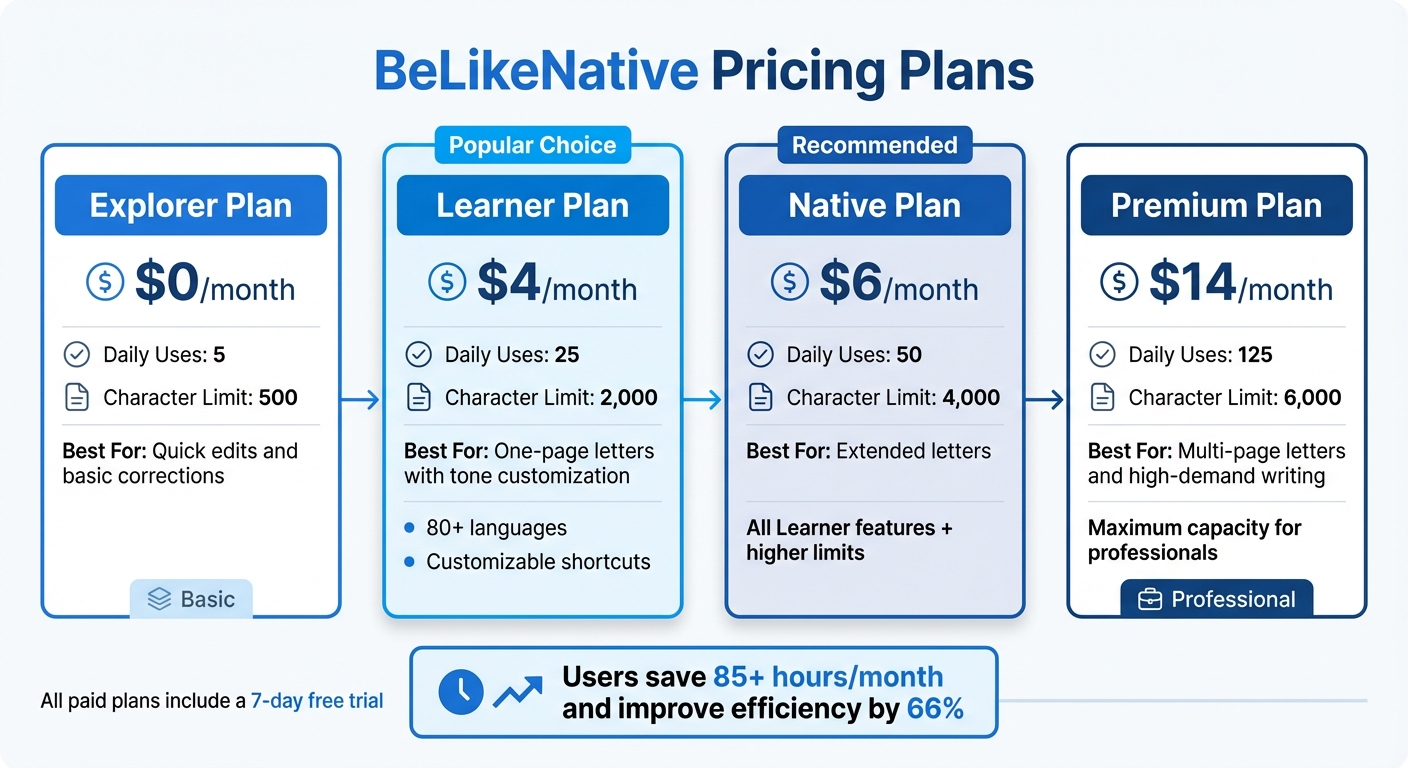
BeLikeNative Pricing Plans Comparison for Recommendation Letter Writing
Getting the most out of your writing process isn’t just about drafting quickly – it’s also about selecting the right plan to match your needs. BeLikeNative offers four pricing options, each tailored to different levels of demand.
For those who write occasionally, the Explorer plan is a free option that provides basic rephrasing. It’s limited to 5 uses and 500 characters daily, making it a great choice for quick edits or minor corrections.
If you write letters more regularly, the Learner plan, priced at $4/month, steps up your capacity to 25 daily uses and 2,000 characters. This plan also introduces tone and style customization in over 80 languages, along with customizable keyboard shortcuts to make your workflow smoother.
For users handling longer letters or needing more frequent access, the Native plan at $6/month increases the character limit to 4,000 and allows for 50 daily uses. And for those managing heavy workloads, the Premium plan at $14/month offers 125 daily uses and a character limit of 6,000 – perfect for multi-page letters or periods of high-volume writing.
BeLikeNative users report saving over 85 hours per month and improving efficiency by 66%, translating to annual savings of more than $35,700 for professionals who bill hourly.
All paid plans include a 7-day free trial, and you can adjust your plan anytime through your dashboard.
Pricing Comparison Table
Here’s a quick breakdown of the plans to help you decide which one fits your writing needs best:
| Plan | Price (Monthly) | Daily Uses | Character Limit | Best For |
|---|---|---|---|---|
| Explorer | $0 | 5 | 500 | Quick edits and basic corrections |
| Learner | $4 | 25 | 2,000 | One-page letters with tone customization |
| Native | $6 | 50 | 4,000 | Extended letters |
| Premium | $14 | 125 | 6,000 | Multi-page letters and high-demand writing |
Conclusion
Writing recommendation letters no longer has to be a time-consuming chore. With BeLikeNative, you can streamline the entire process in seconds – no more switching between tabs or copying and pasting into other apps.
The "Highlight, Shortcut, Done" workflow lets you refine drafts and adjust tone with ease. Whether you’re crafting a letter for a colleague applying to a U.S. company or translating it into one of over 80 languages using AI translation for global opportunities, this tool simplifies every step while keeping quality intact.
Already trusted by more than 3,000 writers, BeLikeNative is a go-to solution for professionals who need to balance speed and precision.
Start with the free Explorer plan, and as your needs grow, you can upgrade to match your writing demands. Make every letter effortless and impactful with BeLikeNative.
FAQs
What details should I collect before writing?
Before drafting a recommendation letter, take the time to gather essential details about the candidate. This includes their skills, qualifications, experience, and personal attributes. Additionally, understand the specifics of the opportunity they’re pursuing – such as submission deadlines and any key aspects the letter should address. Doing this groundwork helps you craft a letter that’s not only relevant but also leaves a strong impression.
How do I keep the letter personal with AI?
To create a personal recommendation letter using AI, start by supplying specific details about the person you’re recommending. Include their key achievements, standout qualities, and the nature of your relationship. Use this information to guide the AI in generating a draft. Once you have the draft, refine it by adding personal stories or unique observations that highlight their character and contributions. This approach ensures the letter feels personal, reflects your voice, and remains tailored to the individual.
Which plan fits my letter length and volume?
BeLikeNative has crafted subscription plans to suit a range of writing needs. These include Explorer, Learner, Native, and Premium, each offering different character limits and daily usage allowances.
When deciding which plan fits you best, think about how often you write and the typical length of your letters. If you only write occasionally or keep things brief, Explorer or Learner might be just right. On the other hand, if you need to handle longer or more frequent letters, the Native or Premium plans provide greater capacity and additional features.

