

Fix “Informal Language” In Academic Emails To Professors
When emailing your professor, formality matters. Casual language like "Hey" or "idk" can harm your credibility. Professors view emails as professional correspondence, closer to formal letters than text messages. To make a strong impression:
- Start with a polite salutation: "Dear Professor [Last Name]."
- Avoid contractions, emojis, and slang. Use precise language instead of vague terms like "stuff" or "things."
- Use formal transitions like "however" or "additionally" instead of "but" or "so."
- Keep your tone clear, respectful, and professional.
Pro Tip: Use the CLEAR structure – Context, Link, Explicit ask, Appreciation, and Reference – to organize your email effectively. Tools like BeLikeNative can help refine your tone and phrasing for academic settings.
Transform Any Text, On Any Site, In Seconds
Rephrase, translate, and improve text with one shortcut. Works everywhere you write.
Add to Chrome - It's Free!Email Tips for Academic and Professional Communication
sbb-itb-32359dc
How to Spot Informal Language in Academic Emails
The first step in writing a professional academic email is recognizing informal language. Many students unintentionally use casual phrasing because they’re accustomed to texting or posting on social media. However, professors expect emails to reflect the tone and structure of formal letters.
Common Examples of Informal Language
Certain language habits can make your email appear too casual and detract from your professionalism. For example, contractions like "don’t", "can’t", or "won’t" should be expanded to "do not", "cannot", and "will not." Similarly, phrasal verbs like "look into", "go up", or "get over" can be unclear. Take "make up", for instance – it could mean fabricate, resolve, or compensate. Instead, use precise alternatives such as "examine", "increase", or "recover" to convey your message clearly.
Vague words like "stuff", "things", "nice", "big", and "good" should also be replaced with more specific terms. For example, instead of "good", you might use "effective", "thorough", or "helpful." As George Mason University notes:
"even the most innovative and intelligent ideas might be perceived as simplistic or even be disregarded by a scholarly community".
The way you connect ideas also matters. Starting sentences with casual connectors like "also", "but", "so", or "and" can make your email sound conversational. Replace these with formal transitions like "however", "additionally", or "therefore." Avoid exclamation marks, informal abbreviations, and emojis, as they can undermine the professional tone of your message. Even seemingly harmless phrases like "Thanks in advance" may come across as presumptuous in academic settings. Instead, try saying, "I appreciate any assistance you can provide."
Beyond word choice, the tone and context of your email are crucial for maintaining formality.
Understanding Tone and Context
Tone and context play a significant role in how your email is received. Academic communication should be clear, precise, and well-organized, steering clear of the ambiguities common in casual conversation. As the University of York emphasizes:
"clear, precise, and structured, avoiding the potential ambiguities of conversational and informal language, in order to communicate research effectively".
While specific word choices are important, the overall tone should remain objective and professional. Think of it as the difference between reading a straightforward news article and an opinion piece – the goal is to inform, not to appeal emotionally.
Context is equally important. A phrase that might seem harmless in a text to a friend could undermine your credibility in an email to a professor. Overuse of personal pronouns like "I", "we", or "you" can make the email feel too personal. A useful trick is to use the "Find" function (Ctrl+F) to scan your email draft for informal markers such as "etc.", "stuff", "get", or contractions, and replace them with more formal alternatives.
How to Replace Informal Language with Professional Alternatives
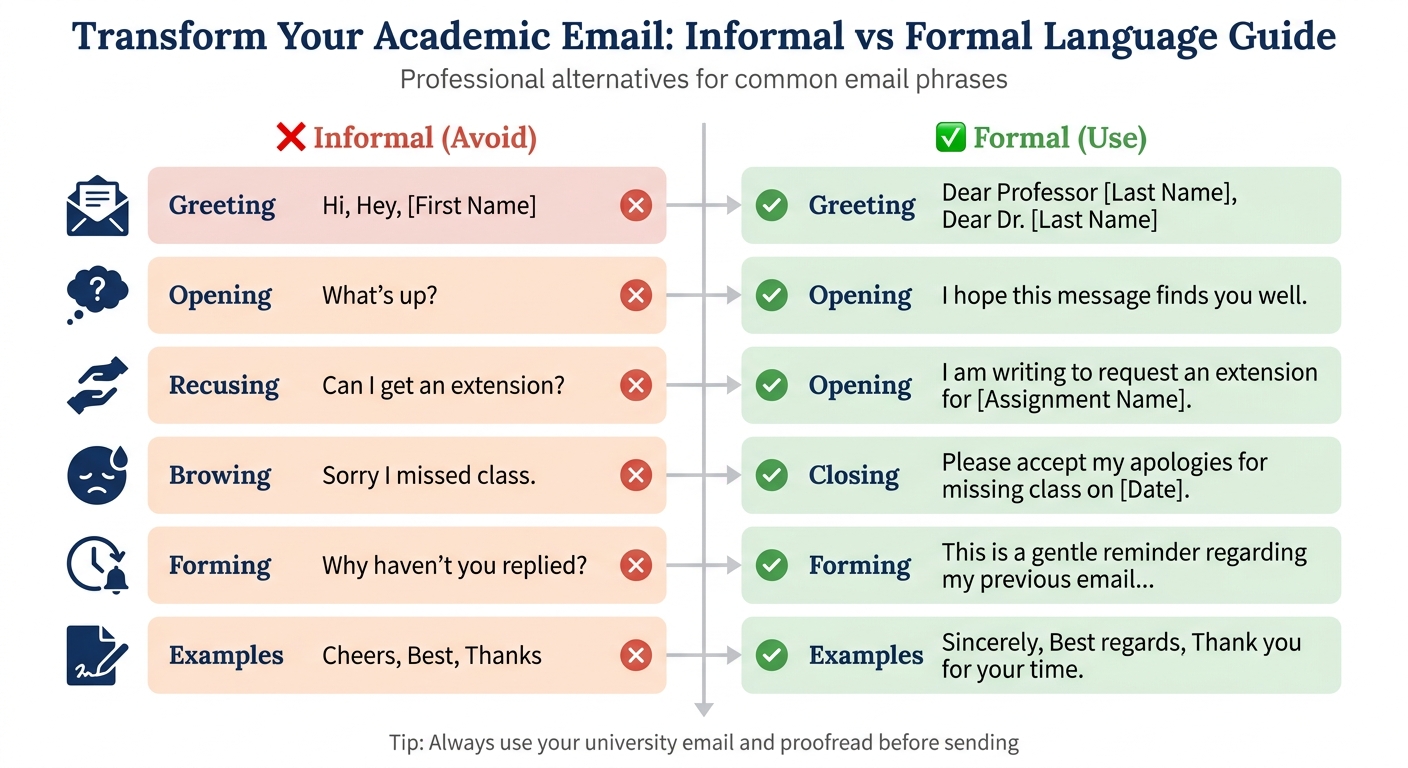
Informal vs Formal Language in Academic Emails to Professors
This section focuses on how to refine your emails by replacing informal language with more polished, professional expressions. The goal isn’t to sound overly stiff or robotic but to ensure your tone conveys clarity and respect. As Michaela Panter, PhD, from AJE Author explains:
"Using a formal tone will enhance the professional communication of your emails by conveying your respect for the email recipient’s position".
To achieve this, it’s not just about swapping out casual words – it’s about rephrasing for precision and politeness. For instance, instead of writing "I need help with…", you might say, "I would welcome any support or guidance you can offer regarding…". Similarly, casual closings like "Thanks" or "Cheers" can be replaced with more formal options such as "Sincerely", "Best regards", or "Thank you for your time."
Informal vs. Formal Language Comparison Table
Here’s a handy reference table to help you transform informal phrases into professional alternatives:
| Email Section | Informal (Avoid) | Formal (Use) |
|---|---|---|
| Greeting | Hi, Hey, [First Name] | Dear Professor [Last Name], Dear Dr. [Last Name] |
| Opening | What’s up? | I hope this message finds you well. |
| Requesting Help | Can I get an extension? | I am writing to request an extension for [Assignment Name]. |
| Apologizing | Sorry I missed class. | Please accept my apologies for missing class on [Date]. |
| Follow-up | Why haven’t you replied? | This is a gentle reminder regarding my previous email… |
| Closing | Cheers, Best, Thanks | Sincerely, Best regards, Thank you for your time. |
These examples can guide you as you revise your emails to reflect a more professional tone.
Tips for Writing Professional Emails
- Use your university email: This ensures your email appears credible and is easily identifiable.
- Craft a clear subject line: For example, "Math 3333 – Question on Homework" is specific and direct.
- Keep it concise: Limit your message to 2–5 sentences to respect the recipient’s time.
- Double-check your question: Review course materials or other resources before reaching out to avoid redundant inquiries.
- Phrase requests politely: Instead of demanding, use phrases like "Would it be possible to…".
- Proofread: Read your email aloud to catch errors or awkward phrasing before sending.
- Be patient: Allow at least 24 hours for a response, especially during weekends or holidays.
Using the CLEAR Email Structure for Professional Communication
When it comes to academic emails, the CLEAR structure – Context, Link, Explicit ask, Appreciation, and Reference – is a straightforward way to ensure your messages are concise and effective. This method builds on earlier strategies by keeping your communication focused and easy to follow.
CLEAR is ideal for situations like requesting extensions, arranging meetings, or clarifying assignments. Each part of the structure plays a specific role, from introducing yourself to making your request unambiguous. As Sarah Nemsick from MIT‘s Biological Engineering Communication Lab points out:
"Writing a clear, concise email improves your chances of getting a response from your recipient".
This structure is particularly useful when you consider that the average professional receives roughly 120 emails daily. Professors, who often juggle hundreds of students across multiple courses, are more likely to respond to emails that are well-organized and to the point.
How to Apply Each Part of the CLEAR Structure
Here’s a closer look at the five components of CLEAR and how they can enhance your professional communication:
- Context: Begin by introducing yourself. Include your full name, the course name, and the section number. For example: "I am Jane Student from PSY 101, Section 2." If the email involves an administrative request, adding your student ID can be helpful.
- Link: Establish your connection to the recipient by referencing something relevant, like the syllabus, class notes, or a prior discussion. For example: "I reviewed the syllabus for the midterm date and would like to confirm…" As Laura Portwood-Stacer advises:
"If you can try to answer your own question, and you turn out to be right, that saves them a little bit of time in their response".
- Explicit Ask: Clearly state your main request early in the email. Avoid burying it in unnecessary details. For instance: "May I request a two-day extension for the research paper?" Since professors spend an average of 11 hours per week managing their inboxes, leading with your request ensures it gets noticed.
- Appreciation: Show gratitude for the recipient’s time. Use professional phrases like "Thank you for your time and consideration" or "I appreciate your flexibility." A polite acknowledgment of their effort goes a long way.
- Reference: End your email with a professional sign-off, such as "Sincerely", or "Best regards", followed by your full name. If you’re attaching documents, mention them at the end, like: "Please confirm when you have received this document." Always send attachments as PDFs to maintain a polished appearance.
How BeLikeNative Helps Fix Informal Language in Academic Emails
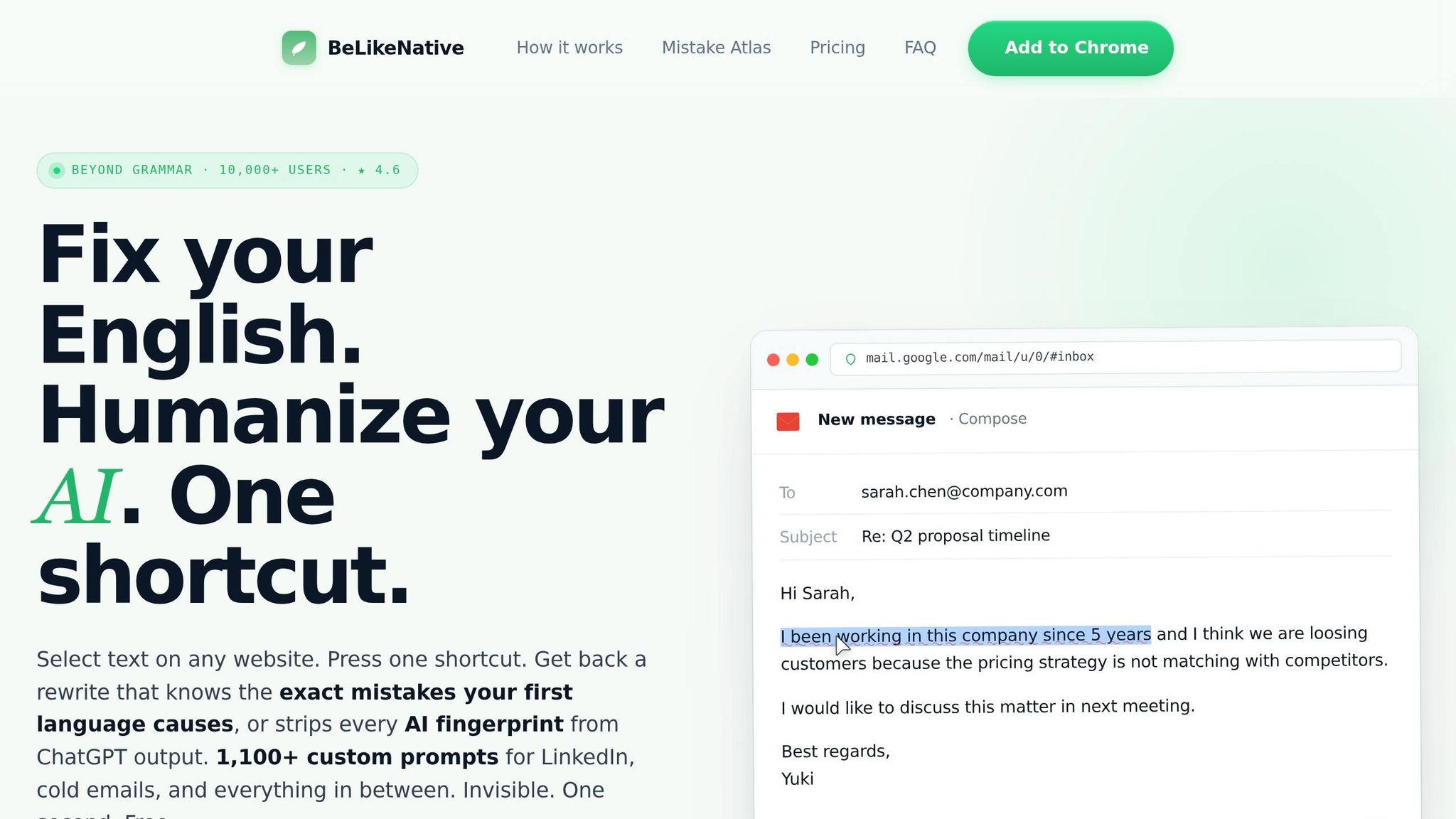
BeLikeNative is a handy Chrome extension designed to transform informal email drafts into polished academic correspondence. Using its AI-powered Style Report, the tool pinpoints tone, phrasing, and grammar issues, ensuring your emails meet professional standards. The process is simple: write your email naturally, then let BeLikeNative refine it. Users have reported saving over two hours daily by cutting out repetitive edits, with productivity gains of 66% and more than 85 hours saved each month. Here’s how BeLikeNative makes academic email writing easier and more effective.
BeLikeNative Features for Email Writing
BeLikeNative comes with several features tailored specifically for academic communication. Its tone and style customization options allow you to choose between "Academic" or "Formal" settings, applying rules that remove casual language and elevate your email to professional standards.
The extension also offers real-time grammar and error detection, using color-coded underlines – blue for grammar and style issues, and red for spelling mistakes – so you can catch problems as you type. For quick fixes, the instant rephrasing function converts informal text into polished English in under a second, with the updated text ready to paste from your clipboard.
Another standout feature is its support for over 80 languages, letting non-native speakers draft emails in their preferred language and seamlessly translate them into formal English. Additionally, the built-in Style Report flags awkward or unclear phrasing, helping you refine tone and clarity to avoid misunderstandings.
Together, these features create a straightforward, efficient workflow for crafting professional academic emails.
How to Use BeLikeNative to Write Professional Academic Emails
Getting started with BeLikeNative is easy. Install the free Chrome extension, which takes just seconds to set up and works on any website. When drafting an email to your professor, write your thoughts informally without worrying about structure or tone. Then, highlight the text and press the shortcut key (customizable in the settings) to generate a formal version.
For example, if you draft:
"Hey, can I get a couple more days to finish my paper? It’s due May 5."
BeLikeNative transforms it into:
"Dear Professor Smith, I am writing to request a two-day extension for the research paper due on May 5, 2026. I appreciate your consideration of this request."
After pasting the revised text back into your email, review it for accuracy. Use the tone detector to ensure your message maintains the right level of formality before sending. This step-by-step process ensures your email meets the professional standards expected in academic settings.
BeLikeNative Pricing Plans for Students
BeLikeNative offers flexible pricing plans to suit different needs:
- Explorer plan (Free): 5 free uses per day with a 1,000-character limit, perfect for occasional short emails.
- Learner plan ($4/month): 25 uses per day with a 2,000-character limit, plus editable functions and customizable shortcuts.
- Native plan ($6/month): 50 uses per day with a 4,000-character limit, priority bandwidth, and input on future features.
- Premium plan ($14/month): 125 uses per day with a 6,000-character limit, partnership perks, and the option for a lifetime license after two years.
All paid plans include community access, premium support, and early access to new features. With a 4.6/5-star rating on the Chrome Web Store based on 256 reviews, users frequently highlight the seamless clipboard integration. For those new to the tool, the free Explorer plan is a great way to test its capabilities before upgrading.
Conclusion: Writing Professional Emails to Professors
Crafting academic emails requires attention to a few key practices. Approach every email as you would a formal letter – use proper grammar, punctuation, and complete sentences. Begin with a polite salutation like "Dear Professor [Last Name]" and aim to keep your message brief, ideally within 2–5 sentences, to show respect for your professor’s time.
Frameworks like CLEAR can help structure your emails effectively. These ensure you include relevant context, articulate your request clearly, and end with a courteous closing. Swapping casual phrases for professional language and carefully proofreading your email demonstrates both responsibility and professionalism. As Michaela Panter, PhD at AJE, explains:
"A more polite style of email writing may increase your credibility as a fellow professional."
FAQs
How formal should my email be to a professor?
When writing an email to a professor, it’s important to maintain a formal and professional tone. This means avoiding slang, contractions, or any informal expressions. Your message should be concise and limited to no more than four short paragraphs.
Start with a clear and specific subject line that reflects the purpose of your email. For example, if you’re requesting a meeting, your subject line could say: "Request for Meeting Regarding [Course Name]". This helps the professor quickly understand the context of your message.
In the body of the email, introduce yourself briefly, especially if you’re not a familiar student to the professor. Then, clearly state your purpose. Be polite and respectful throughout, addressing them appropriately (e.g., "Dear Professor [Last Name]") and ending with a courteous closing like "Sincerely" or "Best regards."
A professional tone not only ensures your message is taken seriously but also reflects your respect for the professor’s time and position.
What words make an email sound too casual?
Casual emails tend to rely on slang, informal expressions, or unclear terms like "thing," "stuff," "a bit," or "sort of." They might also include phrases such as "you know" or "by the way," which can come across as unprofessional. To ensure a more formal tone, steer clear of starting sentences with words like "also," "but," or "so." Instead, opt for more polished alternatives like "additionally," "however," or "therefore."
When should I use the CLEAR email structure?
The CLEAR email structure is a practical way to craft professional emails to professors or instructors. It helps you keep your message concise, respectful, and well-organized – qualities that are crucial for maintaining a professional tone. This structure works especially well for requests, clarifying coursework questions, or arranging appointments. By using this method, you ensure your purpose is communicated clearly, making it easier for your professor to respond efficiently.
Related Blog Posts
- Sound More Professional? Business Email English Improvement for Non-Native Speakers
- How To Rewrite Emails In Gmail For Better Clarity
- Convert Informal Text To Formal Business English
- How To Sound Like A Native Speaker In Outlook Emails
BeLikeNative fixes grammar, rephrases, translates, and simplifies text on any website in 1 second — just highlight and hit a keyboard shortcut. No tab switching. Try it free →

